What should you look for when choosing?
First, compare the layout software’s requirements with the computer and monitor. Then consider the shared workstation, file permissions and everything you’ll need for a complete setup.
| Factor to consider |
What should you check? |
Who is this important for? |
| Layout software and monitor |
Check the software version, supported operating system, memory and screen resolution against the publisher’s requirements. |
If I’m laying out pages, I want to know whether my software will run on this computer and whether the monitor meets the programme’s requirements. Around 33% of consumers prioritise compatibility between software and screen. |
| Setting up a shared desk |
Measure the available space and check the monitor and peripheral connections on the exact configuration. |
When several people use the same desk, I want to be able to position the computer, monitor and documents conveniently. Around 27% of consumers prioritise the workstation setup. |
| Access to files |
Agree who needs access and how accounts and permissions will be managed. |
If work files are stored on a shared computer, I want to decide in advance who can access them. Around 20% of consumers prioritise access permissions; the Dutch Data Protection Authority says organisations must protect personal data appropriately and manage access controls properly. |
| Complete setup and support |
Check which components are included and what service terms apply to the configuration and type of purchase you’ve chosen. |
If the workstation needs to be ready to use straight away, I want to know whether the monitor, input devices and any necessary connection accessories are included. Around 20% of consumers focus mainly on a complete setup and the support that comes with it. |
For InDesign 21.3 and later, Adobe lists 8 GB of RAM as the minimum and 16 GB as the recommended amount, with a recommended screen resolution of 1920 × 1080. These requirements apply to that software version, not to every programme you can use to create a puzzle booklet. Also check how much SSD space will be available after installation.
Joybuy products for this workstation
This selection includes mini PCs for use with a separate monitor and all-in-one desktops with an integrated screen, for creating a puzzle booklet at a shared workstation.
 No image available
MSI CUBI NUC AI 1UMG-005EU mini PC
A mini PC to pair with a separate monitor when desk space for the computer is at a premium.
Intel Core Ultra 7 155H, 16 GB DDR5 memory, 1 TB SSD and Windows 11 Pro.
View at Joybuy
 No image available
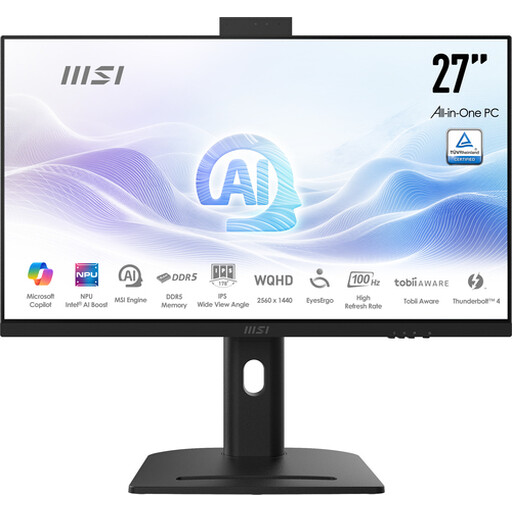
MSI Modern AM273QP AI 1UM-061EU all-in-one PC
An all-in-one for anyone who wants to have the computer and screen together as a single device on a shared workstation.
Intel Core Ultra 5 125H, 27-inch screen with 2560 × 1440 pixels, 16 GB DDR5 memory and 1 TB SSD.
View at Joybuy
 No image available
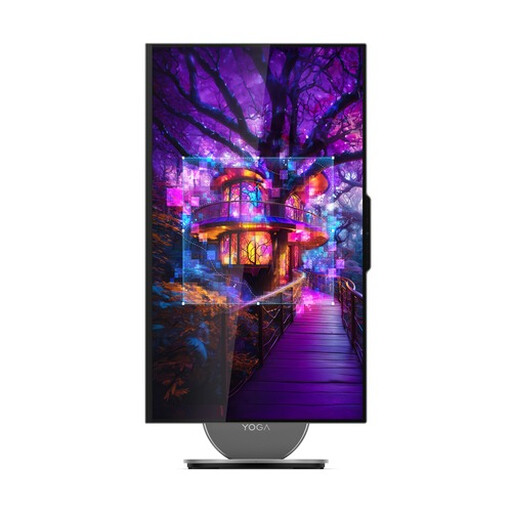
Lenovo Yoga AIO 27IAH10 F0J2001DNY
An all-in-one for a shared desk where you’d prefer an integrated screen to a separate monitor.
27-inch QHD screen with 120 Hz, Intel Core Ultra 7 255H, 16 GB LPDDR5X memory, 1 TB SSD and Windows 11 Home.
View at Joybuy
 No image available
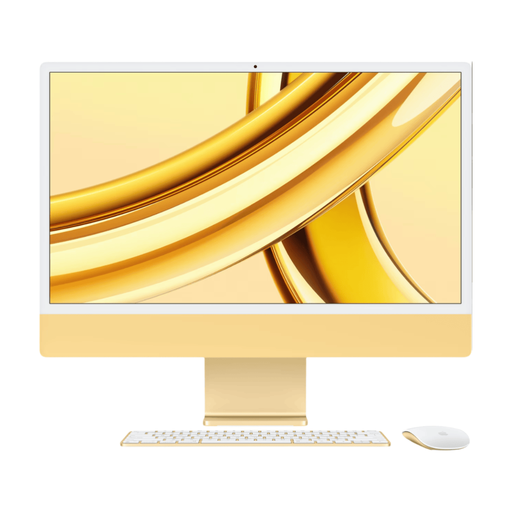
Apple iMac 24-inch M3 24 GB 512 GB, Dutch Yellow (2023)
An iMac all-in-one that combines the computer and screen in one workstation.
24-inch screen, M3 chip, 24 GB memory and 512 GB storage.
View at Joybuy
 No image available
Lenovo ThinkCentre M70q Gen 5 mini PC
A compact Windows mini PC for use with a separate monitor at a shared desk.
Intel Core i7-14700T, 16 GB DDR5 memory, 512 GB SSD and Windows 11 Pro. The power adapter must be purchased separately.
View at Joybuy
Frequently asked questions
Is 8 GB of memory enough for InDesign?
For InDesign 21.3 and later, Adobe lists 8 GB of RAM as the minimum and 16 GB as the recommended amount. Also check the supported operating system, screen resolution and available storage space for your software version.
What should you arrange before several people work on the same booklet?
Check the layout software and the connections for the monitor and other devices. If the organisation processes personal data, the Dutch Data Protection Authority says appropriate security and properly managed access controls are needed, so agree who can access which files.
What support is available if a desktop breaks down?
It depends on the configuration you choose, the seller and the type of purchase. For the ProDesk 4 Mini G1i configuration E59BWEA#ABH, HP lists three years of on-site support. The ACM notes that the seller is responsible for the statutory guarantee on consumer purchases; ACM ConsuWijzer also distinguishes between private and mainly business use.
Are there Dutch rules for shared screen-based workstations?
If employees work with screens, their employer must ensure that this does not put their safety or health at risk. Arboportaal explains the requirements for screen-based work; these do not prescribe a particular desktop brand or a universal computer configuration.
Where can you take an old computer?
For old household appliances, the Dutch government lists options including the shop or online retailer where you buy a new, similar appliance and your local recycling centre. For equipment owned by an organisation, check which disposal route applies.


