
Gamer with a weak Wi-Fi signal
Your gaming device is in a spot where the signal drops out or is noticeably weaker than it is by the router. You want to know whether a well-positioned repeater could improve coverage there.


First, establish whether the slow download is caused by weak Wi-Fi at your workspace, or by the internet connection or its being shared with others: a Wi-Fi extender will not fix those latter bottlenecks. According to the Dutch Consumers’ Association and TP-Link, your choice depends on the signal where the repeater will be placed and the connections available: a repeater can help with a wireless range problem, while an access point requires an authorised network cable. Before buying, check whether your own equipment and the required login method are permitted at your shared workspace.
Your gaming device is in a spot where the signal drops out or is noticeably weaker than it is by the router. You want to know whether a well-positioned repeater could improve coverage there.
You share the connection while downloading and want to distinguish between weak Wi-Fi coverage and a bottleneck in the internet connection.
You cannot control the router settings or network connections yourself. So first check which equipment, connections and login methods are permitted at your workspace.
When: if you want to improve Wi-Fi in one weak-signal spot and the repeater itself can still be placed within range of the existing network.
Trade-off: the connection back to the router still determines performance; a higher advertised Wi-Fi speed does not guarantee a faster game update.
When: if there is a usable network cable at your workspace and you have permission to use it, and you need Wi-Fi there.
Trade-off: you need a cable and network access; an Ethernet port on a repeater does not automatically mean the repeater itself is connected by cable.
When: if you manage the network and want coverage in several places, or if devices move between workspaces.
Trade-off: check that the router and system support the mesh features you want to use together; mesh will not fix a slow internet connection.
When: if the connection is also slow close to the router or via an authorised cable, or if you are not allowed to connect your own device.
Trade-off: a range extender is not a proven solution in this case; ask the administrator about the connection and network usage.
At a shared workspace, your choice mainly depends on where the bottleneck is and which connections the administrator allows.
| What to consider | What to look for | Which consumers should prioritise this? |
|---|---|---|
| Coverage where you download | Check whether usable Wi-Fi is available at an intermediate point; where possible, compare the connection with one closer to the router. | If I have weak Wi-Fi where my gaming device is, I want to know whether a repeater can still receive a usable signal from the router there. Around 31% of consumers prioritise coverage where they download. |
| Download speed when the network is shared | Where permitted, compare measurements on the same connection in different places and at different times; an advertised Wi-Fi speed is not a measured internet speed. | When others are online at the same time, I first want to know whether the connection or shared usage is slowing down the download. Around 25% of consumers prioritise this potential capacity limitation. |
| Network access | Ask which personal devices are allowed and check that the required login method works with the model you choose. | If I am not the network administrator, I need to know whether connecting and logging in is allowed and practical at my workspace. Around 25% of consumers prioritise network access and management. |
| Connecting a PC or console | Check how many Ethernet ports you need, whether access point mode is available and whether an authorised cable runs to the network. | If I would rather connect my PC or console by cable, I want to know which cable and network port are available. Around 19% of consumers prioritise a wired connection. |
The speed of your internet connection, modem and wireless environment can all play a part. An extender does not automatically increase the internet speed available to you.
Where permitted, compare the connection by the router with the one at your workspace before choosing a model based on its speed rating.
The repeater still needs to maintain a connection with the router, which may not be possible where the signal drops out.
Place it between the router and your workspace, within range of the router, then check the signal indicator and test the connection in its final position.
Mesh features may depend on specific compatible systems. Standard repeater operation is not the same as working as part of a mesh system.
Check your router model and the exact mesh feature you need. If they are not compatible, compare repeater and access point modes separately.
Mesh compatibility may require additional compatible network equipment.
At a managed workspace, you may not be allowed to connect equipment or change router settings. A login page can also affect how a particular model works.
Ask the administrator for permission and details of the login method. Check support for the exact model before assuming it can connect.
If the connection or web login does not work, the device may go unused.
The RE705X is a Wi-Fi 6 extender that can be used as a repeater or access point. It is worth considering if you want to compare wireless extension with a possible wired setup.
According to its product specifications, the RP-AX58 offers repeater, access point and media bridge modes, which is useful if you want to choose between these setups.
The EAX15 is a Wi-Fi 6 wall-plug model worth comparing if an extender with an Ethernet port would suit your workspace.
According to devolo, the WiFi 6 Repeater 3000 supports repeater and access point use and has a Gigabit LAN connection.
This selection includes wireless repeaters, access points for a wired network connection and mesh systems. At a shared workspace, first check that the required connection and equipment are permitted.
 No image available
Suitable for a wireless setup to extend existing Wi-Fi coverage, provided the repeater can still connect to the network.
The product specifications list 2.4 GHz, up to 300 Mbps and support for up to 24 devices; these are not guarantees of download speed.
 No image available
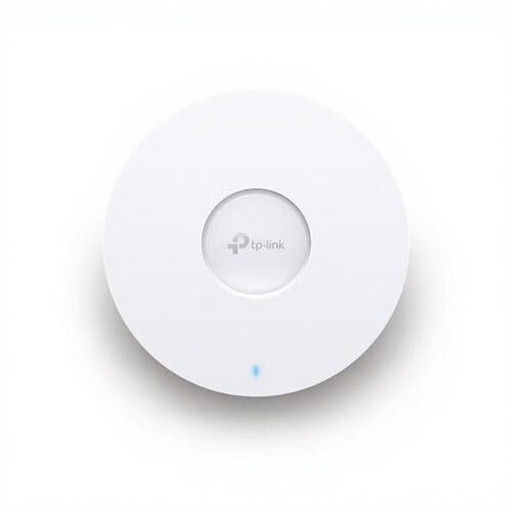
Suitable for an access point setup if an authorised Ethernet connection to the network is available.
The product specifications list Wi-Fi 6, MU-MIMO, a 2.5 Gbps Ethernet port and PoE support. A wired network cable that you are permitted to use is required for a wired access point setup.
The advertised capacity of up to 250 simultaneous users is a product specification, not a guarantee of performance at your workspace.
 No image available
Suitable for a mesh setup covering several areas, provided the existing router is compatible with the mesh features you want to use.
The product specifications list tri-band Wi-Fi 6E, three mesh units, three Gigabit Ethernet ports per unit and QoS.
 No image available
Suitable for a mesh setup with PoE if this installation is compatible with the network infrastructure available.
The product specifications list Wi-Fi 6, PoE support and two Ethernet ports per unit.
 No image available
Suitable for a wired access point setup if there is an authorised Ethernet connection to the network.
The product specifications list Wi-Fi 6, Gigabit Ethernet, PoE support and an advertised speed of up to 1,800 Mbps. Mesh and roaming are also listed; check which features work with your existing network.
Place the repeater between the router and the area with weak coverage, but within range of the router. TP-Link recommends checking the signal indicator, then testing the connection at your workspace.
No. An Ethernet port can connect a PC or console while the extender itself communicates with the router wirelessly. For a wired access point, the model must support access point mode and an authorised network cable must connect it to the existing network.
Check the warranty terms for the specific product and seller, and see whether you need a cable or additional network equipment. devolo lists a three-year warranty for the WiFi 6 Repeater 3000, extendable by one year; this does not automatically apply to other products.
The Dutch Authority for Digital Infrastructure outlines European requirements for radio equipment and the mandatory CE marking. Check the marking on the version being offered; by itself, it does not give you permission to connect equipment to a shared workspace network.
You cannot tell from the word ‘repeater’ alone. A NETGEAR moderator reported that two specific older models do not connect to networks using web authentication. So check support for the exact model and ask the network administrator which login method and equipment are permitted.