What should you consider when choosing?
Desktop HDD
A good fit when: the archive is kept mainly at a fixed workstation and room to grow is the priority.
Bear in mind: it needs a power adapter and is less convenient to transport; one drive is still just one copy.
Portable SSD
A good fit when: group members regularly take projects with them or want to transfer them quickly, and the chosen capacity suits the archive.
Bear in mind: the stated speed also depends on the computer and connection you use.
Portable HDD with a protective casing
A good fit when: you regularly hand projects over in person and want a portable hard drive.
Bear in mind: check the exact variant, and don’t assume protection against specified conditions means protection against every type of damage.
First, work out how much storage space the archive needs and whether the drive will stay in one place or travel with you regularly. Make sure you also keep a separate copy of the project files: the National Archives of the Netherlands describes organisation and ease of retrieval as part of archiving, while the National Cyber Security Centre advises keeping backups on different media and in another location.
| Consideration |
What to look for when buying |
Who should prioritise this? |
| Capacity and ease of retrieval |
Allow for source files, projects and exports; choose an exact variant with room for expected growth and agree on a project folder structure. |
If I want to keep both source files and completed projects, I need to know in advance how much space the library will need. Around 34% of consumers in this choice prioritise archive space and ease of retrieval. |
| Separate copies |
Decide where a second copy will be kept, who will update it and how the group will check that files can be restored. |
I want to prevent a fault or incident affecting the only copy on one drive. Around 33% of consumers give the protection of separate copies top priority. |
| Transport and transfer |
Check the ports on the group’s computers, the cable, the capacity and whether the drive is intended for storage or for editing too. |
If projects regularly move between workstations, I want to take them with me and transfer them without running into connection issues. Around 20% of consumers prioritise transferring files on the go. |
| Access and retention policy |
Decide who needs access and what security and deletion arrangements are appropriate for the footage and how it is used. |
If people are identifiable in group footage, I want to agree who can view it and how long it will be kept. Around 13% of consumers prioritise access management and retention policies. |
For a portable SSD, Samsung lists specific manufacturer figures for the T7 Shield; actual transfer speeds also depend on the equipment you use. Choose based on the connections available on the group’s computers and how you will use the drive, not just its stated speed.
Joybuy products
This selection includes portable SSDs for taking projects with you and transferring them, as well as portable and desktop HDDs for video archives on the go or at a fixed workstation.
 No image available
SanDisk Portable SSD 1TB
A portable SSD for storing and transferring video files when 1 TB is enough.
Stated read speed of up to 800 MB/s. The product information lists drop protection from heights of up to 2 metres.
View at Joybuy
 No image available
SanDisk Extreme Pro Portable SSD 1TB 2000MB/s
A portable SSD for transferring projects when 1 TB of storage suits your library.
The stated read speed is up to 2.000 MB/s and requires a compatible USB 3.2 Gen 2x2 host; the stated write speed is lower. The product information lists USB-C, IP65 and drop protection from heights of up to 3 metres.
View at Joybuy
 No image available
WD Elements Portable 5TB USB-C
A portable HDD with 5 TB of capacity for an archive that travels between locations.
The product information lists USB-C, USB 3.2 Gen 1 and USB-powered operation. This is a mechanical HDD, so protect it from physical shocks.
View at Joybuy
 No image available
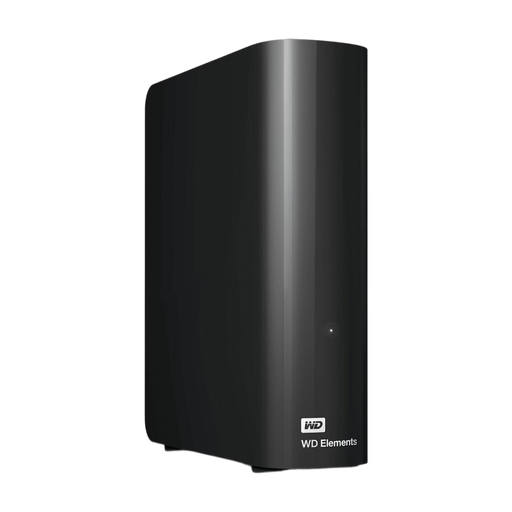
WD Elements Desktop 12TB
A desktop HDD for archive storage at a fixed workstation, if 12 TB suits your project library.
The product information lists USB 3.0 and an included power adapter. It needs mains power, so this model is less suitable for taking with you when no socket is available.
View at Joybuy
 No image available
WD Elements Desktop 6TB
A desktop HDD for keeping projects in one place, if 6 TB is enough.
The product information lists USB 3.0 and an included power adapter. It needs mains power; the product information does not list password protection or encryption.
View at Joybuy
Frequently asked questions
Is one external drive enough for an archive?
No, not as your only copy. According to the National Archives of the Netherlands, digital archiving also involves selecting, organising and describing content. The National Cyber Security Centre also advises keeping separate backups on different media, with one copy in another location.
What should you check before using a new drive?
Check the connection, cable and whether the file system can be read on the computers the group uses. Western Digital says WD Elements Desktop needs to be reformatted for macOS; Seagate says the Expansion Desktop variant reviewed needs to be reformatted for Time Machine compatibility. Move important files elsewhere before reformatting a drive.
How can the group maintain the archive after buying a drive?
Agree who will organise and describe projects, who will update the separate copies and how file restoration will be tested. The National Archives of the Netherlands distinguishes archiving from simply making a backup; testing backups is also part of the National Cyber Security Centre’s approach.
Can a group in the Netherlands film and keep identifiable participants indefinitely?
Identifiable people in footage are personal data. The Dutch Data Protection Authority says personal data must be properly secured and must not be kept for longer than necessary for the purpose. The appropriate period depends on the purpose and the specific processing involved; according to the Dutch Data Protection Authority, there is no general fixed retention period.
Can the group use someone else’s music or film clips in a project?
The Government of the Netherlands says you may only use copyright-protected films, photos and music with the creator’s permission. Before using them, check that you have the necessary permission for the project and the way the group intends to share it.


