What should you look for when choosing?
Start by testing: check the internet connection and Wi-Fi coverage where your housemates study before replacing or expanding your equipment.
Keep your existing equipment
When: if it’s not yet clear whether the connection or Wi-Fi is the bottleneck, or if changing the router’s position could improve coverage.
Trade-off: moving it may improve coverage, but it won’t make a slow internet connection faster.
One router or access point
When: if one well-positioned Wi-Fi access point reaches the study spaces you use. An access point may be suitable if your provider’s router continues to handle the routing.
Trade-off: one access point won’t guarantee coverage behind walls or on other floors.
Multiple Wi-Fi access points or mesh
When: if tests show weak coverage in several rooms used for studying.
Trade-off: you’ll need to position several access points; connecting them via Ethernet requires cabling.
| Consideration |
What should you check? |
Who is this most relevant to? |
| Using the connection at the same time |
First test using a wired connection, then compare it with Wi-Fi. Check whether your devices support Wi-Fi 6 if you want to use that feature. |
If several housemates study online at the same time, you’ll want to know whether the connection can handle those activities. Around 40% of consumers say simultaneous use is their main consideration. |
| Coverage in each room |
Test in the study spaces you actually use and see whether you need to reposition the router or add one or more access points. |
If a room is further from the router or separated by obstacles, you’ll want a usable signal there. Around 30% of consumers prioritise coverage in the rooms they use. |
| Security and updates |
Check which Wi-Fi encryption standards are supported by both the router and your devices, and how updates are installed for the exact model. |
If you manage the shared network, you’ll want to choose settings that work with your housemates’ devices and keep the firmware up to date. Around 20% of consumers prioritise network management. |
| Connection and setup |
Check whether you’ll keep your provider’s equipment, which mode suits your setup and how many Wi-Fi access points you need. |
If you’re looking for a solution that works with your existing equipment, you’ll want to avoid unnecessary extra devices. Around 10% of consumers make compatibility and setup their main priority. |
Routers and mesh systems at Joybuy
This selection includes standalone routers and mesh systems for shared study spaces. Check that the version on offer and its setup suit your connection.
 No image available
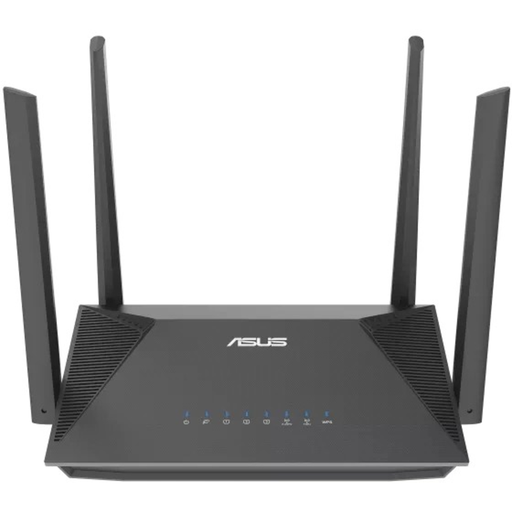
ASUS RT-AX52 AX1800 AiMesh dual-band router
A standalone router for a setup where one central Wi-Fi access point reaches the study spaces.
The product description mentions Wi-Fi 6, OFDMA and MU-MIMO. Check coverage in the rooms you use and compatibility with your provider’s equipment.
View at Joybuy
 No image available
TP-Link Deco X50 (3-Pack) dual-band Wi-Fi 6 mesh system
A set of three mesh units for a setup with multiple Wi-Fi access points.
The product name specifies Wi-Fi 6 (802.11ax) and dual-band operation at 2.4 GHz and 5 GHz. The description mentions gigabit ports and optional Ethernet backhaul; if you’re connecting the units by cable, remember to allow for the network cables you’ll need.
View at Joybuy
 No image available
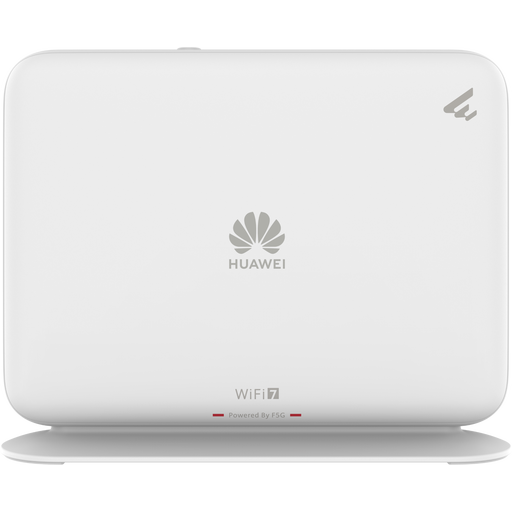
Huawei eKit OptiX FG736 BE3600 dual-band WiFi 7 mesh router
A mesh router to compare if you’re considering a mesh setup for several study spaces.
The product name specifies dual-band WiFi 7. The description mentions mesh expansion and app-based management; check which version and additional equipment are right for your setup.
View at Joybuy
 No image available
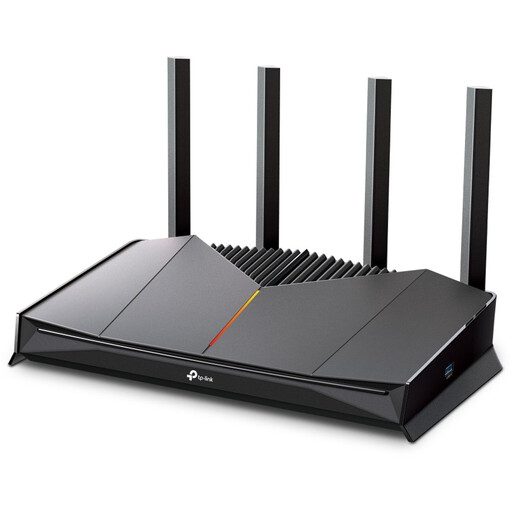
TP-Link Archer GE230 dual-band wireless router
A standalone router to compare if one central Wi-Fi access point can reach the study spaces.
The product description mentions Wi-Fi 7, EasyMesh and 2.5 Gbit/s ports. Check that these features are compatible with your existing equipment and the devices you want to connect.
View at Joybuy
 No image available
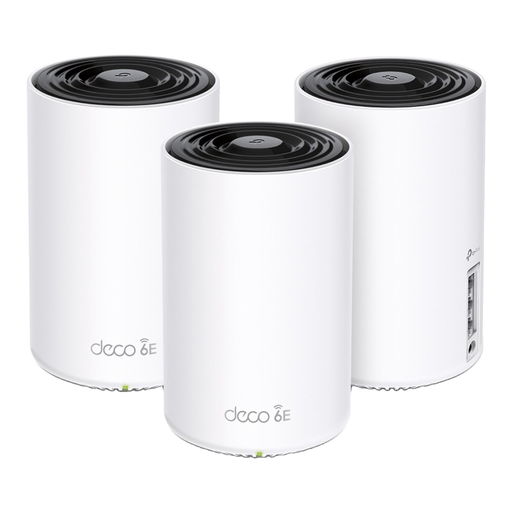
TP-Link Deco XE75 Pro (3-Pack) tri-band Wi-Fi 6E mesh system
A mesh system with three units for a setup with multiple Wi-Fi access points.
The product name specifies tri-band operation at 2.4 GHz, 5 GHz and 6 GHz, and Wi-Fi 6E (802.11ax). The description mentions three gigabit ports per unit and WPA3; check that the connected devices support the security setting you want to use.
View at Joybuy
Frequently asked questions
How can you tell whether you need a new router?
First, test using a network cable, then compare the result with Wi-Fi in the study space. If the wired connection is particularly disappointing, discuss the connection with your provider; if you’re having a Wi-Fi problem, try repositioning the router too.
Can you use your own router in the Netherlands?
Yes. According to ACM ConsuWijzer, you have the freedom to choose your router. There may be connection and security requirements for a device connected directly to your provider’s network; ask your provider for the settings you need if necessary.
What should you maintain after installation?
Check the Wi-Fi encryption settings and keep the router firmware up to date. WPA3 only works if the connected device supports it too; check how to install updates for the exact model.
What if the router breaks down too soon during normal use?
In addition to any manufacturer’s or seller’s warranty, statutory guarantees apply in the Netherlands. ACM ConsuWijzer states that if a product breaks down sooner than you could reasonably expect, the seller must provide an appropriate solution free of charge.
Which product marking should you check on a new router?
Radio equipment placed on the market in the European Union must meet the applicable requirements and carry the required CE marking. Check the marking and the exact product version; a declaration for a different model or hardware version doesn’t prove that the version on offer meets those requirements.


