Start by deciding whether you want to keep editing a playlist together or add tracks to the queue while you listen. Then check that the speaker works with your phones and music service, and weigh up sound, controls, privacy and subscription costs. A bigger speaker isn’t automatically the right choice for a small hobby room.
Who is this choice for?
People who want to create one playlist together
You both want to be able to choose tracks before and while you work on your hobbies. A playlist you edit together is different from Spotify Jam, where participants add tracks to the current queue. Spotify Support explains both features.
People with different phones
You want to control one dedicated speaker from the devices and music service you already use. So check the playback options available on the exact model.
Listeners with limited space
You want sound that suits your hobby room, without giving up too much space for a large speaker. As well as the controls, consider its size, placement and privacy features.
What should you look for in a speaker for a shared playlist?
First, decide how you want to choose tracks together. Then check the music service and controls, and consider whether the size, cost and privacy features suit your room.
| What to consider |
What should you look for? |
Who is this important for? |
| Choosing tracks together |
Decide whether you want a playlist you can keep editing together or to add tracks to a Jam queue together. Spotify Support says you need Premium to host a Jam. |
If we want to create a list together that we can also edit later, this feature is a major consideration; around 31% of consumers prioritise choosing tracks together. |
| Device compatibility |
Check that the exact model supports your music service and preferred playback method. According to Spotify, the devices involved must be on the same Wi-Fi network the first time you connect using Spotify Connect. |
If you want to play music from different phones, you don’t want to run into connection problems because of incompatibility; around 25% of consumers give compatibility with their existing devices top priority. |
| Sound and size |
Compare the speaker’s size and placement with your hobby room, and listen to it yourself if possible. The Consumentenbond says larger speaker enclosures can offer more bass and volume in particular. |
If the room is small, I want to know whether the size and sound will suit it; around 19% of consumers prioritise sound that’s right for the room. |
| Total cost |
Allow for any subscription costs associated with the music service feature you want. Spotify requires Premium to host a Jam. |
If you’re weighing up the cost of the speaker and using it, you’ll want to know in advance which features require a subscription; around 13% of consumers prioritise the total cost. |
| Privacy and voice control |
Check whether the model has a microphone, how you can switch it off, and what the privacy and security information says. The Autoriteit Persoonsgegevens recommends checking these details for smart devices. |
If I’d rather not use voice control, I want to know how much control I have over the microphone and settings; around 12% of consumers prioritise privacy and voice control. |
Things to consider before buying
-
Confusing a shared playlist with shared control of the speaker
A speaker doesn’t automatically control who can add tracks to a playlist or queue. A playlist you can edit together and Spotify Jam offer different ways to choose music together.
First, choose the collaborative feature you want in your music app, then check how to play it through the speaker.
-
Assuming versions with the same model name are identical
Language support and features can vary between versions. So check the full product title and the language support for the specific version.
Compare the exact variant and the settings you need before placing your order.
-
Assuming an announced speaker is already available to buy
Apple lists 30 October 2026 as the date the HomePod mini 2 will be available; on 27 October 2026, that date is still in the future.
If you’re considering this version, check its current availability and delivery date.
Brands to consider
Sonos
Worth considering if you already use Sonos or want a dedicated music setup with app control.
- Sonos lists Wi-Fi, Bluetooth and voice control for the Era 100. For the Era 100 SL, Sonos says there’s no built-in voice control.
- According to Sonos, the Era 100 needs a separate adapter for its line-in connection. Sonos explains how to set up Wi-Fi through the Sonos app for the Era 100 SL.
JBL
The Authentics range is worth a look if you want different playback options in one dedicated speaker.
- JBL lists AirPlay, Cast, Spotify Connect and Bluetooth for the Authentics range.
- Check support for the exact model and make sure it works with the phones and music services you use.
Apple
An option to compare if you mainly want to play music from compatible Apple devices using AirPlay.
- Apple lists AirPlay from compatible Apple devices as a playback method for the HomePod mini.
- Apple lists 30 October 2026 as the HomePod mini 2’s availability date. Also check whether AirPlay works with your music service.
Joybuy products to compare
This selection includes speakers for a permanent setup and models you can move around. Compare the playback options for each version with the phones and music service you use.
 Image unavailable
Bose Lifestyle Ultra Speaker, black
Worth comparing if you’re looking for a dedicated speaker setup. Check that this version supports the music service and controls you want to use.
View at Joybuy
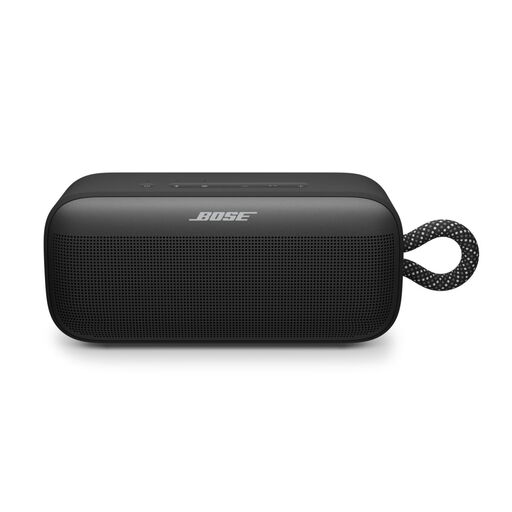 Image unavailable
Bose SoundLink Plus, black
Worth comparing if you want to move your speaker around while working on your hobbies. Check the product page to see which playback options this version supports.
View at Joybuy
 Image unavailable
Mlove BV800 portable Bluetooth speaker
An option to compare if you want to use Bluetooth from a phone and be able to move the speaker around.
Connections and features: Bluetooth, AUX, USB, TF card and FM radio.
View at Joybuy
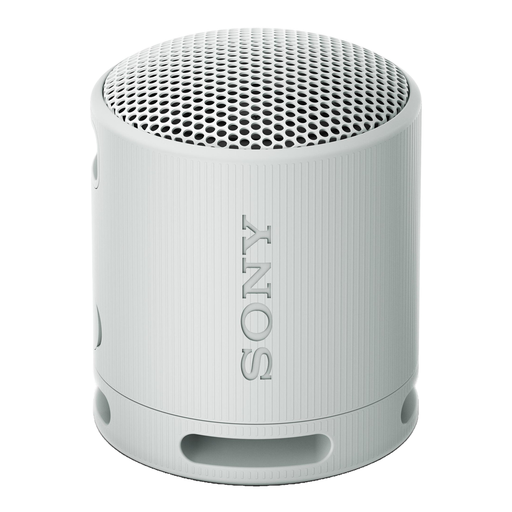 Image unavailable
Sony SRS-XB100 Bluetooth speaker, light grey
Worth comparing if you want to play music from a phone and are looking for a speaker you can move around.
Bluetooth; battery life listed as 16 hours; IP67 water and dust resistance.
View at Joybuy
 Image unavailable
Edifier ES300 Wi-Fi and Bluetooth speaker, 60 W
For a permanent setup, compare the listed connections with the devices you use.
Connections: Wi-Fi, Bluetooth and AirPlay 2. Power: 60 W.
View at Joybuy
Frequently asked questions
Do we need a shared playlist or Spotify Jam?
Choose a shared playlist if you want to keep editing a list together; choose Jam if you want to add tracks to the current queue together while listening. Spotify Support says you need Premium to host a Jam, while users with a free account can join a Jam hosted by a Premium user.
How do we connect a speaker using Spotify Connect?
According to Spotify, the devices involved must be on the same Wi-Fi network the first time you connect. Also check with the manufacturer that the exact speaker model supports Spotify Connect.
What if the speaker or software doesn’t meet our expectations?
For a consumer purchase in the Netherlands, the retailer is responsible for the statutory guarantee; this is separate from any additional manufacturer’s warranty. The Dutch government also outlines rights relating to necessary updates for smart products, depending on what is reasonable for the product.
Do we need a licence to play music in a hobby room?
It depends on how you use the room. BumaStemra describes an exception for a party with no admission fee if all the guests have a family or similar friendly relationship with one another; a company party isn’t covered by this exception. BumaStemra says a licence is needed for music in the workplace. So first decide whether the music is for private, club or business use.


