
Shared streaming listener
You want to play full albums in a dedicated lounge and agree with others on who controls the music and volume. To help avoid disturbing neighbours, the Dutch Government recommends agreeing on music use with them.


Choose one Wi-Fi speaker if you mainly stream albums and want simple, shared controls. Choose two speakers that can be positioned separately, or an active stereo set, if left-and-right playback is your priority. For CDs or vinyl, check that the connections are compatible and whether you need a phono preamp. In a shared lounge, agree who controls the music and volume.
You want to play full albums in a dedicated lounge and agree with others on who controls the music and volume. To help avoid disturbing neighbours, the Dutch Government recommends agreeing on music use with them.
You use a physical album source, so you need to match its output to the speaker’s input. With vinyl, it’s also important to check whether you need a phono preamp.
You want to position the left and right channels separately. So compare a stereo set or two compatible speakers with the option of a single speaker.
A good fit if: you mainly stream and want to control a single, fixed setup.
The trade-off: Wi-Fi streaming requires a stable network, and one speaker won’t provide the same left-and-right positioning as two speakers.
A good fit if: you have room to position the speakers separately on the left and right.
The trade-off: allow space for two speakers and compare the complete setup.
A good fit if: you want to group the lounge with compatible HEOS devices.
The trade-off: grouping devices for multi-room listening isn’t the same as having two separately positioned stereo channels.
A good fit if: you want to move the speaker between rooms and play music directly from a phone.
The trade-off: for a dedicated lounge, check that Bluetooth meets your listening needs.
First choose a setup based on your album source and how you want to position your speakers. Then check which connections and control options your household needs.
| Consideration | What to look for | Who is it most relevant to? |
|---|---|---|
| Listening comfort and controls | Check the controls on the speaker and consider its position in relation to seating and adjoining rooms. | If several people use the lounge, playing music and adjusting the volume should be straightforward. Around 33% of consumers put shared listening comfort first. |
| Connecting to your album source | Match the output of your CD player or turntable to the speaker’s input; for vinyl, check the phono preamp requirements. | If you want to play albums from an existing source, the right connection is essential. Around 25% of consumers prioritise source compatibility. |
| Stereo positioning | Check whether you’re buying one speaker, a pair or a stereo pair that can be connected separately. | If you want to position the left and right channels separately, you’ll need a suitable setup. Around 25% of consumers give stereo positioning top priority. |
| Playback options and controls | Check which connections, music services and control options are available on the device for the people who’ll use it. | If people want to listen to albums from different devices, switching between playback options may be important. Around 17% of consumers put this flexibility first. |
The stereo pairing described for two Bluesound PULSE M speakers requires two units. Denon describes one Home 150 as a mono speaker, so a single unit isn’t the same as having two separately positioned channels.
First decide whether you need separate left-and-right positioning, then compare the complete setup.
If your turntable doesn’t have a built-in phono preamp, you’ll need an external one first. For connecting to the Era 100, Sonos also specifies a separate line-in adapter and a suitable cable.
Check your turntable’s output and make sure you have the right components for your speaker. If you’re using vinyl with an Era 100, remember to allow for the adapter and cable too.
Consumentenbond points out that streaming directly over Wi-Fi requires a good, stable network. In a shared lounge, confusion over who controls the music or volume can also make the setup less practical.
Check the network where you plan to use the speaker, and agree who will control the music and volume.
The Era 100 is a compact, fixed setup with Wi-Fi and Bluetooth. You may need an adapter to connect a CD player or turntable.
The S1000W is an active bookshelf speaker set for anyone who wants two speakers and a choice of source inputs.
The PULSE M offers app control and physical presets. Two compatible speakers can be set up as a stereo pair.
The Home 150 may be worth considering if you want to connect the lounge to existing compatible HEOS devices.
This selection includes fixed Wi-Fi and Bluetooth speakers, as well as models for a stereo setup. Check each model’s source inputs, additional equipment requirements and control options to see what suits the way you’ll use it.
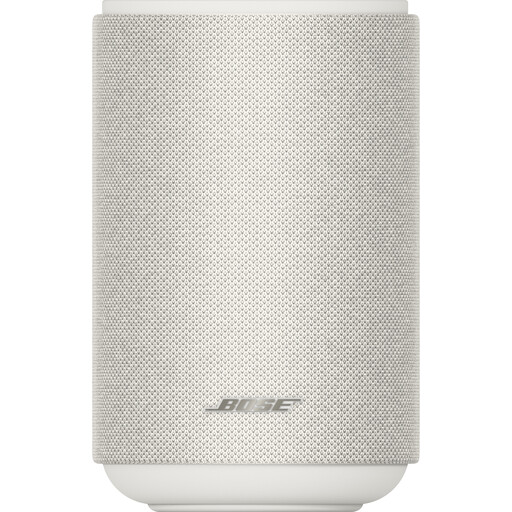 Image unavailable
A good fit for streaming over Wi-Fi or Bluetooth if you want one speaker that works on its own; stereo pairing is also mentioned.
Wi-Fi, Bluetooth 5.3, AirPlay 2, Spotify Connect and Google Cast.
Control via the Bose Music app and voice control are listed.
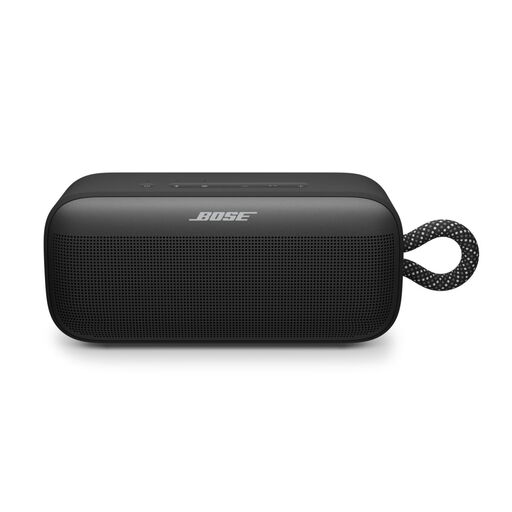 Image unavailable
A good fit if you want to move a Bluetooth speaker between rooms and play audio from a device.
Bluetooth playback and control via the Bose app are listed.
You’ll need two SoundLink Plus speakers to pair them for stereo playback.
 Image unavailable
A good fit if you want a choice of playback connections and app control for listening to music.
Wi-Fi, Bluetooth, USB and AUX are listed.
The product name specifies 60 W.
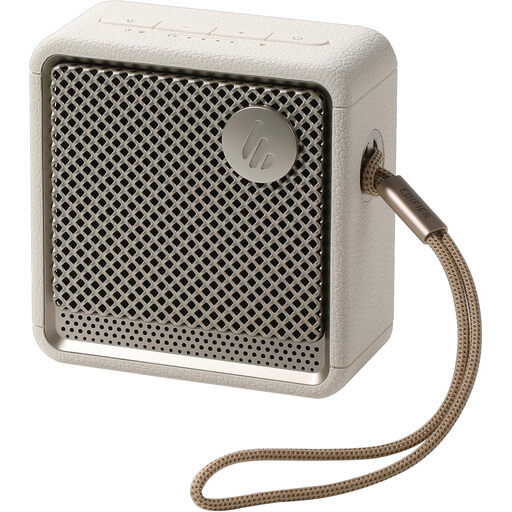 Image unavailable
A good fit if you want Bluetooth and on-speaker controls for flexible listening.
Bluetooth 5.4 and playback and volume buttons are listed.
You’ll need two ES20 speakers to pair them for stereo playback.
 Image unavailable
A good fit if you want to position a pair of bookshelf speakers separately for left-and-right playback.
Passive speakers; a separate amplifier is required.
The product details list a 6.5-inch woofer/midrange driver and a 28 mm tweeter.
No. First check the turntable’s output and whether it needs a preamp. If it doesn’t have a built-in phono preamp, you’ll need an external one before connecting it to a suitable line input. For the Era 100, Sonos also specifies a separate line-in adapter and a suitable cable.
As well as checking the app, look at the controls on the device itself. The Era 100 has touch controls, while the PULSE M offers volume controls and programmable presets. In a shared lounge, agree who will adjust the volume.
According to the Dutch Government, when you buy as a consumer, you’re entitled to a product that works properly; there’s no fixed statutory warranty period in the Netherlands. If a product is faulty, the seller must provide a solution. A manufacturer’s warranty doesn’t replace your statutory rights.
That depends on the nature of the lounge and how it’s used. The Dutch Government distinguishes between private use and making music available to the public. The music licensing organisation says that a licence is generally required for music played publicly in many venues, so have your situation assessed individually. The description ‘shared lounge’ alone doesn’t establish whether the music is being used publicly.