What should you look for when choosing?
Compact, quiet standard mouse
A good fit if: you mainly want quiet clicks and take your mouse between workspaces.
Check: Bluetooth compatibility, comfort and whether the scroll wheel and any side buttons are quiet enough too.
Compact mouse with extra navigation features
A good fit if: you often scroll through long journal entries or work across different documents.
Check: the manufacturer’s tracking and scrolling specifications don’t tell you how the mouse will feel at your workstation.
Vertical mouse
A good fit if: you find a vertical design comfortable and the version suits your hand.
Check: a mouse designed for one hand can be difficult to share with someone who uses the other; its shape won’t automatically prevent discomfort.
Ambidextrous trackball
A good fit if: the mouse stays in one place and left- and right-handed users want to share the same device.
Check: the Kensington Orbit K72337EU has a wired USB connection and works differently from a standard mouse.
| What to consider |
What to look for |
Who it matters to |
| Click noise |
Check which buttons are quiet; assess the scroll wheel and side buttons separately. |
When I work next to someone, I want clicks to be as unobtrusive as possible. Around 31% of consumers prioritise quiet operation for this scenario. |
| Pointing and scrolling |
Consider the work surface and scroll controls; a higher DPI rating alone is no proof of greater precision. |
When working with text and images, I want to point, select and scroll through long passages comfortably. Around 25% of consumers prioritise navigation and editing control. |
| Portability and connection |
Check for Bluetooth support and, if you need a receiver, make sure a USB port is available. |
If I often move between workspaces, I want a mouse that’s easy to carry and connect without any hassle. Around 25% of consumers focus mainly on portability and connectivity. |
| Fit for your hand |
Check the handedness, available desk space and whether you’re happy to get used to a vertical mouse or trackball. |
For longer editing sessions, I want a shape that suits my hand and works for the person sharing the mouse too. Around 19% of consumers prioritise fit. |
Arboportaal recommends adjusting a shared workstation to your own body measurements and varying your posture and tasks. The shape of a mouse alone cannot guarantee you’ll avoid discomfort.
Product picks at Joybuy
These picks include mice for navigating text, quiet operation, switching between devices and vertical control when editing a travel journal at a shared desk.
 No image available
Logitech MX Master 4 for Mac
The described scrolling options may come in handy for long texts and wide content.
The product description lists Bluetooth and Logi Bolt, pairing with up to three devices, eight programmable buttons and horizontal scrolling with a thumb wheel.
Joybuy
 No image available
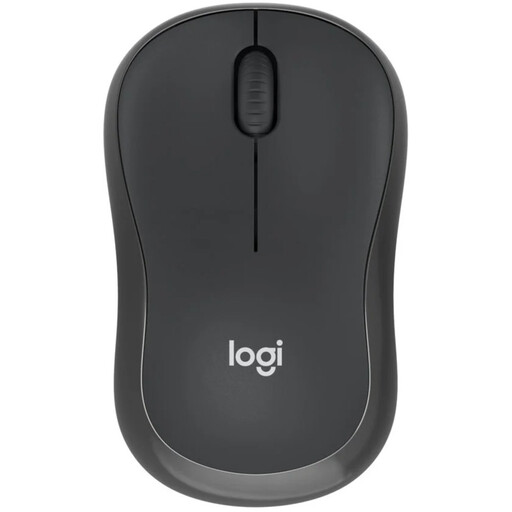
Logitech M240 Silent Wireless Black
This compact Bluetooth version is an option if you want a mouse to take with you and connect to a Bluetooth-enabled computer without a USB receiver.
The product information lists an ambidextrous shape and three buttons. Logitech claims 90% less click noise; check the scroll wheel separately if noise matters there too.
Joybuy
 No image available
HOFOTEK M311 2.4G+BT Silent Office Mouse
The connection options described may be useful if you switch between devices; check which option works with your computer.
The product description lists Bluetooth 5.1, 2.4 GHz, connection to up to three devices, optical tracking, adjustable DPI levels and a weight of 62±5 g. Quiet clicks are also mentioned.
Joybuy
 No image available
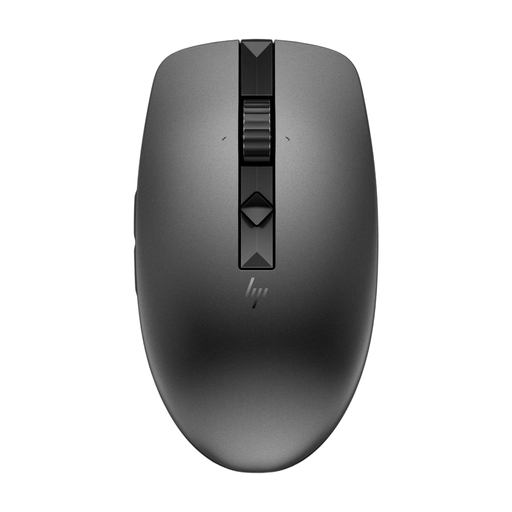
HP 635 Multi-Device Wireless Mouse
The connections and scrolling controls described may be useful if you switch between devices and scroll through long texts.
The product description lists Bluetooth, a USB nano receiver, programmable buttons, a protective case and four quiet buttons. According to the description, the scroll speed can be adjusted from normal to super-fast.
Joybuy
 No image available
Logitech Lift Vertical Ergonomic Mouse Graphite
This version is designed for right-handed users; check that it suits everyone who will share the mouse at the desk.
The product description lists Bluetooth and a USB receiver, a vertical design, a SmartWheel and four customisable buttons. The clicks are described as quiet.
Joybuy
Frequently asked questions
Do you need a USB receiver for a Bluetooth mouse?
Not if your computer supports Bluetooth and you connect your mouse that way. Logitech describes the standard M240 Silent as a Bluetooth mouse that doesn’t need a dongle; check the exact version, as the M240 for Business is described with different connection options.
What can you do during longer editing sessions at a shared desk?
Adjust your workstation to your own body measurements, vary your tasks and posture, and take short breaks. This is advice from Arboportaal, not proof that a particular mouse prevents health problems.
Who can help if a mouse bought online is faulty, and can you change your mind?
According to the Dutch government, the retailer is your point of contact for a solution under the legal guarantee. When you buy from a business online, you often have 14 days to change your mind; check the terms that apply to your purchase.
Which safety marking is relevant for a wireless mouse?
The Dutch Authority for Digital Infrastructure describes CE marking for equipment that meets the applicable EMC and RED requirements. Check the marking and product information for the specific mouse; a model name alone doesn’t confirm that an individual product meets the requirements.
Where can you recycle an old mouse and a loose battery?
Milieu Centraal lists a mouse as a small electrical appliance that should be disposed of through an appropriate collection point. If possible, remove any removable battery and take it separately to a battery collection point.


