
Training session planners
You want to view a timetable and course materials at the same time while planning a training session, and have space for a permanent monitor.


If you plan training at a regular hot desk and want to view a schedule and course materials at the same time, choose a monitor that fits the desk space available and keeps text comfortable to read. If laptops are swapped frequently, check that the laptop outputs video through the connection you choose, and that the power delivery is sufficient if you also want to charge it. If you need to take the screen with you afterwards, a portable model is easier to put away, but bear in mind its smaller working area and viewing height.
You want to view a timetable and course materials at the same time while planning a training session, and have space for a permanent monitor.
You regularly connect a different laptop and want to check in advance whether video, peripherals and, if needed, charging will work through the connection you choose.
You need to clear the shared desk when you have finished and are considering a portable second screen, while keeping viewing height in mind.
Start by asking whether the screen can stay on the desk. Then compare the workspace you need, the laptop connections and the options for adjusting the screen position.
If you’re looking for a monitor for planning training at a shared desk, these are the main things to consider and check before buying.
| What to consider | What should you check? | Who is this important for? |
|---|---|---|
| Space for planning and course materials | Compare the screen size and resolution with the desk space available and the text size you find comfortable to read. | If I want to view my training schedule and source materials side by side, I need enough space to read comfortably without the monitor dominating the shared desk. Around 31% of consumers prioritise workspace for planning and course materials. |
| Connecting laptops | Check the video output on each laptop, the monitor input and the cable type required. If charging through the monitor matters, also compare its power delivery with the laptop’s requirements. | When I switch between laptops, I want to know in advance which connection will carry video and whether charging is possible. Around 31% of consumers give top priority to finding a suitable connection for the laptops they use. |
| Adjusting the screen position | Check the height and tilt adjustments available, and whether you can set up the whole workstation to suit you. | At a desk used by other people too, I want to be able to set the screen to a suitable viewing position again. Around 23% of consumers prioritise adjustability. |
| Taking the screen with you | Check the dimensions and connections, and whether you can position the screen at a suitable height at the shared desk. | If I have to clear the desk after use, being able to take the screen with me matters more than having a large fixed display. Around 15% of consumers prioritise portability. |
Dell describes the USB-C port on the P2425 as a downstream data port. To send video over USB-C, the laptop must also support video output.
Compare the exact port functions on the laptop and monitor. Having the same connector shape does not guarantee that video will be transmitted.
You may need a different cable, adapter or connection method.
A kickstand makes a monitor portable, but doesn’t automatically offer the same height adjustment as a desktop monitor. Arboportaal recommends positioning the screen so that its top edge is slightly below eye level.
Before buying, check whether you can position the monitor at a suitable height at the shared workstation.
You may need a suitable riser or mount to achieve the right viewing height.
How useful extra pixels are for planning windows also depends on the screen size and the text scaling you find comfortable.
Measure the available desk space and compare how windows fit at a readable text size.
Dell describes the P2425 as a compact 16:10 monitor and the P2725QE as a larger 4K USB-C hub monitor.
According to LG, the LG 27BA65QB-B combines a 27-inch QHD screen with USB-C and an adjustable stand.
The ASUS ZenScreen MB16AHV is a portable option if a screen can’t be left on the shared desk.
Philips describes the Philips 27B2U3601/00 as a 27-inch QHD monitor with USB-C and an ergonomic stand.
This selection from Joybuy includes fixed QHD and 4K monitors for desk-based work, plus a portable second monitor you can take with you.
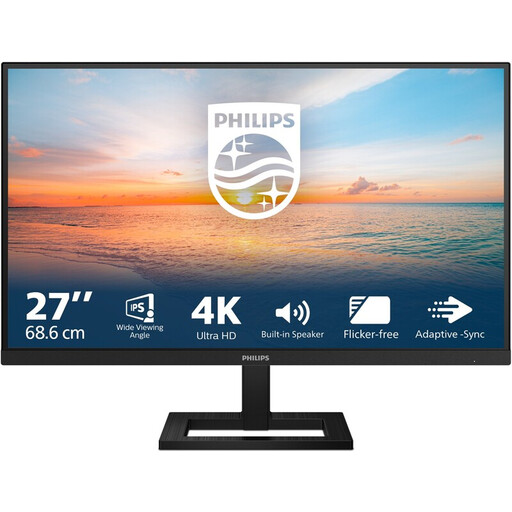 Image unavailable
Joybuy’s product listing specifies a 27-inch 4K screen and a height-adjustable stand, making it a good option if you want to view work windows side by side and adjust the screen position.
Resolution: 3840 × 2160. IPS, 60 Hz and 4 ms. Connections: HDMI and DisplayPort.
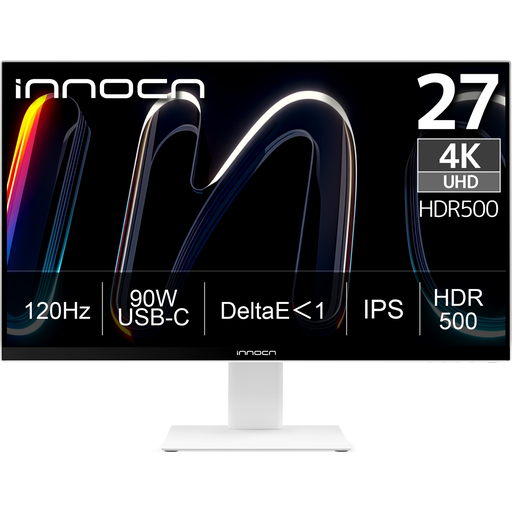 Image unavailable
Joybuy’s product name specifies a 27-inch 4K monitor with USB-C. Check that its USB-C video support and power delivery meet the needs of the laptops you use.
Resolution: 3840 × 2160. IPS, 120 Hz and HDR500. USB-C with 90 W PD, HDMI and DisplayPort. The product name specifies a height-adjustable stand.
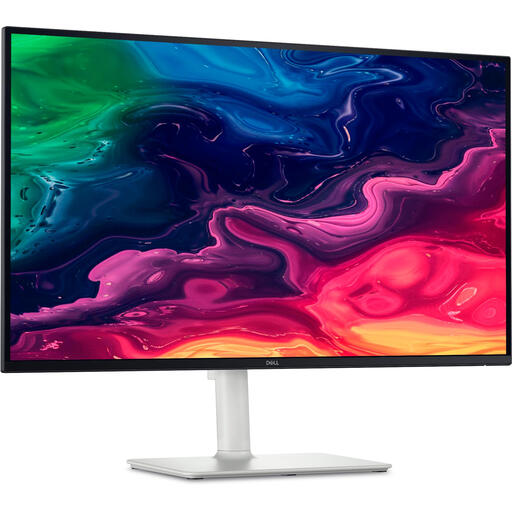 Image unavailable
Joybuy’s product name specifies a 27-inch 4K monitor for anyone looking for a fixed screen with space for several planning windows.
Resolution: 3840 × 2160. LCD screen.
 Image unavailable
Joybuy’s product name specifies a 27-inch QHD monitor for viewing training windows side by side on a fixed screen.
Resolution: 2560 × 1440.
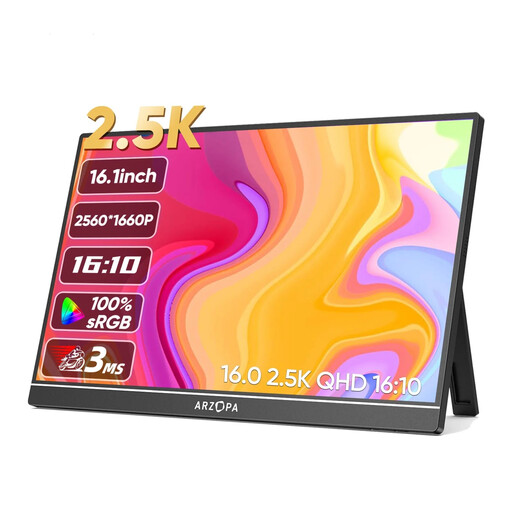 Image unavailable
Joybuy’s product name describes a portable monitor with a built-in stand, for a hot desk where you want to take the screen with you after use. Its 16-inch size gives you less working space than a fixed 27-inch monitor.
Resolution: 2560 × 1600. IPS screen. Connections: USB-C and HDMI.
No. Check whether the laptop’s USB-C port supports DisplayPort Alt Mode or Thunderbolt for video. If the monitor also needs to charge the laptop, compare its stated power output with the laptop’s charging requirements.
Position the screen directly in front of you and adjust your workstation when you sit down. Arboportaal recommends placing the top of the screen slightly below eye level and tilting it so you can look straight at it. Avoid distracting reflections; an adjustable monitor alone won’t automatically make the whole workstation suitable.
According to Arboportaal, there are requirements for setting up a workstation for employees who work at a screen for more than 2 hours a day. When using a laptop, the screen and keyboard must be usable separately. These requirements don’t automatically apply to every private buyer or every short training-planning session.
For a standard online consumer purchase, you generally have a statutory 14-day cooling-off period after delivery, subject to exceptions. If a product is faulty, the seller is responsible for the statutory guarantee and, if you’re entitled to it, an appropriate remedy at no cost. ACM ConsuWijzer explains these consumer rules; if you’re buying on behalf of a business, don’t assume they apply automatically.
Compare the energy label and product information sheet for the exact model. Don’t estimate power consumption from the resolution alone.