
Hot-desk user
You share the desk and want to be able to adjust the screen properly each time you sit down. Look for an adjustable monitor and a set-up that suits the space.


If you mainly write job applications at a shared desk, an adjustable Full HD monitor is a practical place to start. Whether you choose Full HD or QHD also depends on how many documents you want to view at once. The Arboportaal recommends readjusting your workstation whenever you move to a different desk. A USB-C dock is particularly relevant if your laptop supports the required video connection and, if you want it, power delivery via USB-C; Dell and Philips describe different features and requirements for USB-C on their monitors.
You share the desk and want to be able to adjust the screen properly each time you sit down. Look for an adjustable monitor and a set-up that suits the space.
You want to view a job advert or CV alongside your application letter. In that case, extra screen space or a higher resolution could make a difference.
You bring your laptop to the shared desk and want to minimise cable plugging and unplugging. Whether a dock is suitable depends on your laptop’s ports and capabilities.
Suitable if: you mainly write letters and share the screen with others. Dell and LG describe models with adjustable stands.
Bear in mind: the Full HD model reviewed has fewer pixels than the QHD option.
Suitable if: you regularly want to view an application letter, job advert and CV side by side, and your laptop supports the USB-C features you need.
Bear in mind: the extra pixels and hub may be unnecessary for viewing one document; check your laptop’s video and charging capabilities.
Suitable if: you also use the shared desk for video calls. Philips describes the 24B1U5301H/00 as a monitor with a USB-C dock and built-in webcam.
Bear in mind: a webcam adds little if you only use the monitor to write a letter; USB-C video requires DP Alt Mode support on the connected device.
| What to consider | What to check before buying | Who is this important for? |
|---|---|---|
| Adjustability at a shared desk | Check the height adjustment, tilt, stand dimensions and position in relation to windows. | If I share the desk with others, I want to be able to readjust the screen each time I take my turn. Around 36% of consumers say a well-adjustable workstation is their top priority. |
| Viewing text and documents | Compare the resolution and screen size with your preferred text size and window layout. | I want to be able to view a job advert or CV alongside my letter, so I look at the available screen space. Around 29% of consumers prioritise readable text and room for documents. |
| Connecting to your laptop | Check the video output, USB-C DP Alt Mode for video and USB-C Power Delivery if you want to charge your laptop. | I bring my laptop with me and want to know in advance which cable and connection I need. Around 21% of consumers say a suitable, straightforward connection is their top priority. |
| Paying only for features you need | Decide whether you’ll use the screen just for writing or also for video calls and frequent connections. | If I mainly use the desk for occasional writing, I don’t want to choose features I won’t need. Around 14% of consumers prioritise keeping their purchase simple. |
USB-C ports don’t have the same function on every monitor. Dell lists a USB-C downstream port for data on the P2425H, with up to 15 W of power; this doesn’t confirm that it supports video over a single cable.
Check which connections on the exact monitor model support video and, if applicable, laptop power, then compare them with your laptop’s capabilities.
A similar screen size doesn’t mean the resolution or connectivity is the same. The Dell P2425H and P2425DE models reviewed have different resolutions.
Think about whether you usually use one document or several windows at once, then compare the resolution, connections and adjustability.
For the LG 24BA450-B, LG confirms the screen and adjustment features; don’t assume this version supports USB-C video without checking.
Check the connections on the exact version before choosing a monitor for a specific laptop connection.
The Dell models discussed include an adjustable Full HD monitor and a QHD monitor with a USB-C hub.
The 24BA450-B discussed is a 23.8-inch Full HD monitor with an IPS panel and adjustable stand.
According to Philips, the 24B1U5301H/00 combines a Full HD monitor with a USB-C dock and webcam.
These models are suited to writing and working with documents at a shared desk, with Full HD and QHD options. Check the connections on the exact version for your laptop before buying.
 No image available
A Full HD model to consider for writing at a shared desk.
24 inches, Full HD, IPS, 100 Hz and speakers.
 No image available
A QHD model to consider if you want extra screen space for documents.
24 inches, Quad HD, 2560 × 1440 pixels.
 No image available
A QHD model to consider if you want a larger screen for working with documents.
27 inches, Quad HD, 2560 × 1440 pixels.
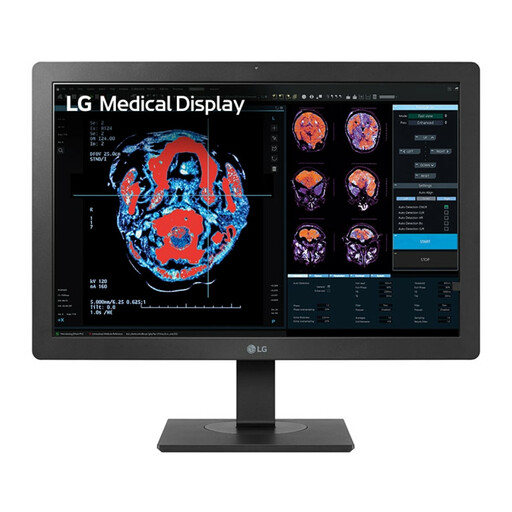 No image available
A Full HD model to consider for writing one main document.
24 inches, Full HD, 1920 × 1080 pixels.
 No image available
A Full HD model to consider for a desk where you write letters.
24 inches, Full HD, 100 Hz and 1 ms.
According to the product description, the charger isn’t included as standard and must be bought separately.
Readjust your workstation and position the screen directly in front of you. The Arboportaal recommends checking that a new workstation is set up properly each time; also watch out for distracting reflections from windows.
No, it depends on the monitor and laptop. Dell lists a USB-C downstream port for data on the P2425H, with up to 15 W of power. For video via USB-C on the 24B1U5301H/00, Philips requires DP Alt Mode on the connected device; also check that the charging feature and cable you need are compatible.
According to the Arboportaal, for employees who work at a screen for more than two hours a day, the screen and keyboard must not be attached to each other. This isn’t a general legal purchase requirement for everyone writing a job application at home.
According to ACM ConsuWijzer, for a standard online purchase by a consumer, you’ll generally have a legal cooling-off period of up to 14 days after delivery; exceptions may apply. This is separate from your legal guarantee: if a product breaks sooner than you could reasonably expect under normal use, the seller is responsible for providing a suitable solution.