Monitors at Joybuy
This Joybuy selection includes monitors for different needs: 27-inch QHD or 4K, an ultrawide screen and a simpler Full HD model. Compare your preferred window layout with your desk space, laptop connections and adjustment needs.
 Image unavailable
INNOCN CB27U1 27-inch 4K UHD monitor
An option to consider if you’re looking for a 27-inch 4K screen with split-screen viewing and height adjustment.
3840 × 2160 pixels; IPS panel; 120 Hz; PIP and PBP; USB-C with 90 W PD; HDMI and DisplayPort; 150 mm height adjustment.
View at Joybuy
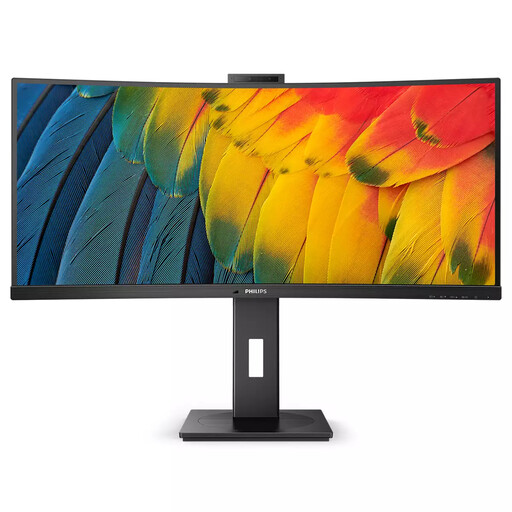 Image unavailable
Philips 5000 Series 34B1U5600CH/00
An ultrawide option for anyone who wants to view several timetables side by side and needs a shared laptop connection; bear in mind the desk space required.
34 inches; 3440 × 1440 pixels; 21:9 aspect ratio; USB-C with 100 W Power Delivery; Ethernet; USB hub; built-in KVM; height adjustment up to 18 cm.
View at Joybuy
 Image unavailable
Dell UltraSharp U2724D 27-inch QHD monitor
A 27-inch QHD model to consider for viewing timetables side by side, with adjustment options suited to a shared viewing space.
2560 × 1440 pixels; IPS Black panel; HDMI and DisplayPort; USB hub; height adjustment and swivel.
View at Joybuy
 Image unavailable
AOC AGON PRO AG276QZD2 27-inch QHD monitor
A 27-inch QHD option to compare if you need adjustability for users with different viewing positions.
2560 × 1440 pixels; DisplayPort up to 240 Hz and HDMI up to 144 Hz; 2 HDMI and 2 DisplayPort connections; height adjustment, pivot, swivel and tilt.
View at Joybuy
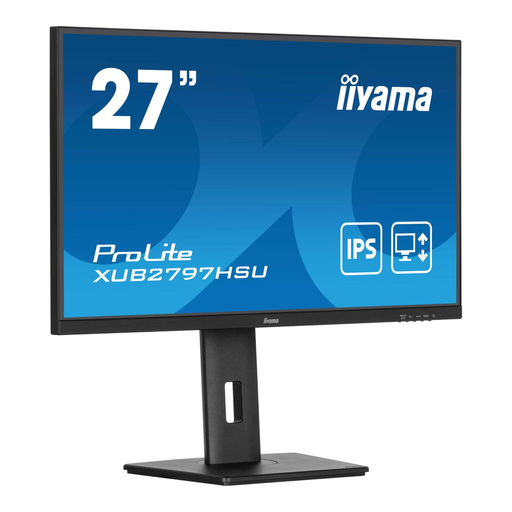 Image unavailable
iiyama ProLite 27-inch IPS monitor
A Full HD model to consider if you mainly use one timetable at a time and want an adjustable stand.
27 inches; IPS panel; 100 Hz; 1 ms MPRT; USB hub; HDMI and DisplayPort; height-adjustable stand.
View at Joybuy
Frequently asked questions
Should I choose a height-adjustable monitor for a shared workspace?
For employees who work at a screen for more than two hours a day, Arboportaal sets out workplace requirements, including a height-adjustable screen. Exceptions may be made under certain conditions if health and safety are maintained. This isn’t a general product specification for every private buyer; readjust the screen for each user at a flexible workspace.
Can one USB-C cable display a picture and charge my laptop?
Yes, if the monitor, laptop and cable support the necessary display and charging features. Philips Netherlands describes these features for the 27E1N1600AE/00; check the connections and power requirements of your laptop. According to Dell, the P2725H’s USB-C downstream port is for data only and delivers up to 15 W.
How can I set up a screen so timetables are easy to read?
Adjust the text size and window layout to suit your viewing distance, and avoid reflections and light sources in your field of vision. Arboportaal also recommends setting up the workstation to suit the user and breaking up prolonged screen work. These are usage tips, not a guarantee that a particular panel will prevent discomfort.
How can I compare energy use, and what should I do if a product is faulty?
For electronic displays in the applicable EU category, the energy label runs from A to G, according to the European Commission; compare the labels and specifications of the monitors you’re considering. According to the Dutch government, there is no fixed statutory warranty period in the Netherlands. If a product is faulty, contact the retailer; a manufacturer’s warranty or additional warranty doesn’t replace your legal rights.


