
Pattern sharer
You take digital sewing patterns to and from a shared computer and want the connection and files to work at both workstations.


For a small collection of patterns that you occasionally take between computers, a USB stick may be enough, provided the connection is compatible. If you copy files regularly or your collection is growing, a portable SSD is an alternative. An HDD may be suitable if having plenty of archive space matters more than carrying it around frequently and carefully. Before buying, check the ports, cables and file system, as well as the rules for storing files on the shared computer.
You take digital sewing patterns to and from a shared computer and want the connection and files to work at both workstations.
You keep a growing collection of patterns and are looking for the right balance of storage space, portability and a separate backup.
You use a computer shared with others and want to prevent personal files from remaining accessible or protected pattern material from being shared unintentionally.
When copying sewing patterns on a shared computer, checking the connection and whether the drive can be read is a practical first step. Also consider how often you take files with you, how much space your archive needs and whether the drive requires security features.
A good fit if: you mainly move a small collection of patterns between computers and the USB connection is compatible.
Keep in mind: a USB-A stick won’t connect directly to a computer with USB-C only; the USB standard alone doesn’t tell you how quickly your files will copy.
A good fit if: you regularly take or copy a larger collection with you and want a compact drive.
Keep in mind: Samsung and Kingston quote maximum read and write speeds for certain SSD models; these figures aren’t measured copy times on your shared computer.
A good fit if: having plenty of archive space matters more than carrying the drive around frequently.
Keep in mind: an HDD has moving parts and needs to be handled carefully when you take it with you.
| What to consider | What to look for when buying | Who is this important for? |
|---|---|---|
| Connection and file system | Check the ports on both computers, the cable or adapter supplied, and the file system. Apple Support lists exFAT as compatible with Windows; formatting erases existing files. | When I copy patterns between different computers, I want both to be able to connect to and read the drive. Around 36% of consumers give compatibility their top priority. |
| Portability and transferring files | Compare the size and connection options of the exact model with the computers you’ll use it with. | When I regularly move between workstations, I want storage that’s easy to take with me and works with the available port. For around 29% of consumers, fast and easy transfers come first. |
| Storage space and backup | Compare the capacity with the size of your current collection and allow for new files. Also decide where you’ll keep a separate backup. | As my pattern collection grows, I want enough space without keeping my only copy on a single drive. Around 21% of consumers prioritise archive space and file retention. |
| Protecting files on a shared computer | Check the rules for the workstation and whether any encryption can be unlocked on the computers you need to use. The Dutch Data Protection Authority points out that losing a USB stick containing unencrypted personal data can result in a data breach. | When files are on a computer used by others, I want to prevent personal information from remaining accessible. Around 14% of consumers give protection their top priority. |
Quoted maximum speeds aren’t measured copy times for your patterns; the connection, cable and copying task also play a part.
Check the ports and supplied cables first, and don’t choose solely on the basis of the quoted top speed.
Apple Support warns that formatting erases all files on the selected drive or volume.
First, make a separate copy and carefully check which device you’re formatting.
Files left on a shared computer may be accessible to other users. Personal data and protected work also raise separate privacy and usage considerations.
Follow the workstation’s rules, don’t leave unnecessary files behind, and check the permissions before sharing patterns with others.
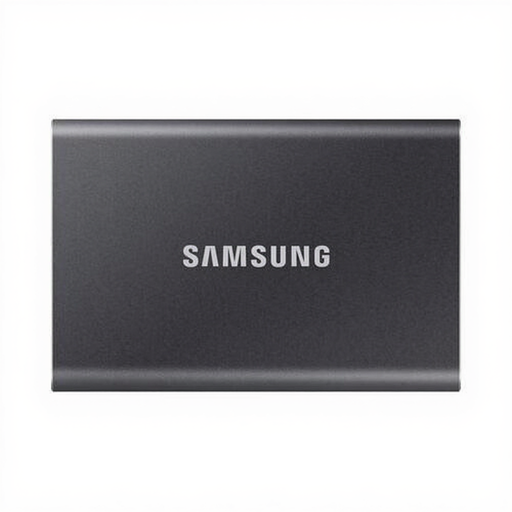
The Portable SSD T7 is a portable option supplied with USB-C to USB-C and USB-C to USB-A cables for workstations with compatible ports.
The DataTraveler Exodia is a USB-A stick for transferring files, while the XS1000 is a portable SSD.
The Expansion Portable range includes, among other options, a 2 TB HDD model with model number STKM2000400.
The Portable SSD is a compact SSD range that includes a 1 TB model.
My Passport is an HDD range. The documented WDBPKJ/WDBYVG/WDBR9S family supports use with Windows and Mac.
This selection includes portable SSDs for carrying and transferring pattern files, and portable HDDs for storing an archive.
 No image available
A portable SSD for pattern files that you take between workstations.
The product description lists 1 TB of storage, a maximum read speed of 800 MB/s and drop protection from heights of up to 2 metres.
 No image available
A portable SSD for pattern files you move between computers. Check that the USB-C connection is compatible with your workstation.
The product description lists 1 TB, maximum read speeds of 1.050 MB/s and write speeds of 1.000 MB/s, and IP65 dust and water resistance. These are quoted product specifications, not measured copy times.
 No image available
A portable SSD for pattern files, with the supplied cables offering connection options for USB-C and USB-A workstations.
The product description lists 1 TB, maximum read speeds of 1.050 MB/s and write speeds of 1.000 MB/s, plus a USB-C to USB-C cable and a USB-C to USB-A cable. The maximum speeds aren’t measured copy times.
 No image available
A portable HDD for a larger pattern archive; bear its moving parts in mind when taking it with you.
The product description lists 4 TB, USB-C, exFAT and compatibility with Windows and Mac. It also mentions password protection and AES 256-bit hardware encryption; check that you can unlock it on the computers you use.
 No image available
A portable HDD for storing pattern files; bear in mind that it needs more careful handling than a drive without moving parts.
The product name lists 2 TB, 2.5 inch, Micro-USB B and USB 3.2 Gen 1. Check that the connection is compatible with the computer and cable you use.
It can, provided the connections are compatible and both computers support the file system. Apple Support lists exFAT as compatible with Windows and warns that formatting erases existing files.
Wait for copying to finish, then use the Windows feature to safely remove hardware. Microsoft recommends this to help prevent data loss.
There’s no general requirement for every pattern file. If the drive contains personal data, protecting it from unauthorised access is more important: the Dutch Data Protection Authority lists losing a USB stick containing unencrypted personal data as a possible data breach. Also check that you can unlock the drive on the computers you need to use.
Not necessarily. According to the Dutch government, a private copy of copyright-protected work for personal use must not be distributed or made public. Check the licence for the specific pattern before making copies available to others; different terms may apply to internal use by a business or organisation.
Contact the retailer. According to the Dutch government, statutory guarantee applies in addition to any manufacturer’s warranty, and the retailer must provide a solution if a product is faulty. There is no fixed statutory guarantee period in the Netherlands.