For paper sewing patterns and live demonstrations for a group, a document camera is a good fit. Choose USB if you’re presenting via a computer, or direct HDMI if the screen has the right input and you want to work without a computer. Epson lists a USB connection with no separate power supply for the ELPDC07. IPEVO says the VZ-R displays an image directly via HDMI, but needs USB power in this mode. If you want to project a digital pattern onto fabric, a projector is a different solution. In all cases, check the capture area, readability on the intended screen, and the connections and power required.
Who is this buying guide for?
Presenter using paper patterns
You show diagrams or techniques under a camera and want to highlight details for the group. Check the framing, focus and readability on the available screen. Epson highlights these considerations for models such as the ELPDC07 and ELPDC21.
Group leader without a presentation laptop
You want to show the camera image directly on a screen. IPEVO lists computer-free HDMI display for the VZ-R, but it also needs USB power.
Maker using digital projector patterns
You want to project a digital pattern onto fabric rather than show paper under a camera. A sewing example from BERNINA Blog describes checking the set-up and scale for this purpose.
What should you look for?
USB document camera via computer
Choose this option if: you have a computer that can send the camera image to the group’s screen. Epson lists the ELPDC07 as a USB model with autofocus.
Trade-off: the computer and its connection to the screen remain part of the set-up.
Document camera connected directly via HDMI
Choose this option if: you want to present without a computer and the screen has a suitable HDMI input. IPEVO lists the VZ-R as a model with direct HDMI display.
Trade-off: according to IPEVO, the VZ-R also needs USB power in HDMI mode.
Projector for digital patterns on fabric
Choose this option if: you want to project a digital pattern onto fabric, rather than show the group a paper diagram.
Trade-off: you’ll need to check the projector set-up and pattern scale for your workspace.
| What to consider |
What should you look for? |
Who is this important for? |
| Detail readability |
Compare the capture area, focus and zoom of the exact model. View a representative pattern on the intended screen. |
If I want to show fine lines to the group, I need to know whether they’ll still be readable from the seats. Around 36% of consumers prioritise detail readability. |
| Connections and power |
Make a note of the screen’s inputs and the computer and power sources available. Check which video cable and power supply the model requires. |
If I want the demonstration to be easy to connect, I need to know in advance what equipment I’ll need. Around 29% of consumers prioritise easy connections. |
| Capture area |
Compare the stated capture area with your pattern sheet and working distance. Showing more of the sheet at once can make details appear smaller. |
If I want to show a larger section of the pattern at once, I look at the framing and then check that the lines are still easy to see. Around 21% of consumers prioritise a large capture area. |
| Projection onto fabric |
First decide whether the image needs to appear on a screen for the group or on the fabric. For projection, check the set-up and scale against a measured reference. |
If I want to transfer a digital pattern onto fabric, I need a projection set-up, not a camera for showing paper. Around 14% of consumers prioritise projection onto fabric. |
Common buying mistakes
-
Assuming ‘HDMI without a computer’ means ‘no extra equipment needed’
According to the manufacturer, the IPEVO VZ-R can send an image directly to a screen in HDMI mode, but it also needs USB power.
Before buying, check that the screen has a suitable input and how the camera will be powered.
Make sure you have an available USB power source or a suitable adapter, as well as the video connection.
-
Assuming 4K means the highest frame rate in every mode
IRIS lists the Visualizer 7 at 4K and 30 frames per second, and at 1080p and 60 frames per second. These specifications apply to different modes.
Compare the resolution and frame rate for each mode, and assess the image with both moving hands and fine pattern lines.
-
Choosing a document camera to project a digital pattern onto fabric
A document camera captures an existing object. A projector displays a digital pattern on your workspace; these are different uses.
First decide where the image needs to appear: on a screen for the group or on the fabric. If you’re projecting, check the set-up and scale.
Projecting onto fabric requires a separate projector set-up.
Relevant brands and models
Epson
The ELPDC07 and ELPDC21 are examples of Epson visualisers for showing material under a camera.
- Epson lists autofocus and no separate power supply for the ELPDC07. For the ELPDC21, Epson specifies 12× optical zoom and a built-in LED light.
- These features don’t automatically apply to other Epson models. Also check how much of the pattern remains in view when you zoom in.
IPEVO
The VZ-R offers direct HDMI display, while the V4K PRO 120 is a separate USB model for larger materials.
- IPEVO lists computer-free HDMI display for the VZ-R. For the V4K PRO 120, the manufacturer specifies a capture area for A3/tabloid format.
- The VZ-R also needs USB power in HDMI mode. The V4K PRO 120’s A3 specification doesn’t apply to the VZ-R.
HUE
The HD Pro is a USB document camera for presenting via a computer.
- HUE lists Full HD 1080p, built-in LEDs and a maximum capture area of A3.
- For display via a projector, HUE describes a set-up with a PC and projector. Check that it works with the equipment available to your group.
IRIS
According to IRIS, the IRIScan Visualizer 7 combines features of a document camera, webcam and scanner.
- IRIS lists 4K at 30 frames per second and 1080p at 60 frames per second.
- The resolution and frame rate apply to different modes. These figures alone don’t determine how easy the image is to read at the back of the room.
AVer
The M15W is a wireless visualiser for anyone considering a set-up beyond a simple USB camera.
- AVer lists Wi-Fi and a 13-megapixel camera for the M15W.
- Check that the wireless connection works with the screen and equipment you use in the group space.
Joybuy products
This selection of Joybuy products includes projectors for digital sewing patterns and a document camera/scanner for paper patterns. Check which solution suits your demonstration and equipment.
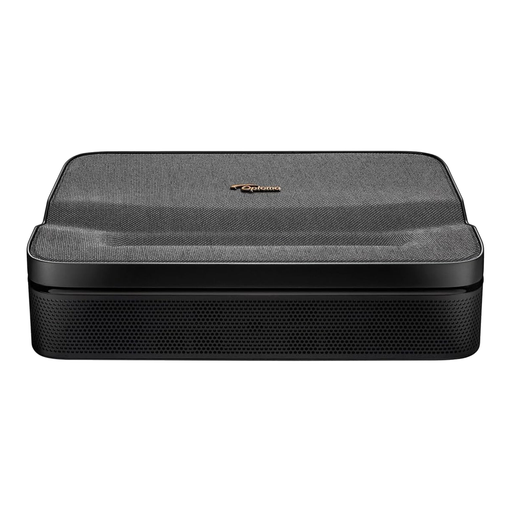 Image unavailable
Optoma Photon Go
If you want digital sewing patterns to appear on fabric, a projector is the right option; check that the pattern source and working distance suit your set-up.
View at Joybuy
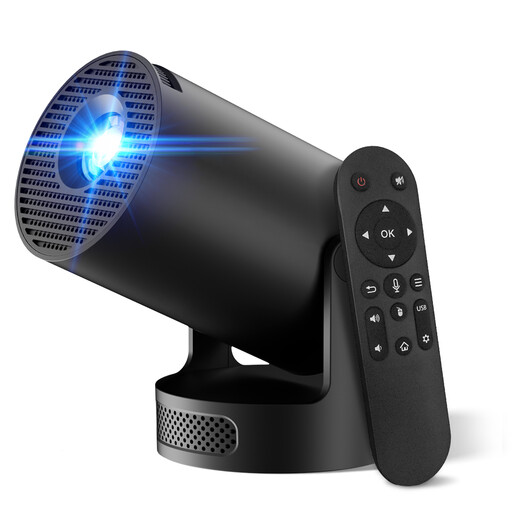 Image unavailable
2026 Video Projector, 50–200 inch
This projector is an option for projecting digital patterns onto fabric; check that the pattern source and projected size suit your workspace.
The product title lists HDMI, USB stick, iOS, Android and laptop as source options, a projection size of 50–200 inch and 180° rotation.
View at Joybuy
 Image unavailable
CZUR Shine 800 A3 Pro
If you want to capture paper patterns using a computer, this document camera and scanner is an option. Check that the paper size and operating system suit your needs.
The product title lists A3 as the maximum size and compatibility with Windows and macOS.
View at Joybuy
Frequently asked questions
Can I connect a document camera to a group screen without a laptop?
Yes, if both the model and screen support direct HDMI display. IPEVO lists this feature for the VZ-R, but USB power is also needed in HDMI mode. A USB model such as the Epson ELPDC07 uses a different connection set-up.
How can I make sure a digital sewing pattern is projected onto fabric at the right scale?
Measure the projector set-up and check a known reference measurement before using the pattern. For this application, BERNINA Blog describes using a 10 × 10 cm reference square, among other checks. Check the scale with your own set-up.
What can I do if the camera doesn’t work properly after purchase?
If a product is faulty, repair or replacement is covered by the applicable statutory guarantee. If these remedies aren’t suitable or possible, a price reduction or refund may be available. The EU’s Your Europe consumer information states that the statutory guarantee lasts for at least two years from receipt and notes that national rules may offer additional protection. Your specific rights depend on the purchase and the seller.
Can our group film participants in a way that identifies them, or publish images?
Not automatically: according to the Dutch Data Protection Authority, a lawful basis is needed to record and publish identifiable images. What this means for your event depends on what the camera captures and how the images are used. If you’re demonstrating a diagram only, point the camera solely at the work surface where necessary.


