For a small folder of digital sewing patterns that you take between home and school, a USB stick with a connector that fits both computers is usually enough. An external SSD is a better choice if you regularly transfer large scans or project folders. An HDD may suit a larger collection or an extra copy kept at home, but check the connection and file format. Also keep your work in a separate location, as the Digital Trust Center advises, and check that you’re allowed to copy or share the pattern for this purpose.
Who is this storage option suitable for?
Student taking patterns with them
Takes a small project folder between home and school and needs a suitable connection and a second copy of their work. Kingston Technology describes USB sticks as suitable for documents; the Digital Trust Center recommends keeping backups in different locations.
User of different computers
Switches between USB-A and USB-C devices, or between Windows and Mac. The connection and file format can affect whether files can be copied. Apple Support explains the write limitations of NTFS on a Mac.
Creator of large project folders
Works with lots of scans or images and is considering a portable SSD or extra storage for a larger collection. Samsung and Crucial publish SSD specifications, but these don’t guarantee transfer speeds on every computer.
What should you consider when choosing?
USB stick
Suitable if: you mainly take patterns and project documents between computers, and the entire folder fits on the stick.
Consider: check that it fits both computers and keep another copy elsewhere. A USB standard name doesn’t guarantee a particular transfer speed for your files.
External SSD
Suitable if: you regularly transfer large scans, images or sizeable project folders.
Consider: check that the computer, port and cable are compatible. The stated maximum speeds don’t guarantee the speed you’ll get at school.
External HDD
Suitable if: you want to keep a larger collection or make an extra copy at home.
Consider: the Toshiba Canvio Basics reviewed is a mechanical drive and is supplied in NTFS format for Windows. Writing to it on a Mac may require reformatting.
| What to consider |
What should you check? |
Who is this most important for? |
| Taking patterns with you |
Check the size of the entire folder, the available space and the ports on both computers. Kingston Technology says the Kingston DataTraveler Duo has USB-A and USB-C. |
If I mainly take a small folder of patterns and project files between home and school, I want a drive that’s easy to use for the task. Around 40% of consumers prioritise being able to carry patterns easily. |
| Working on different computers |
Check whether both devices have USB-A or USB-C and which file format the school computer supports. Apple Support says a Mac may be able to read NTFS but not write to it. |
If I move files between computers with different ports or operating systems, I want to be able to open them without connection or write issues. Around 30% of consumers prioritise compatibility between devices. |
| Keeping a backup |
Keep a separate copy in another location and check that you can open a file from it. The Digital Trust Center recommends keeping backups in different locations. |
If I don’t want to redo my schoolwork after losing a device or it breaking, I want a usable backup. Around 20% of consumers prioritise being able to recover their work. |
| Transferring large files |
Consider the folder size, how often you transfer files, and the port and cable. Samsung lists maximum speeds for the T7, but actual transfer speeds also depend on the conditions. |
If I often transfer large scans or project folders, I mainly want to know whether an SSD suits the way I use it. Around 10% of consumers say large files are their main consideration. |
Common purchasing mistakes
-
Thinking a portable drive is a complete backup
A USB stick or drive can be lost or become faulty. If it holds your only copy, you could lose your project work too.
Keep a second permitted copy in a separate location and open a file from it to check that it works. The Digital Trust Center recommends keeping backups in different locations.
-
Looking only for USB-C or USB 3.2 in the product name
The connector needs to fit the computer you want to use the files on. A USB standard name alone doesn’t tell you how quickly your folder of patterns will transfer.
Check the ports on your home and school computers, and see which cables come with the exact model. For example, Kingston Technology lists USB-A and USB-C for the DataTraveler Duo.
-
Assuming a Windows drive can be used to write files on a Mac straight away
Toshiba lists NTFS for the Canvio Basics. Apple Support says a Mac may be able to read NTFS but not write to it.
Check the format and the computers you’ll use the drive with. Make a copy of any existing files before reformatting the drive.
Reformatting takes time and erases the existing data on the drive.
Brands of external storage
Kingston
The DataTraveler range includes USB sticks for carrying documents. The right model depends on the ports on your devices.
- Kingston Technology lists features including 128 GB capacity and USB 3.2 Gen 1 for the DataTraveler Exodia. The DataTraveler Duo is available with USB-A and USB-C, among other options.
- An Exodia model with USB-A only won’t plug directly into a device with USB-C only. The standard name doesn’t guarantee how long it will take to write your folder of patterns.
Samsung
The Portable SSD T7 is an option for transferring larger project folders. Check that the stated capacity and connections work with your computers.
- Samsung Netherlands lists maximum sequential read and write speeds of 1,050 and 1,000 MB/s respectively for the T7, and includes USB-C-to-C and USB-C-to-A cables.
- These are manufacturer specifications, not an independent test or a guarantee of transfer speeds for a small folder of sewing patterns.
Toshiba
Canvio Basics is a range of portable HDDs for a larger collection or an additional copy.
- Toshiba Storage lists USB bus power, a USB-A-to-Micro-B cable and NTFS for Windows for the range reviewed.
- Reformatting may be needed to write files on a Mac. In 2022, Consumentenbond reported that an HDD is more vulnerable than an SSD. Handle the drive carefully while using it.
Crucial
The X9 is a USB-C SSD for anyone who regularly transfers larger files.
- Crucial lists read speeds of up to 1,050 MB/s, measured under its own test conditions.
- Crucial says performance may vary. So check the connection and the cable you’ll need for the computer you want to use the X9 with.
Joybuy products for sewing patterns and school files
This selection includes USB sticks and portable storage for taking sewing patterns and project files with you, or keeping an extra copy. For each model, check that the connection is compatible with the computers you want to use it with.
 No image available
Kingston DataTraveler Exodia, 128 GB, USB 3.2 Gen 1 Type-A
Suitable for taking patterns and project files with you if the computer has a compatible USB-A port.
Capacity: 128 GB. Connection: USB Type-A. The selected port needs to fit the USB-A connector.
Joybuy
 No image available
Toshiba Canvas Basics, 1 TB, 2.5-inch, USB 3.2
May suit storing a larger project folder or an extra copy. Check the format before using the drive with a Mac.
Capacity: 1 TB. Size: 2.5 inches. According to the product description, reformatting may be needed to use it with macOS. Make a copy of existing files first.
Joybuy
 No image available
Samsung Portable SSD T7, 1 TB, USB Type-C, blue
Suitable for carrying and transferring project files. The product description lists cables for USB-C and USB-A devices.
Capacity: 1 TB. Connection: USB Type-C 3.2 Gen 2. Check that the supplied cable fits your computer.
Joybuy
 No image available
Samsung MUF-512DA USB stick, 512 GB, USB Type-C
May suit a larger project folder if the computer has a compatible USB-C port.
Capacity: 512 GB. Connection: USB Type-C 3.2 Gen 1. Direct connection requires a compatible USB-C port.
Joybuy
 No image available
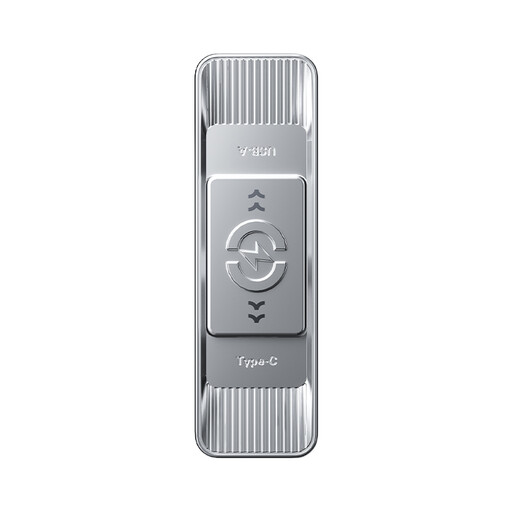
MOVESPEED USB stick, 512 GB, dual interface USB 3.2 Gen 1 and Type-C
Could be useful if you take files between computers with USB-A and USB-C ports.
Capacity: 512 GB. The product name lists a stated read speed of 570 MB/s. Actual transfer speeds may depend on the computer and files used.
Joybuy
Frequently asked questions
Can you use the same external drive with Windows and Mac?
That depends on the file format. Apple Support says exFAT is compatible with Windows, and that a Mac may be able to read NTFS but not write to it. Check the format before erasing existing files to reformat a drive.
How do you safely remove a USB stick from a school computer?
Wait until copying is complete, then use the ‘Safely Remove Hardware’ feature in Windows before unplugging the stick. Microsoft recommends this to help prevent data loss.
Can you copy a sewing pattern for a school project and share it with classmates?
Not automatically: permission depends on the pattern and how you intend to use it. The Dutch Government distinguishes between a private copy for personal use and distributing or making it available to the public. It also describes a separate permission scheme for institutions that copy and share content digitally. Check the creator’s terms and ask the school what permission is needed; choosing a storage device doesn’t itself give you the right to copy.
Is one USB stick enough to back up your schoolwork?
No, don’t rely on a single portable device as your only copy. The Digital Trust Center recommends keeping backups in different locations. Keep a separate permitted copy and check that you can open a file from it.
What should you do if your project files also contain personal data?
Ask the school how this kind of data should be stored and protected. The Dutch Data Protection Authority lists the loss of a device containing unencrypted personal data as a possible data breach. This doesn’t mean every folder of sewing patterns automatically needs an encrypted drive.


