
Sewer with a small table
You want to clear your workspace after sewing. So consider not just the machine, but also the room needed for your hands, the fabric and any foot pedal.


For fabric bookmarks, straight seams and being able to turn the fabric easily matter more than a wide range of decorative stitches. So measure the space needed for the machine, your hands and the fabric together. A basic machine may be enough for occasional sewing, while a start/stop button and speed control can be useful if you don't have room for a foot pedal; Janome describes these controls on the M30A. Before buying, also check the safety information and required CE marking for the specific machine, as advised by the Dutch government for electrical appliances.
You want to clear your workspace after sewing. So consider not just the machine, but also the room needed for your hands, the fabric and any foot pedal.
You want to practise straight seams, corners and neat finishing without needing a wide choice of stitch programmes. SewNatural's bookmark pattern focuses on straight seams, turning the fabric and creating a sharp corner.
You also want to try other or thicker layers of fabric, so you'll need to consider which needle suits the fabric and thread. Brother recommends choosing a needle to match them.
Start by considering your overall workspace and the fabrics you want to sew. Then look at which extra controls or stitch settings you really need.
| What to consider | What should you check? | Who should give this extra thought? |
|---|---|---|
| Workspace and storage | Compare the machine and the space needed for fabric and your hands with the size of your table. If you use a foot pedal, make sure you have room for that too. | If I have limited table space, I want to be able to guide the fabric and put the machine away after sewing. Around 36% of consumers make space their top priority when buying. |
| Straight seams and corners | Check that the machine has a straight stitch and lets you secure seams with reverse stitching. | For a simple bookmark, I want to sew straight seams and a sharp corner without paying for stitches I won't use. Around 29% of consumers prioritise basic, straightforward sewing above all else. |
| Controls without a foot pedal | If you want to sew without a foot pedal, check whether the exact model has a start/stop button and speed control. | If I need the space under or next to my table, I'd rather operate the machine using its own controls. Around 21% of consumers put pedal-free operation at the top of their list. |
| Different fabrics | Choose a needle to suit the fabric and thread. Test your own fabric layers on a scrap before starting your project. | When I want to try different types of fabric, I want to know which needle and settings will suit my material. Material versatility comes first for around 14% of consumers. |
The fabric, your hands and any foot pedal also need space. So even if the machine itself fits on your table, the whole setup might not be comfortable to use.
Before buying, try setting up your machine in the available table and floor space, and check the dimensions and controls of the exact model.
You don't need a wide range of decorative stitches to sew the straight seams and finish a simple fabric bookmark.
First decide which fabrics and finishes you want to use. Only then compare the number of stitches.
The dimensions and features in a product description don't show how the machine will handle your fabric layers or whether that specific model meets product safety requirements.
Check the machine's safety information and ask about the required CE marking. If possible, test a scrap of the fabrics you want to use.
Brother describes the XN1700 as a lightweight, portable machine for basic sewing.
The M30A and 1522 have different features that may matter when choosing controls or fabric settings.
The M2105 is a straightforward machine with preset stitches.
These product picks are aimed at beginners doing small projects with an electric sewing machine. Compare the dimensions, controls and space needed for the specific model with your workspace.
 No image available
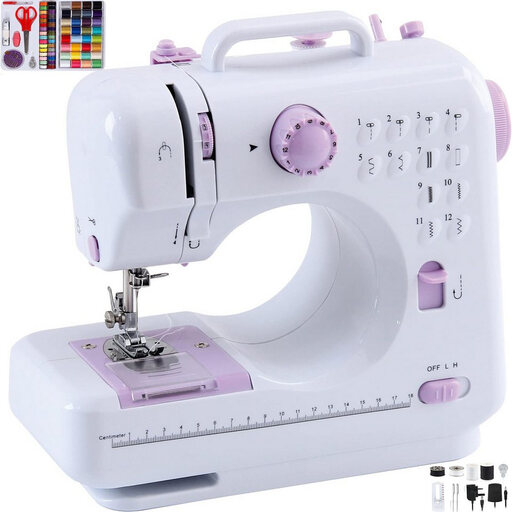
The product name mentions a hand switch and foot pedal. If you use the pedal, allow extra space next to or under the table.
The product name lists 12 stitch programmes, two speeds, forward and reverse sewing, and an LED light. Before buying, check the safety information and required CE marking for this model.
 No image available
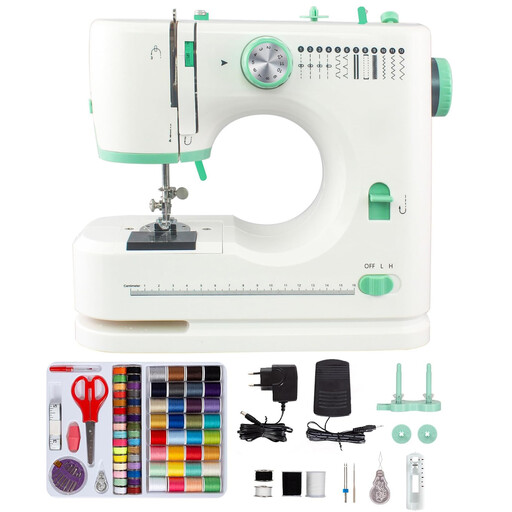
This mini electric machine is designed for home use. Check the dimensions and controls of the exact model against the space available on your table.
The product name lists 12 stitch types, a single and twin needle, two speeds and a sewing kit. Before buying, check the safety information and required CE marking for this model.
 No image available
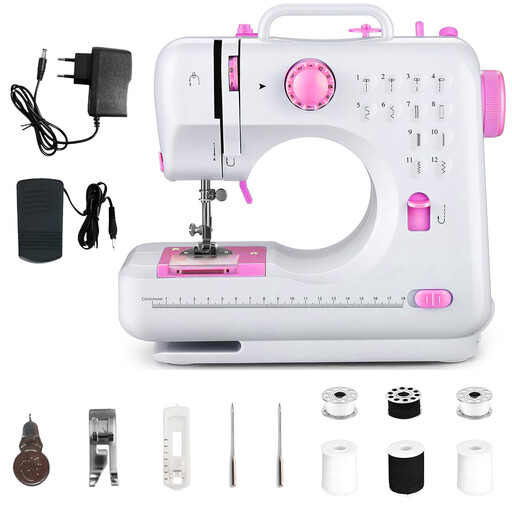
This portable mini machine could suit you if storage space is limited. Check that its dimensions and controls work for your table and sewing project.
The product name lists 12 stitches, dual power, an LED light and accessories; the colour is pink. Before buying, check the safety information and required CE marking for this model.
Start with a straight stitch; SewNatural's bookmark pattern uses seams around the edges and a finishing line of stitching. Test other fabrics or designs on a scrap first.
Switch the machine off and unplug it before cleaning around the bobbin case, following the instructions in the manual. Brother warns that a build-up of fluff can affect sewing performance. Follow your exact model's manual for cleaning and any oiling.
No. According to the Dutch government, there is no fixed legal guarantee period in the Netherlands. You are entitled to a product that works properly for as long as you could reasonably expect it to. If there is a fault, contact the seller. Any manufacturer's guarantee is in addition to your legal rights.
For most online purchases from a business, the Dutch government says you generally have a 14-day cooling-off period. Check the terms of your purchase, and remember that this legal right is separate from any longer, voluntary returns policy.
Electrical appliances must meet the applicable safety requirements in the EU and carry the required CE marking. Check the marking and product information for the specific machine; a Dutch-language product page alone doesn't prove that the model meets those requirements.