
Building a searchable service archive
You want to find reports later by text or subject. Check that the OCR output is searchable, and consider how you’ll name and store your files. Canon and Epson list OCR on specific models.


For sturdy, loose service reports, a scanner with automatic document feeding and duplex scanning is a practical choice. For smaller batches and limited space, look for a compact model; for larger batches, choose one with a higher feed capacity. The U.S. National Archives and Records Administration warns that fragile, limp, curled or valuable paper is not suitable for automatic feeding. Also check that the OCR workflow and connections work with your computer and archiving system.
You want to find reports later by text or subject. Check that the OCR output is searchable, and consider how you’ll name and store your files. Canon and Epson list OCR on specific models.
Alongside ordinary loose sheets, you also have older or fragile documents. Check in advance which originals can safely go through a feeder. The U.S. National Archives and Records Administration warns that fragile, limp, curled or valuable paper can jam or tear.
You want to process lots of loose, double-sided reports without having to reload the feeder too often. Compare the feed capacity and the space the scanner takes up with its trays open. Brother, Canon and Epson list these model specifications.
Best for: small batches of sturdy reports and limited desk space. Brother lists a 20-sheet duplex feeder for the ADS-1300, which connects to a computer for use.
Bear in mind: you’ll need to reload it more often when working with larger archives.
Best for: regular scanning sessions with lots of loose reports. Canon lists a 60-sheet feeder for 80 g/m² paper for the R30; Epson lists a 100-sheet feeder for the ES-550W.
Bear in mind: measure your workspace with the paper trays open. Canon lists the R30’s depth as 600 mm with the tray open.
| What to consider | What to look for when buying | Who is this important for? |
|---|---|---|
| Finding reports later | Check whether the software can create searchable files and whether the output suits your archiving workflow. | I want to find reports later by text or subject. Around 36% of consumers in this buying context make searchability their top priority. |
| Condition of the originals | Set fragile, limp, curled or valuable documents aside. The U.S. National Archives and Records Administration advises against automatic feeding for this type of paper. | If preserving old or fragile originals comes first, I want to choose a suitable scanning method for each document. Around 29% of consumers make preserving originals their top priority. |
| Processing larger batches | Compare duplex scanning and the stated feed capacity, including the paper weight and conditions those figures apply to. | I want to process lots of sturdy, double-sided reports with as few interruptions as possible. Around 21% of consumers choose batch processing as their main priority. |
| Space and connectivity | Measure the available space with the trays open, and check that USB or your preferred wireless connection will work with your setup. | If space is limited or I have a specific computer setup, I want to know whether the scanner will fit in. Around 14% of consumers prioritise space and setup. |
The U.S. National Archives and Records Administration says fragile, limp or curled paper can jam and tear in an automatic feeder.
Sort reports by paper condition. For fragile or valuable originals, use a suitable method that doesn’t involve automatic paper feeding.
Scanning speed and feed capacity are different specifications. Canon also notes that the R30’s speed may vary depending on the computer environment and settings.
Don’t compare ppm and ipm as if they were the same unit. Allow time for preparing documents, reloading the feeder, checking scans and organising files, too.
OCR is listed as a separate feature on models including the Canon R30 and Epson ES-550W. Saving a file as a PDF alone doesn’t tell you whether its text is searchable.
Check the output options and, after installation, test whether you can actually search the text in a scanned report.
Canon lists the R40 as discontinued, and Epson describes the ES-580W as a discontinued product. A ScanSnap offer for the iX1600 ended on 31 March 2025.
Check the status of the exact model, and don’t base your choice on an expired offer or an old product page.
The ADS-1300 and ADS-1800W are compact options for smaller batches. Brother says the ADS-1800W adds wireless connectivity and a touchscreen.
The imageFORMULA R30 is a desktop option for larger batches when you’re working with a computer.
The WorkForce ES-550W is worth considering if feed capacity and the choice between USB and wireless scanning matter to you.
The ScanSnap iX1600 is an alternative if you want touchscreen controls and a choice of scan destinations.
This selection includes scanners with automatic document feeders for service reports, including models with a flatbed as an additional scanning option.
 No image available
The combination of a flatbed and automatic document feeder gives you two ways to scan different types of originals.
The product description lists a 50-sheet ADF, automatic duplex scanning, output to editable PDFs and CaptureOnTouch 3.
Don’t feed brittle, limp, curled or valuable originals through the ADF; use the flatbed instead.
 No image available
The compact design is worth considering if you have limited space for a sheet-fed scanner.
The product description mentions a U-turn paper path and support for passports and booklets up to 5 mm thick.
Don’t use the automatic feeder for brittle, limp, curled or valuable originals. Choose a suitable method without paper feeding instead.
 No image available
The automatic feeder is designed for larger batches, while the flatbed provides a separate way to scan originals that shouldn’t go through the feeder.
The product description lists duplex scanning, a 100-sheet ADF and searchable PDFs. The stated scanning speed is 25 pages per minute.
Don’t feed fragile, limp, curled or valuable originals through the ADF; assess these documents individually.
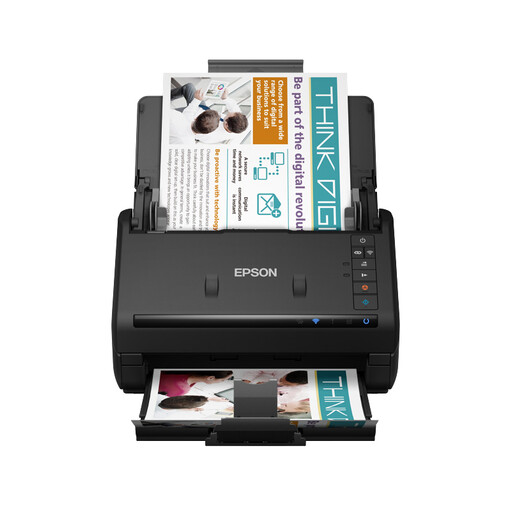 No image available
This model is suited to larger batches if you want the option of a wireless or wired setup.
The product description lists Wi-Fi, USB, automatic duplex scanning and a 100-sheet ADF.
Don’t feed wet or damaged documents into the scanner. You should also avoid using the automatic feeder for brittle, limp, curled or valuable originals.
 No image available
The feed capacity is worth considering for larger batches. The listed slow scanning mode is a separate setting to check against your workflow.
The product description lists a 100-sheet ADF, automatic duplex scanning, USB 3.0 and Epson Scan 2.0.
A slow mode doesn’t guarantee that fragile, limp, curled or valuable originals can safely go through the automatic feeder.
No. The U.S. National Archives and Records Administration says automatic document feeders aren’t suitable for fragile, limp, curled or valuable paper, as it can jam and tear. Assess these documents separately and, if needed, use a flatbed or contactless method.
Check that the connection and software work with your computer. For the R30, Canon lists USB and CaptureOnTouch Lite for Mac and Windows; Brother says the ADS-1300 works with a connected computer. Refer to the manual for your exact model for cleaning and replacing parts.
No. The Government of the Netherlands says there is no fixed statutory guarantee period in the Netherlands. What you can expect from a product depends on factors including the product itself. The manufacturer’s guarantee and any extra cover you buy are separate; ordinary wear and tear or damage you cause don’t automatically entitle you to a free repair.
The Dutch Data Protection Authority says the GDPR has an exemption for processing carried out solely for personal or household use. This exemption doesn’t automatically apply if you’re acting for a business or sharing data beyond a limited private setting. If so, check which privacy rules apply before sharing files.