
Log viewer with limited power sockets
You’re setting up a permanent workstation and want to check in advance how many devices need their own power supply, including the computer, screen and any peripherals.


Choose an all-in-one if you need a screen and want to combine the computer and display in a single device. A compact desktop is a better fit if you already have a suitable screen or want to replace it separately later on. Before buying, check that your log software and connection work with the operating system you choose, and find out how many power sockets the complete setup will need.
You’re setting up a permanent workstation and want to check in advance how many devices need their own power supply, including the computer, screen and any peripherals.
You’re reviewing events on Windows servers and want to match the computer to your existing management tools and connection method.
You want to keep your current screen and are looking for a compact computer that suits your software and any local log files.
A good fit if: you need a screen and want to combine the computer and display in a single device.
Bear in mind: you can’t replace the screen separately as easily as you could with a separate monitor.
A good fit if: you already have a suitable screen or want to choose the computer and screen separately.
Bear in mind: the screen may need its own power supply, so the compact computer alone won’t determine how many sockets your workstation needs.
| Concern | What to look for when buying | Who should consider this? |
|---|---|---|
| Power sockets for the whole workstation | List the power requirements for the computer, screen and any essential peripherals. Compare the complete setup, not just the computer case. | If you have few spare sockets, you’ll want to know what your whole workstation needs before choosing a form factor. This is the main purchasing concern for around 36% of consumers. |
| Log software and server connection | Check the operating system, required programmes, access rights and network connections for your server environment. Microsoft Learn explains, among other things, how to view Windows Server events using Event Viewer and manage logs through Windows Admin Center. | If your existing management tools and connection method are essential, you’ll want to check first that the computer is suitable. Around 29% of consumers prioritise software and server access. |
| Screen and working posture | Check the screen size, resolution and adjustability of the exact model. With a separate desktop, you choose the screen separately; with an all-in-one, it’s built in. | If you spend a lot of time reading log windows, you’ll want to choose and set up a screen that suits your workstation. For around 21% of consumers, the screen and working posture are their main purchasing concern. |
| Complete setup and replaceability | Check which components are included and compare everything you’ll need for the complete setup. Also consider whether you might want to replace the computer and screen separately later on. | If you want to know what the complete workstation includes and which components you can replace separately later, this will be your priority. It’s the main purchasing concern for around 14% of consumers. |
A compact computer doesn’t automatically mean the whole workstation needs few power sockets. A separate screen needs its own power supply too.
Compare the connections needed for the complete mini PC setup with those of an all-in-one before you decide.
With a separate computer, you may also need to arrange a screen and any missing peripherals.
The programmes and access rights you need depend on your server environment and working practices, not just the desktop model.
Make a note of the required log tool, connection and access method, then check they’re supported by the exact configuration.
Microsoft ended regular support for Windows 10 on 14 October 2025. Any separate Extended Security Updates programme does not change that end date.
For an older or second-hand computer, check which edition it comes with, what update support is available and whether a separate ESU arrangement applies.
The OmniStudio all-in-one combines the computer and screen. For the Dutch model 24cu0612nd reviewed, HP lists a 23.8-inch screen, Windows 11 Home, 12 GB RAM and a 512 GB SSD.
The Pro Micro is a compact Windows desktop for anyone who wants to choose a screen separately. The QCM1250 configuration reviewed lists Windows 11 Pro, 16 GB RAM and a 512 GB SSD.
The Mac mini M6 is a compact macOS computer for use with an external screen, provided your required log software and access method work on macOS.
The ThinkCentre Neo 50a Gen 5 is a business all-in-one range. According to the product page, the Dutch model reviewed has a 23.8-inch screen.
These product picks are all-in-one desktops with a built-in screen. Check that the software, connections and complete power setup for each model suit your workstation.
 No image available
An all-in-one that combines the computer and screen, ideal if you don’t already have a monitor.
The product information says the power adapter must be purchased separately; check this when putting together your complete workstation.
 No image available
An all-in-one with a built-in screen, so you don’t need to choose a separate monitor.
27-inch QHD IPS screen, Intel Core Ultra 5 125H, 16 GB DDR5 and 1 TB SSD.
 No image available
An all-in-one with a wired network option, if that suits your workstation.
23.8-inch FHD IPS screen, Intel Core 5 120U, 8 GB DDR5, 512 GB SSD, Windows 11 Pro and Ethernet.
The product information says the power adapter must be purchased separately.
 No image available
An all-in-one with a built-in screen, so you can use the computer and monitor as a single device.
27-inch QHD IPS screen, Intel Core Ultra 7 155H, 32 GB DDR5, 1 TB SSD and Windows 11 Pro.
 No image available
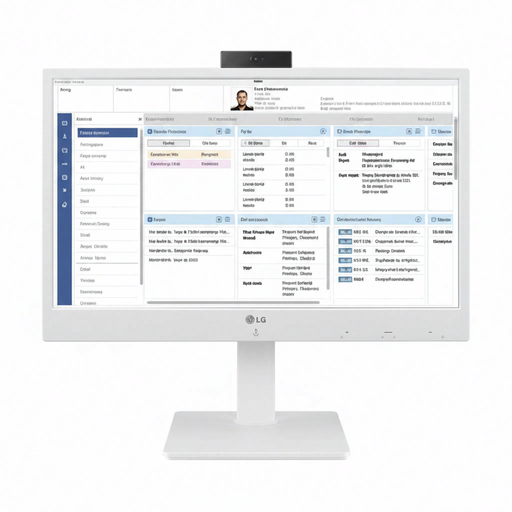
An all-in-one thin client to consider if you access logs through a cloud or VDI environment. Check in advance that your IT environment supports this model.
The product information lists a 34-inch curved screen and Ethernet. According to the information, the operating system depends on the IT environment.
Not necessarily for this task alone. Microsoft explains how to view and filter Windows Server events; the workload depends on your software and whether you process log files locally. Check the requirements of your own programmes and files before choosing a larger configuration.
First, list the power requirements for the computer, screen and any essential peripherals, then check the display and network connections. For employees who work at a screen for more than 2 hours a day, Arboportaal lists additional requirements for workplace setup; these don’t automatically apply to every individual user.
No. The Dutch Data Protection Authority says personal data must not be kept for longer than necessary, and that the GDPR does not set a specific general retention period. The appropriate retention period and access controls depend on how the data is processed and which rules apply; having more SSD storage doesn’t in itself give you permission to keep logs for longer.
When you buy as a consumer, your statutory guarantee applies alongside any retailer’s or manufacturer’s warranty. The Netherlands Authority for Consumers and Markets explains that you’re entitled to a product that works as it should, based on what you can reasonably expect with normal use. The Dutch Government says that when buying a new computer, individuals can hand in an old, similar computer; the take-back scheme does not apply to businesses.