For a local server console or KVM, a wired USB keyboard is a practical choice if its connection suits your setup; test it on the screens you need to use. If you read logs on a computer with suitable Bluetooth support and want to keep a USB port free, a Bluetooth model without a receiver may be a better fit. A keyboard with both Bluetooth and a USB receiver gives you more connection options, but the receiver uses a USB port and a built-in battery needs charging.
Which keyboard is right for you?
Local console administrator
You want to be able to type during server diagnostics or through a KVM, so you’re looking for a suitable connection that’s easy to check. CHERRY specifies a USB-A connection for the KC 1000; for certain keyboard issues with the ThinkSystem SD530, Lenovo recommends connecting a USB keyboard directly to the server.
Log reader with USB ports in short supply
You view logs on a computer with Bluetooth and don’t want to use a USB port for a keyboard receiver. Check that Bluetooth is available on the device you’re using. Logitech says the Pebble Keys 2 K380s can be used with three devices and runs on two replaceable AAA batteries.
Administrator with multiple workstations
You switch between computers and want to choose between Bluetooth and a USB receiver for each device, while keeping power requirements in mind. Trust says the Vaiya has three Bluetooth channels and a 2.4 GHz connection; using the receiver takes up a USB port.
Which buying considerations matter?
First, decide whether you need the keyboard for a local console or only on a running computer. Then check which USB and Bluetooth connections are available, and choose a power source that suits the way you work.
| Consideration |
What to check |
Who this matters to |
| Access to a console or KVM |
Check the connection on the server or KVM and test the keyboard on the console and boot screens you need to use. Lenovo’s advice for the ThinkSystem SD530 is specific to that model. |
If I need to type during diagnostics or on boot screens, I want to test the connection on my own setup first. Around 33% of shoppers prioritise access to a local console or KVM. |
| Keeping a USB port free |
Check whether the host supports Bluetooth and count the USB ports needed for other devices. |
On a laptop with Bluetooth, I don’t want to use up a port for a keyboard receiver, but the host still needs to support the connection. Around 27% of shoppers prioritise keeping a USB port free. |
| Switching between devices |
Check which connections each host supports and which keyboard layout you need. |
When I switch between several computers, I want a suitable connection and layout for each device. Around 20% of shoppers prioritise switching between devices. |
| Power and maintenance |
Check the battery type or charging method, and whether charging fits into your work routine. |
If I don’t want to miss a suitable time to charge or replace the batteries, I choose a power source that suits the way I work. Around 20% of shoppers give power maintenance top priority. |
Pitfalls to avoid when choosing
-
Confusing a shortage of power sockets with a shortage of USB ports
A keyboard can use a USB port without needing a separate power socket. A wireless model may still need a USB port if you use its receiver.
Check how many power sockets and USB ports are free separately before choosing a connection type.
-
Assuming wireless will work with the server console
A connection that works on a laptop doesn’t necessarily mean you’ll be able to enter input through your server, KVM or boot screen.
Test your chosen connection on the screens you need to use. For an important console, keep a tested input option as a backup.
-
Looking only at QWERTY
QWERTY keyboards can differ in the position of keys and punctuation marks you use for terminal commands.
Check the exact layout variant and the position of the keys you need for your work.
Relevant brands to consider
CHERRY
The KC 1000 is a full-size wired keyboard for a host with a suitable USB-A connection.
- CHERRY specifies a cursor block, numeric keypad and USB Plug & Play.
- The stated system requirement is Windows with USB-A; don’t assume it will work with every other host or KVM.
Logitech
The Pebble Keys 2 K380s is a compact Bluetooth option for devices that support Bluetooth.
- Logitech says you can switch between three devices.
- The K380s uses two replaceable AAA batteries. Check that the host supports Bluetooth, and don’t assume the keyboard will work with your server console.
Trust
According to Trust, the Vaiya offers Bluetooth channels and a 2.4 GHz connection for compatible devices.
- Trust specifies a full-size keyboard with a built-in rechargeable battery.
- The 2.4 GHz connection requires a USB receiver. The battery life stated by Trust is the manufacturer’s estimate, not an independent measurement.
Dell
The Pro Plus KB740 is an option with Bluetooth and a USB receiver for use with multiple devices.
- Dell specifies two AA batteries and a numeric keypad.
- Check the exact layout variant: the Dutch version described has a UK QWERTY layout.
Joybuy picks for this setup
These picks include a range of wired and wireless connections for a workspace with limited connectivity. Check that the connection type and keyboard layout for each model suit your server, KVM or computer.
 Image unavailable
AJAZZ AK980 V2, 98% QWERTY, Gift Switch V2, Starry Night Gray
The multiple connection options may suit you if you want to choose a connection for each compatible host.
The product title lists wired, Bluetooth and 2.4 GHz connections, a 98% layout and a 10,000 mAh battery.
The title specifies a US QWERTY layout. The 2.4 GHz connection uses a USB receiver.
View at Joybuy
 Image unavailable
Trust Trezo Comfort wireless keyboard and mouse set, US/QWERTY
This set may suit your workspace if a USB receiver connection is right for you.
The product title specifies quiet keys and a US/QWERTY layout. The stated 2.4 GHz connection uses a USB receiver, and the keyboard runs on batteries.
View at Joybuy
 Image unavailable
Trust Vaiya, full size, US QWERTY
This model may suit you if you want to switch between several compatible devices using Bluetooth or a USB receiver.
Trust describes three Bluetooth channels and a 2.4 GHz connection. The product information specifies a full-size layout, numeric keypad and built-in rechargeable battery.
The title specifies a US QWERTY layout. The receiver uses a USB port if you choose that connection; test it with the console or KVM you intend to use.
View at Joybuy
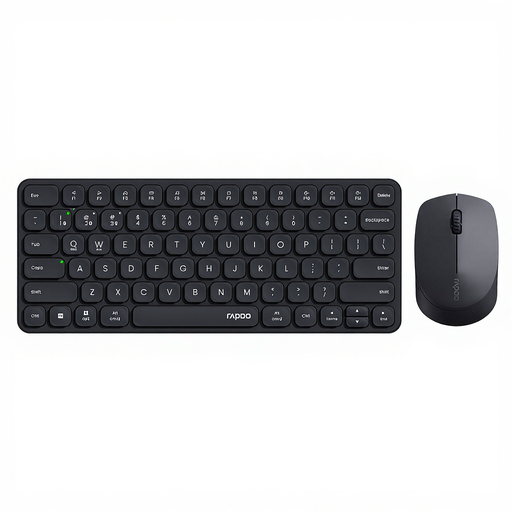 Image unavailable
Rapoo 9010M keyboard and mouse set
This set may suit you if you want to use a keyboard and mouse and switch between compatible devices.
The product title specifies Bluetooth and 2.4 GHz, support for four devices and battery power. The 2.4 GHz connection uses a USB receiver.
View at Joybuy
 Image unavailable
KEYSME Lunar 01, 80%, US QWERTY, white
The range of connection options may suit you if you want to choose a connection for each compatible host.
The product title specifies a mechanical keyboard with an 80% layout, wired connection, Bluetooth, 2.4 GHz and a 4,000 mAh battery.
The title specifies a US QWERTY layout. The 2.4 GHz connection uses a USB receiver.
View at Joybuy
Frequently asked questions
Does a USB keyboard need its own power socket?
According to CHERRY, the KC 1000 connects via USB and doesn’t need a separate power socket for the keyboard. However, check that your computer or KVM has a suitable USB-A connection and supports the keyboard.
What can you do if a USB keyboard doesn’t respond on the server?
For the ThinkSystem SD530, Lenovo recommends checking the cable, connecting the keyboard directly to the server if you’re using a USB hub, and trying another USB port. For a different server model, follow the documentation for that model.
How do you maintain a keyboard with batteries or a rechargeable battery?
Check the power source for the exact version: Logitech lists two replaceable AAA batteries for the K380s, while Trust describes the Vaiya as having a rechargeable battery. According to the Dutch Government, used batteries shouldn’t go in the bin; you can return them to shops that sell batteries, among other places.
What returns and warranty rights apply to an online purchase in the Netherlands?
For eligible distance sales to consumers, you generally have up to 14 days after delivery to change your mind; ACM ConsuWijzer lists some exceptions. The statutory guarantee means a product must perform as you can reasonably expect under normal use. If you’re buying for business, don’t assume these consumer rights apply.


