
Vandaag of morgen in huis

Kwaliteit gegarandeerd

Welkomstaanbiedingen ontgrendelen: GRATIS bezorging | Tot 80% korting | Gratis 30 dagen JoyPlus-proefperiode
Download de app
A robot vacuum that empties itself sounds like a dream for anyone with a busy lifestyle. No more emptying that small dustbin every day. But the market is flooded with models that promise the world. Unfortunately, many of these promises lead to frustration and wasted money. As a Product Recommendation Officer at Joybuy, I cut through the marketing jargon to give you objective advice. Let's look at the most common pitfalls and how you can avoid them.
Before you pull out your wallet, it's crucial to know what to look for. Many buyers fall into the same traps.
To avoid a bad purchase, focus on the specifications that really matter. These are the three most important checkpoints.
The way a robot maps your home determines its effectiveness.
Suction power is expressed in Pascals (Pa). For an average household with mostly hard floors, 2500-4000 Pa is often sufficient. However, do you have pets or a lot of carpet and hard floors? Then a model with 5000 Pa or more is a wise choice. Specifically look for a powerful robot vacuum with a value of 6000Pa or even 10000Pa if you deal with a lot of pet hair. Also, consider the brush design: a rubber brush with a V-shaped profile is often more effective at preventing tangled hair than a brush with only bristles.
This is an important consideration that affects both convenience and recurring costs.
Based on objective specifications, we have selected a number of models that suit different households.
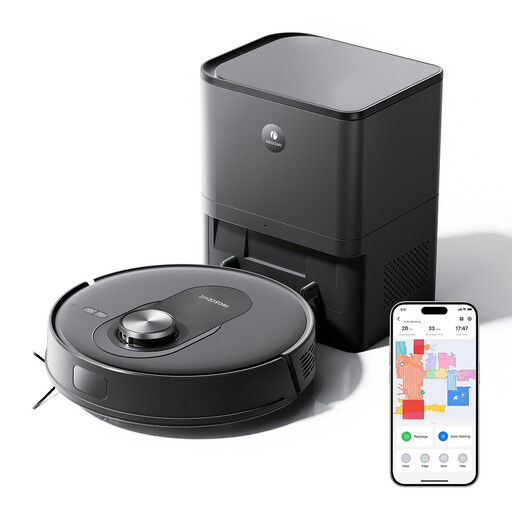
Why it's a match: This model offers key premium features, such as a self-emptying station and LiDAR navigation, at a very accessible price. Ideal for those who want to try a robot vacuum with a station for the first time without paying a premium.
Bypasses the 'dumb navigation' pitfall by using reliable LiDAR navigation. The 6000Pa suction power is more than sufficient for most situations, so you're not paying for unnecessary specs.
A complete set with a robot vacuum with mopping function and a self-emptying station with a 3-litre dust bag. The app supports 5 maps, which is useful for multiple floors.
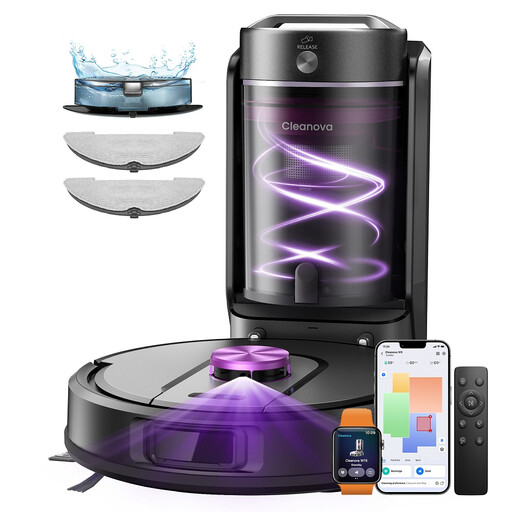
Why it's a match: For households with dogs or cats, the combination of extreme suction power and a bagless station is ideal. The Vexilar W15 effortlessly picks up pet hair and saves you the recurring cost of dust bags.
Tackles the pitfall of clogged stations and hidden costs with a bagless self-emptying robot vacuum. The powerful 10000Pa suction is not a marketing gimmick, but a functional spec for the toughest jobs.
The combination of 10000Pa suction power and a multi-cyclone bagless station. According to Vexilar, the station empties the dustbin without creating dust clouds, preventing secondary pollution.
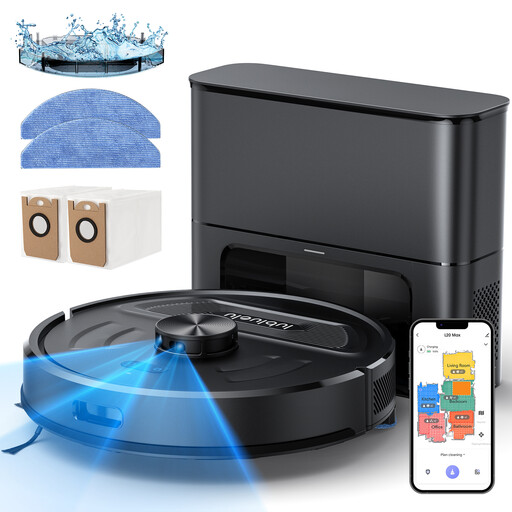
Why it's a match: For those seeking a complete and quiet solution for a multi-story home. This model combines vacuuming, mopping, and a self-emptying station with advanced mapping functions and a remarkably low noise level.
The advanced LiDAR navigation with support for 5 maps is the perfect solution for the pitfall of poor navigation in larger or more complex homes. You can set up a separate map with no-go zones for each floor.
The 3-in-1 functionality (vacuum, mop, empty) combined with a quiet operation of just 55 dB. This allows the robot to do its job without disturbing the household, even when you're working from home.
We have compiled a complete, up-to-date list of products that meet these strict selection criteria and regulations.
This depends on the size of your home, the presence of pets, and how often you run the robot. Most self-emptying stations have a capacity (2.5 to 4 litres) large enough to hold 30 to 90 days' worth of dirt. An indicator on the station or a notification in the app usually lets you know when it's time to empty the bag or bin.
Yes, modern robot vacuums are designed for both hard floors and carpet. Models with high suction power (above 4000 Pa) and a carpet detection feature have an advantage here. This function ensures the robot automatically maximizes suction power as soon as it detects carpet, for a deeper clean. For a robot vacuum with a mopping function, make sure the model lifts its mop on carpet or that you can set no-mop zones.
Generally, no. The setup usually consists of three steps: placing the base station, charging the robot, and downloading the corresponding app on your smartphone. The app then guides you through the process of connecting the robot to your Wi-Fi network. The first time the robot runs, it will create a map of your home. After that, you can easily set cleaning schedules and forbidden zones via the app.
