
Vandaag of morgen in huis

Kwaliteit gegarandeerd

Welkomstaanbiedingen ontgrendelen: GRATIS bezorging | Tot 80% korting | Gratis 30 dagen JoyPlus-proefperiode
Download de app
A security camera can help you keep an eye on your front door, living room, garden, driveway or pets remotely. However, it can be difficult to compare the options. A high resolution does not automatically mean you will see details clearly at night, and a camera with lots of smart features can be inconvenient if the app does not suit the way you use it.
Pay particular attention to these three common pitfalls:
For general monitoring, 1080p Full HD is often sufficient. If you want to distinguish faces, parcels or number plates more clearly at greater distances, look for 2K or 4K. The distance to the subject remains important: a 4K camera mounted too far from the front door will not automatically provide useful detail.
Also check the viewing angle. A fixed camera usually looks in one direction. A PTZ camera can pan horizontally and tilt vertically. This is practical for a garden or large room, but moving parts may require more attention during installation and maintenance.
An outdoor security camera must be able to withstand rain and dust. The IP rating indicates the level of protection:
An IP rating does not mean you can place the camera underwater. Connect cables and adapters in a dry location too. An indoor security camera is not suitable for a balcony, shed or exposed exterior wall, even if the casing feels sturdy.
A Wi-Fi security camera usually operates on 2.4GHz, 5GHz or both frequencies. 2.4GHz generally offers greater range through walls; 5GHz can provide a faster connection with a suitable router, but its range is often more limited. So check that the camera is compatible with your network. Some models also support a wired connection.
Pay attention to the combination of motion detection, person recognition and notifications. A camera that sends an alert every time a passing car, tree branch or change in lighting is detected can quickly become irritating. Features such as activity zones and privacy zones can help you set up more targeted notifications.
Finally, consider the storage options:
According to the manufacturer’s product information, recording duration, image quality and battery life may vary depending on settings, network and usage. Always check the latest product specifications before ordering.
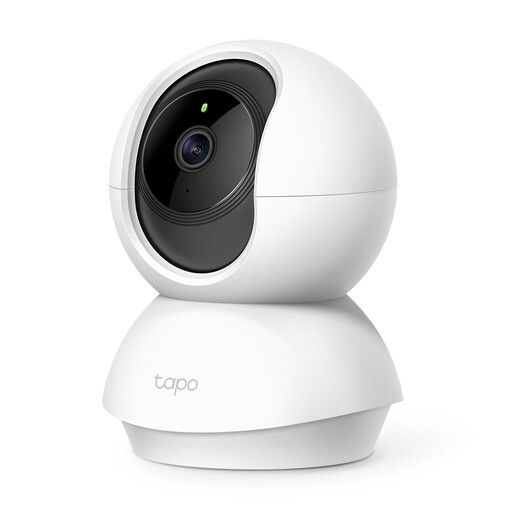
Why it suits this profile: This compact indoor security camera is designed for basic monitoring of a room, pet or entrance. Setup is carried out via the Tapo app, and the model runs on mains power.
The product information states 1080p, 360° horizontal and 114° vertical movement, motion alerts and local storage of up to 128GB. This makes the key features clear before you buy.
1080p resolution, IR night vision up to 9 metres, two-way audio and support for microSD storage.
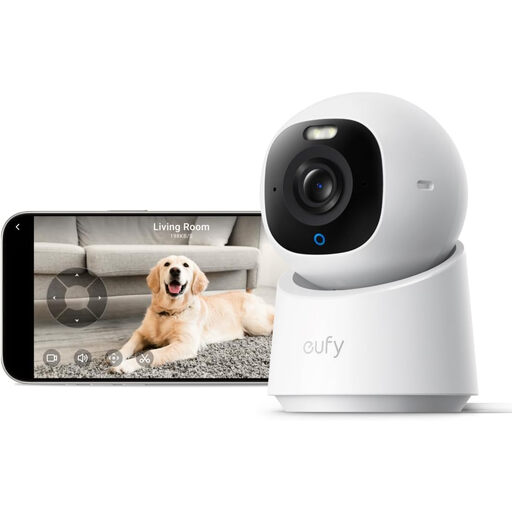
Why it suits this profile: This model is designed for users looking for a smart indoor security camera with high resolution, automatic tracking and integration with smart home platforms.
According to the product description, this camera is intended for indoor use only. This helps prevent consumers from accidentally installing an indoor model outdoors.
4K UHD, 360° pan and tilt, colour night vision, person and pet detection, automatic tracking and local storage via SD card.
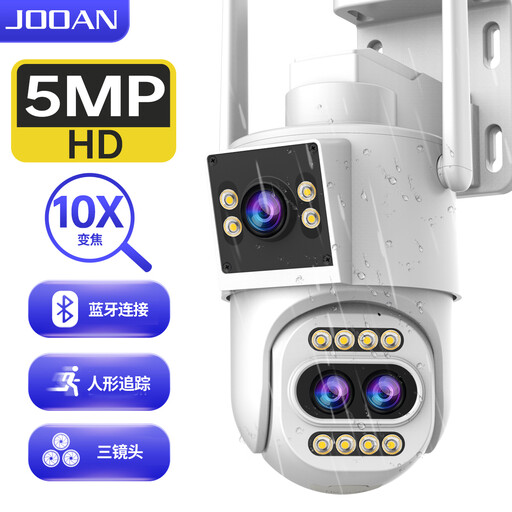
Why it suits this profile: For a garden, driveway or home-based business, an outdoor model with multiple lenses and PTZ control may be more practical than a fixed camera.
The specifications clearly state that this model supports only 2.4GHz Wi-Fi and an RJ45 wired connection. Check your network beforehand rather than assuming it supports dual-band Wi-Fi.
Three lenses, 10× optical zoom, PTZ control, IP66 rating, two-way audio, motion alerts and storage via card or cloud.
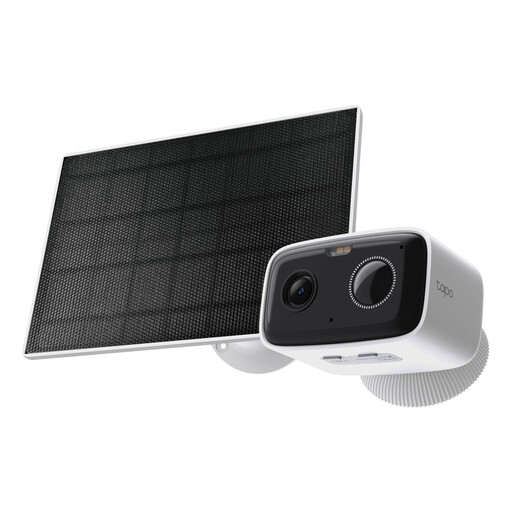
Why it suits this profile: This is a practical choice if you want to monitor outdoors without running a permanent power cable to the camera. The specifications mention a rechargeable battery and solar cells.
The stated battery life depends on settings, usage, router and conditions. Treat the battery life as a product specification under certain conditions, rather than a fixed guarantee.
1080p video, colour night vision, person detection, activity and privacy zones, IP65 protection and local storage via microSD.
We have put together a complete, up-to-date list of products that fully meet these strict selection criteria and the applicable European safety regulations.
Position a security camera so that it mainly records your own home and property. Do not point the lens unnecessarily at the public road or your neighbours’ property. Inform visitors when necessary and check the current rules from the Dutch Data Protection Authority regarding camera surveillance.
Use a strong, unique Wi-Fi password and install firmware updates as soon as they become available. When mounting the camera outdoors, choose a stable surface and protect power connections from moisture. A wireless model still needs a good Wi-Fi connection; ‘wireless’ does not mean that network coverage is irrelevant.
This varies by model. Live viewing and remote notifications usually require an internet connection. Some models can record locally to a microSD card if the internet connection temporarily drops. Check that the camera actually supports this function.
For individual motion clips, a 64GB or 128GB card is often more practical than when recording continuously. The required capacity depends on resolution, frame rate, compression and the number of hours recorded. Some cameras specify a maximum card capacity of 128GB, 256GB or 512GB.
In addition to the purchase price, you may need to pay for a microSD card, electricity and optional cloud storage. A camera with local storage does not always eliminate every cost, but it can make a paid cloud subscription unnecessary. Also check whether an app or certain smart features require a subscription.
