
Diagram creator who assesses colours
You create figures where consistent colour assessment is important, and want to match the colour space to your output. Specifications for BenQ and ASUS models can help you make that comparison.


If you assess colours in scientific diagrams, choose a monitor with specified colour settings that suit your output. For viewing sources alongside fine lines and labels, resolution, connectivity and adjustability may matter more. Check in advance that your computer can drive two screens at your desired resolution and that a USB-C connection supports video and sufficient power delivery. Manufacturer specifications can help you compare models, but they are not an independent measurement of colour performance.
You create figures where consistent colour assessment is important, and want to match the colour space to your output. Specifications for BenQ and ASUS models can help you make that comparison.
You look at small labels or lines on one screen and keep articles, data or notes open on the other. Philips, LG and Dell describe 27-inch 4K models; check which resolution and text scaling will work with your computer and software.
You want to connect a second screen and position it so it works well in your workspace. Check your laptop’s video connection and power delivery, and compare the adjustment options of the exact monitor model.
First decide whether colour assessment or detail legibility matters most. Then check the connection and whether you can adjust the monitor easily on your desk.
For shoppers considering a second screen for scientific diagrams, the most important buying priority can vary depending on their setup.
| What to consider | What should you look for? | Who is this important for? |
|---|---|---|
| Colour reproduction | Find out which colour space your output requires and check the specified modes and adjustment options. | If I assess colours in diagrams, I want to know which colour space suits my output. Around 33% of shoppers put colour first. |
| Fine lines and labels | Compare the screen size and resolution, and check that labels remain legible at your chosen scaling level. | When I look at small labels alongside sources, I want to read the details without the chosen scaling becoming impractical. Around 27% of shoppers give detail the highest priority. |
| Connectivity | Check your computer’s video outputs and, for USB-C, its video mode and power delivery. | If I connect a laptop, I want to know in advance whether it supports the video connection I need and any power delivery. Around 20% of shoppers start with connectivity. |
| Positioning and adjustability | Measure the available desk space and check which adjustments the stand on the exact model offers. | When I use two screens in a permanent workspace, I want to position the monitor to suit me without losing sight of the space available. Around 20% of shoppers prioritise positioning and adjustability. |
USB-C features and specified power delivery vary by model. Your laptop must also support the video connection you need.
Compare your laptop’s video capabilities and power requirements with the specifications of the exact monitor model.
Depending on the combination, you may need a different cable or adapter, or your laptop may still need a separate power supply.
A stated colour space alone does not tell you how two separate screens will reproduce colours side by side.
First find out which colour space your output requires, and don’t treat a coverage percentage as proof that both screens will match without adjustment.
ACM ConsuWijzer distinguishes between a manufacturer’s or seller’s warranty and your statutory rights when a product does not do what you could reasonably expect.
Keep your proof of purchase and contact the seller if a product is faulty. Also read the terms of any commercial warranty separately.
The PD2705U is a 27-inch 4K design monitor for anyone looking to combine specific colour modes with USB-C.
The ProArt PA279CRV is designed for creative work, with several specified colour spaces and connectivity options.
According to LG, the UltraFine 27UQ850V-W combines a 27-inch 4K screen with USB-C and an adjustable stand.
The UltraSharp U2725QE is a 27-inch 4K hub monitor for anyone looking for adjustability and a range of connectivity options.
According to Philips, the 27E1N1900AE/00 is a 27-inch 4K IPS monitor with USB-C and height adjustment.
The Joybuy picks below are 27-inch monitors for working with detailed diagrams. For each model, check which connections, resolution and adjustment options suit your computer and workspace.
 No image available
An option to compare if you’re looking for a 27-inch screen for detailed diagram work.
The product title lists 4K, IPS, 27-inch and an ergonomic design.
 No image available
Compare this model if you’re looking for a detailed second screen and height adjustment is important to you.
The product title lists 3840 × 2160 pixels, 60 Hz, 4 ms, HDMI, DisplayPort and a height-adjustable stand.
 No image available
A model to compare if you’re weighing up detail against laptop connectivity.
The product title lists 3840 × 2160, IPS, 120 Hz, USB-C with 90 W PD, and PIP and PBP. HDMI, DisplayPort and a height-adjustable stand are also mentioned.
 No image available
Consider this model if you’re looking for a detailed screen and need the specified connectivity and control features too.
The product title lists 4K 160 Hz or FHD 320 Hz, Fast IPS, USB-C with 65 W and KVM. The stand is described as tiltable, swivel-adjustable and height-adjustable.
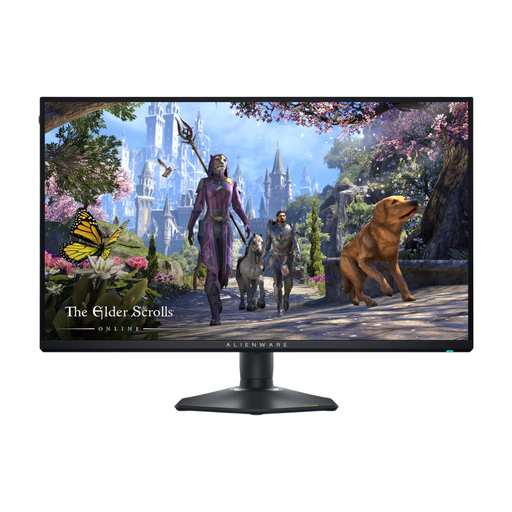 No image available
An option to compare with other 27-inch screens when you want to view fine diagram details.
The product title lists 3840 × 2160 pixels, 4K Ultra HD and a black finish.
In Windows, choose Extend and arrange the screens to match their actual positions. Microsoft Support also recommends checking whether the external screen works on its own if you have connection problems.
Arboportaal recommends placing the screen you’re working on directly in front of you, with the top just below eye level. With two screens, the most practical setup also depends on which one you use most.
According to ACM ConsuWijzer, for a standard online consumer purchase you generally have up to 14 days from delivery to change your mind, with some exceptions. You also have statutory rights if a product does not do what you could reasonably expect; these rights are not simply the same as the length of a manufacturer’s warranty.
No. The obligations described by Arboportaal are aimed at employers and safe workplaces for employees. Its advice on screen positioning may be useful at home, but it does not automatically constitute a buying requirement for every private buyer.