
Checkout tester working across two windows
Wants to view the checkout on one screen while keeping test steps and findings visible on the other. Microsoft Support explains how to arrange multiple displays.


A compact second monitor is a good fit if you want to view the checkout and your test notes at the same time. A larger QHD screen may suit you if you need more workspace or a USB-C connection. Before you buy, check that your computer supports your preferred screen setup and find out which connections the exact monitor offers. Having two physical screens does not replace testing the checkout at different browser widths.
Wants to view the checkout on one screen while keeping test steps and findings visible on the other. Microsoft Support explains how to arrange multiple displays.
Wants to check first whether their laptop, cables and monitor support their preferred screen setup. Check the connection options on the exact computer and monitor.
Uses extra workspace for testing tools, but also assesses the checkout at different browser widths. W3C explains the Reflow accessibility criterion for this.
First decide whether you mainly need space to work across multiple windows, the right connection options or a way to check different browser layouts. Then choose the screen size and ports.
| What to consider | What should you check? | Who is this important for? |
|---|---|---|
| Workspace across multiple windows | Consider whether the size, resolution and stand suit the desk space available and the way you usually arrange your windows. | I want to view the checkout and test notes at the same time. Around 33% of consumers prioritise having space to work across multiple windows. |
| Connecting two screens | Check your computer’s video output, how many external screens you want to use and the ports on the exact monitor. | I want to know in advance whether my laptop can power both screens in the way I intend. Around 27% of consumers say confidence in the connections is their main buying concern. |
| Different display widths | Test the checkout in your browser at relevant window widths and zoom levels. In its Reflow guidance, W3C links 320 CSS pixels to a 1280 CSS pixel viewport at 400% zoom. | I use the extra space for testing tools, but also need to assess narrow browser layouts. Around 20% of consumers prioritise these checks. |
| Comfort and positioning | Measure the space available for the screens and their stands, and check that the monitor’s height and position suit your workspace. | I want to position the screens comfortably during long testing sessions. Around 20% of consumers see comfort and setup as their main buying concern. |
A monitor’s diagonal measurement does not show how the checkout behaves in a narrow browser window.
Plan viewport and zoom checks separately from buying a second screen.
Without separate checks, you may need to do extra testing to assess the different layouts.
Features vary by model. Dell lists the P2425’s USB-C downstream port for data, with up to 15 W of power; LG lists 65 W USB-C power delivery for the 27BA65QB-B.
Before choosing how to connect everything, check what each port does on the exact monitor and computer.
Depending on your setup, you may need a different connection method or an additional cable.
Dell P2425, P2425H and S2425H are different model designations; similar names do not confirm that they are the same version.
Compare the full model code and relevant specifications before treating a product as the same monitor.
The P2425 is a compact 16:10 model; the separate P2425H is a Full HD model.
The 27BA65QB-B is a 27-inch QHD model with USB-C features, suited to a workspace where connectivity matters.
The 24E1N1300AE/01 is a compact Full HD option if you’re considering USB-C with power delivery.
The GW2790QT is a 27-inch QHD model with USB-C, suited to a workspace where laptop cabling is a consideration.
This selection includes standalone monitors and portable screen extenders to give you extra workspace for checkout testing. An extra screen does not replace checking the checkout separately at different browser widths.
 No image available
A standalone screen for viewing the checkout alongside your test materials.
The product title lists a resolution of 2560 × 1440 pixels, 180 Hz, 1 ms, HDR10, 2 HDMI 2.0 ports and 1 DisplayPort 1.4 port.
 No image available
A standalone monitor for anyone who wants extra workspace alongside their main screen.
The product information lists a resolution of 3840 × 2160 pixels, an IPS panel and a 60 Hz refresh rate.
 No image available
The product title presents this model as a laptop screen extender for working across multiple displays; check that it connects to your laptop.
The product information lists a resolution of 1920 × 1080 pixels and compatibility with 13–17.3-inch laptops.
 No image available
A portable screen extender for anyone who wants to take extra workspace with them; check that your laptop supports the USB-C connection you need.
The product information lists an IPS screen, USB-C for video and power over a single cable, and a weight of 1.2 kg.
 No image available
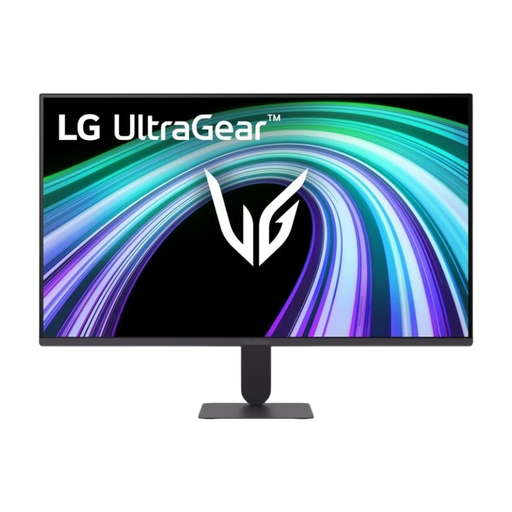
A standalone 27-inch monitor for viewing the checkout and test steps on separate screens.
The product information lists Full HD, an IPS panel, 144 Hz, HDMI 2.0 and DisplayPort 1.4.
No. A second monitor gives you room for extra windows, but you should also assess the checkout separately at relevant browser widths. In its Reflow guidance, W3C describes, among other things, a viewport 320 CSS pixels wide at 400% zoom from 1280 CSS pixels.
Connect the screens, then use Windows display settings to detect and arrange them, as described by Microsoft Support. Check in advance that your computer supports the two external screens you want to use.
No. Compare the specifications of the exact laptop and monitor, including video output, power delivery and the daisy-chain setup you intend to use. Dell lists separate daisy-chain conditions in its macOS compatibility information.
If a product is faulty, the retailer is your point of contact for the statutory guarantee; according to the Dutch government, the Netherlands has no fixed statutory guarantee period. For eligible distance purchases from a business, you generally have 14 days to change your mind. Check what applies to your purchase, particularly if you’re buying for business.
For employees, the Dutch Arboportaal says that screen work must be alternated at set intervals with other work or a break. The European Commission states that energy labelling and ecodesign rules apply to electronic displays; these rules do not prescribe a set number of monitors for this checkout test.