
Photographing details in second-hand books
You want to show signs of wear, the binding and the texture of the materials. Pay particular attention to the lens’s close-up capabilities and how much room you’ll have to light your subject effectively.


For consistent photos of a series of books, start with a tripod, controlled lighting and a fixed white balance; you may not need a new camera. A mirrorless camera with a suitable close-up lens is most relevant if you want to capture small signs of wear or material texture clearly and in detail. If so, check the mount and the exact kit contents. The camera models mentioned are examples based on their specifications, not independently tested winners for book photography.
You want to show signs of wear, the binding and the texture of the materials. Pay particular attention to the lens’s close-up capabilities and how much room you’ll have to light your subject effectively.
You photograph several books in a similar frame and want to be able to reproduce the lighting and colour from one shot to the next.
You want to avoid buying a camera body without a suitable lens for the book photos you have in mind. Compare what’s included in the kit with the equipment you already own.
Both your setup and your lens matter when creating a portfolio of second-hand books. Canon Netherlands explains how a tripod helps you achieve consistent product compositions, while Fotografie.nl points out that reflections can obscure details on a book cover.
| What to consider | What to look for when buying | Who is this important for? |
|---|---|---|
| Capturing small details | Compare the magnification, working distance and mount of the exact lens. Check a test shot of a book corner at the size you want to display it. | If I want to show small signs of wear or the texture of the paper clearly, I’ll focus on the lens and working distance. Around 33% of consumers say detail reproduction is their top buying priority. |
| A repeatable composition | Check that you can frame and operate the camera from your intended tripod position. Compare shots against the same background. | When photographing a series of books, I want to be able to repeat the framing and background from one photo to the next. A consistent composition is the top priority for around 27% of consumers. |
| Colour and reflections | Test the lighting on a glossy cover and check both reflections and colour. See whether white balance settings and, if available, RAW shooting suit the way you work. | If the cover’s colour and gloss are crucial, I want to check how it looks under the lighting I plan to use. Around 20% of consumers prioritise colour and reflections. |
| Cost of the complete setup | Check the exact kit contents, lens mount and any other parts you’ll need. Don’t rely on the camera body’s model name alone. | If I first want to find out whether my current equipment will do, I’ll compare the complete kit with what I already own. For around 20% of consumers, the cost of the entire setup is their top priority. |
The magnification needed for close-up photography is a feature of the lens. It isn’t automatically included with every camera body or kit.
Check the full model name and the lens included. Compare the lens with the smallest detail you want to show in your portfolio.
Glare can hide the very signs of use you want your photo to show.
Take a test shot of the actual cover. Move the light or change the camera angle until reflections no longer obscure the details.
ACM ConsuWijzer explains that your statutory rights depend on what you could reasonably expect from the product. Consumer protection does not automatically apply when a purchase is mainly for business use.
Check who is buying the camera, what it will mainly be used for, and the condition and components described in the listing.
Canon’s EOS R50 is an APS-C mirrorless camera with an RF mount. The RF 35mm F1.8 MACRO IS STM is a separate lens for close-up photography.
The Sony α6400 has an E-mount. The E 30 mm F3.5 Macro is a separate lens for small subjects.
The Nikon Z50II has an electronic viewfinder and a tilting touchscreen monitor. The NIKKOR Z MC 50mm f/2.8 is a separate Z-system lens for detailed shots.
This selection includes an instant camera, compact cameras and interchangeable-lens cameras for book photography. Check which lens is included with each model and whether it’s suitable for the close-ups you want to take.
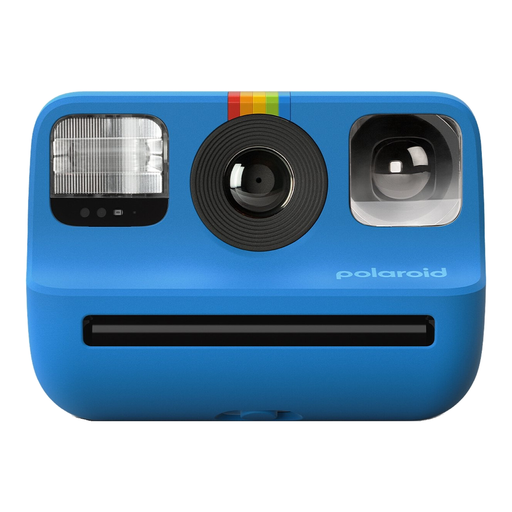 No image available
An option if you’d like to make small physical prints of your books as well as portfolio photos.
The product information lists Polaroid Go film, a light sensor, flash and double exposure. The stated print size is 66,6 × 53,9 mm.
 No image available
An option if you’re looking for a digital camera for general book photography and don’t need to capture small details as a priority.
The product title lists 80 MP and 18X zoom. Check that the camera and stated zoom suit the framing and level of detail you’re looking for.
 No image available
The vari-angle screen may be useful if you want to frame a shot from a fixed camera setup.
The product information lists a 24.2 MP APS-C sensor and an included E 16–50mm lens. This lens isn’t specified as a macro or close-up lens.
 No image available
An option if you’re considering an interchangeable lens camera with operation via a viewfinder or tilting screen.
The product information lists a 24.2 MP APS-C sensor, an electronic viewfinder and an included 16–50mm lens. This lens isn’t specified as a macro or close-up lens.
 No image available
A compact camera to consider if you’re looking for a fixed-lens camera for book photography and framing shots on a tripod.
The product information lists a 20 MP sensor, a 24–70 mm focal length, RAW shooting and a tilting screen.
Use a tripod, a fixed frame and the same background. If the light changes, check the white balance. Canon Netherlands explains how a tripod helps you take consistent product photos and how the colour of the light affects white balance.
Not necessarily. Start by taking a test shot with the camera and lens you already have. If small details don’t appear large enough in the frame, compare the magnification and working distance of a lens that fits your camera.
For online purchases covered by Dutch consumer law, you generally have a 14-day cooling-off period from delivery, including for second-hand products, according to ACM ConsuWijzer. Your statutory rights for a product depend on what you could reasonably expect; there is no fixed statutory warranty period for every camera. Consumer rights don’t automatically apply if the product is mainly for business use.
You can’t necessarily publish every image or an entire text without permission. The Dutch government distinguishes between making a copy for personal use and making protected work available to the public. Consider the material shown and how you intend to use it before publishing a photo of a particular cover or page.