What should you look for when choosing?
First check your console and game version, then make sure the local game mode supports two players on one system. Next, choose between a wireless controller and a cable that can safely reach the second seat.
| What to consider |
What to check |
Who should pay particular attention? |
| Console and game version |
Make a note of the exact system, game version and full controller model name. Check that the combination is supported. |
If I buy a controller for a different console or game version, the other player may not be able to join in. That’s why around 36% of consumers put compatibility first. |
| Local game mode |
Check that both players can use their own controller on the same system; game modes that use two consoles are different. |
I want to know before buying that we can play in the same match together. Around 29% of consumers give local two-player controls their top priority. |
| Connection from the second seat |
For wired play, check that you can route the cable safely. For wireless play, check the model’s supported connection and power options. |
If I’m playing from the seat beside someone, I don’t want a cable running between us or pulled taut. For around 21% of consumers, the connection from that seat is the deciding factor. |
| Do you need an extra controller? |
Try the controllers you already have first, and check which controls and accessories work with your system and game mode. |
I want to know whether my existing controllers will do the job before buying anything else. Around 14% of consumers put avoiding an unnecessary purchase first. |
Controllers on Joybuy
These models are designed for use with Xbox or Windows, Nintendo Switch or Switch 2, and PS5. For your console, also check that the specific football game and local game mode are supported.
 Image unavailable
Xbox Wireless Controller Robot White
A wireless controller for an Xbox or Windows PC setup; check whether your football game supports local multiplayer for two players on the same system.
Microsoft lists Xbox consoles and Windows PCs as supported platforms for this controller range.
Joybuy
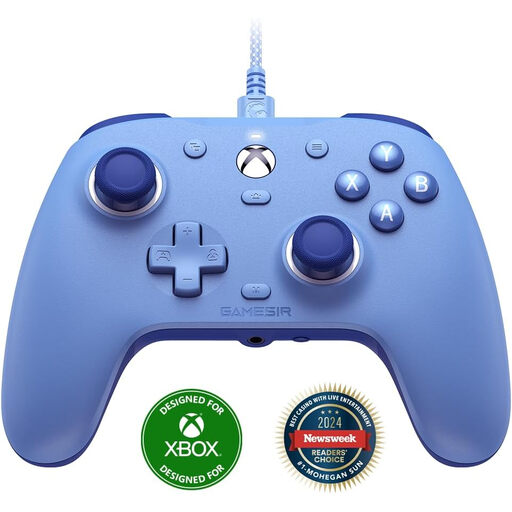 Image unavailable
GameSir G7 SE Dynamic Blue
A wired option for an Xbox or Windows setup, if you can safely route the cable to the second seat.
GameSir lists Xbox Series X|S, Xbox One and Windows 10/11 as supported platforms, with a wired USB-C connection and Hall Effect sticks.
Joybuy
 Image unavailable
Nintendo Switch Pro Controller Black
A Pro Controller for use with Nintendo Switch. EA lists a Pro Controller as an option for local FC play on one Switch.
Check that your game version and local game mode support two players on the same system.
Joybuy
 Image unavailable
Sony PlayStation 5 DualSense Wireless Controller White
A wireless DualSense for a PS5 setup; check whether your football game has a local two-player mode on PS5.
PlayStation Support explains how to pair an extra DualSense with a PS5.
Joybuy
 Image unavailable
Nintendo Switch 2 Official Pro Controller Black
A Pro Controller for a Switch 2 setup; check that your football game and local game mode are supported on this system.
Nintendo lists a C Button, mappable GL and GR buttons, and a USB charging cable.
Joybuy
Frequently asked questions
Do I always need a second controller for FC on one Nintendo Switch?
No, not always. EA describes local 1v1 or co-operative play using separate Joy-Cons, without any extra equipment. Check the controls for the specific game and mode you’re playing.
Is Local Seasons the same as playing together on one console?
No. EA describes Local Seasons as a game mode using two Switch systems with the same FC title. Playing on one Switch with multiple controllers is a separate option.
How do I connect a second DualSense to the PS5?
PlayStation Support recommends pairing it first using a USB cable. If a controller is already paired, you can pair another DualSense wirelessly by going to Settings, Accessories, General and Bluetooth Accessories.
What should I know about charging Joy-Cons on Switch 2?
According to Nintendo, original Switch Joy-Cons work wirelessly with Switch 2, but can’t be attached to it. You’ll need an original Switch system or a suitable charging accessory to charge them.
Do I need an online membership to play locally on one system?
The Nintendo Switch Online membership mentioned by EA is for playing online with other Switch players. The multiplayer mode EA describes on the same Switch is a different way to play; for other games and platforms, check the requirements for that specific game mode.


