What should you look for?
First, check your console or PC and the input requirements of the specific co-op game. Then consider your seating position and the connections available, and finally check how the controller is powered and charged.
| What to consider |
What should you check? |
Which shoppers is this for? |
| Platform and game |
Check the exact controller model and whether the game you’ve chosen supports local co-op with it. |
I want to make sure my console or PC and the game work together first; around 36% of shoppers prioritise platform and game compatibility above all else. |
| Connection from the side seat |
If using a cable, measure the route around the furniture; for wireless use, check which connection your device supports. |
I want to play from my seat without a cable limiting my movement, or be able to lay a cable safely; around 29% of shoppers prioritise freedom of movement or a suitable cable route. |
| Inputs for two players |
Check how many controllers or controller halves the game requires for local co-op. |
I want to know whether both players can use their own controls; around 21% of shoppers make two working player inputs their first requirement. |
| Power and charging |
Check how the specific controller is powered and whether you’ll need a compatible charging solution. |
I want to know in advance what I need to keep the controller ready to play; around 14% of shoppers focus mainly on power, charging and any extra running costs. |
Controller options at Joybuy
The product titles below list platforms such as Switch, PS4, PC or PS5. Before buying, check that the exact model and game are right for your setup.
 No image available
NAXSIR Wireless Gamepad for Switch, Bluetooth Controller T4-14707098
The product title describes a wireless Bluetooth gamepad for Switch; check whether the game you’ve chosen supports this model.
View at Joybuy
 No image available
Black Wireless DualShock Game Controller for PS4 and PC
The title describes wireless use and compatibility with PS4 and PC. Check whether the controller is supported by the game you’ve chosen.
View at Joybuy
 No image available
NAXSIR Wireless Bluetooth Gamepad with Phone Mount
The title lists Switch and PC as compatible platforms and mentions a phone mount. Check that the exact model is compatible with your game and device.
The title lists Bluetooth 5.2 and 2.4G wireless connectivity.
View at Joybuy
 No image available
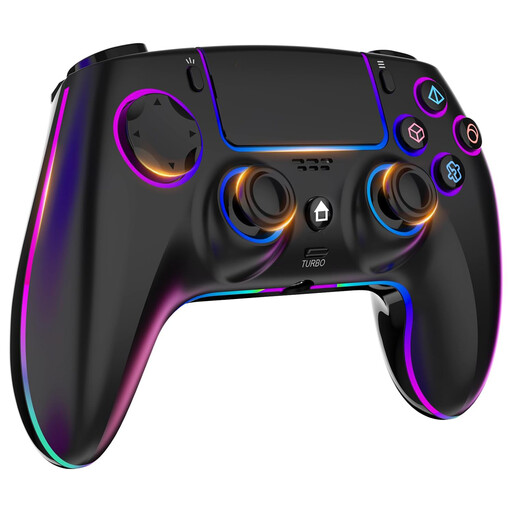
Wireless Controller for PS4 and PC with Headphone Jack
The title describes wireless use with PS4 and PC. Check whether your game supports this controller.
The product title mentions a headphone jack and a 1000 mAh battery.
View at Joybuy
 No image available
PlayStation DualSense Wireless Controller Grand Theft Auto VI White Limited Edition
The product title lists PS5, PC, Mac and mobile devices. Check which features of this model are supported by each device and game.
The description states that haptic feedback and adaptive triggers only work on PC in compatible games and may require a USB connection.
View at Joybuy
Frequently asked questions
Do you always need two controllers for a co-op puzzle game?
It depends on the game and how you play. For local co-op on the original Switch, Electronic Arts says It Takes Two requires two Joy-Con or two gamepads.
Can I use original Joy-Con with a Switch 2?
Yes. Nintendo says original Joy-Con can sync wirelessly with Switch 2. You can’t attach them to the console; to charge them, you’ll need an original Switch or a suitable licensed accessory.
How do I connect an extra Xbox controller?
Xbox explains how to pair a controller using the pairing buttons on the console and controller, or a suitable USB cable. Repeat the pairing process for each extra controller, then check whether the game supports local co-op.
Who can help if a new controller breaks down too quickly during normal use?
According to ACM ConsuWijzer, the retailer is your point of contact for your statutory guarantee. If a product is faulty, the retailer must offer an appropriate free solution, such as a repair or replacement.


