
Vandaag of morgen in huis

Kwaliteit gegarandeerd

Welkomstaanbiedingen ontgrendelen: GRATIS bezorging | Tot 80% korting | Gratis 30 dagen JoyPlus-proefperiode
Download de app
A full phone, a stuttering camera, or a game console that can no longer save games. These are common frustrations that a new SD card can quickly solve. But the memory card market is a maze of technical terms, vague promises, and unclear specifications. The wrong choice not only means wasted money but, in the worst-case scenario, lost photos, videos, or data.
As a Joybuy Product Recommendation Officer, I'm here to help you see through the marketing jargon. Before you buy an SD card, it's crucial to recognise the most common pitfalls.
You don't need to be a tech expert to avoid a bad purchase. Pay attention to the following three specifications to find the right memory card for your device.
The symbols on an SD card aren't random decorations; they indicate the minimum guaranteed performance.
Always check which format and maximum capacity your device supports.
For devices that operate under harsh conditions, like a microSD for a drone or dashcam, durability is not a luxury. Look for specifications mentioned by manufacturers, such as resistance to water, extreme temperatures, X-rays, and shocks. This significantly reduces the risk of data loss.
Based on these objective criteria, we have selected a number of cards that suit different user profiles.
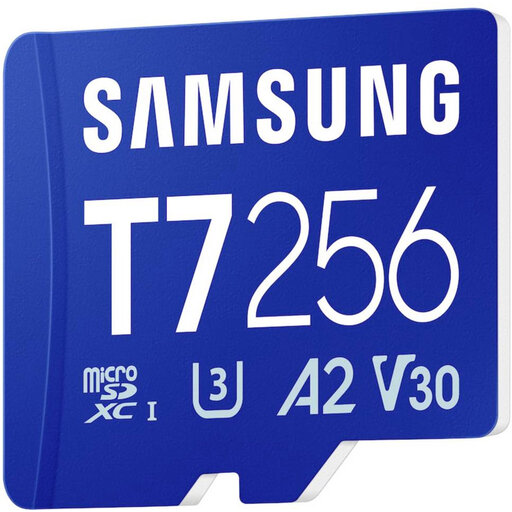
Why This Fits Their Persona: This Samsung memory card is a versatile choice for expanding storage in your smartphone, tablet, or Nintendo Switch. The 256GB capacity provides ample space for apps, photos, and a substantial game library.
With an A2 classification, this card loads apps and games noticeably faster, helping you avoid the pitfall of a sluggish user experience. Furthermore, its V30 rating guarantees smooth, stutter-free 4K recordings.
Solid all-around performance for a wide range of devices. According to Samsung, the card offers protection against water, extreme temperatures, and wear.
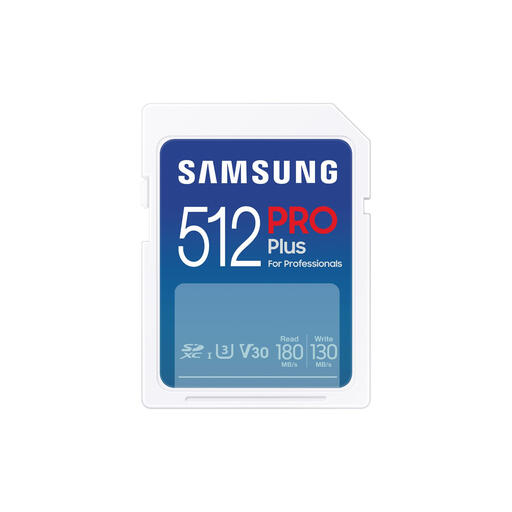
Why This Fits Their Persona: This full-size SD card is aimed at photographers and videographers working with DSLR or mirrorless cameras. The 512GB capacity is ideal for long 4K shoots and large photo series in RAW format.
This card focuses on what matters to creators: a high, sustained write speed (130 MB/s). This prevents the "speed trap" where a card only reads fast but stutters when writing 4K footage.
High and reliable write performance for professional use. According to Samsung, the card features 7-proof protection for extra durability.
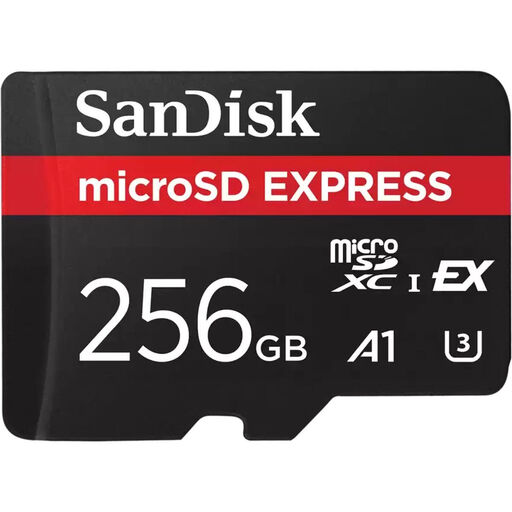
Why This Fits Their Persona: For users with the very latest equipment, like an SD card for the Switch 2, high-end drones, or video cameras that support 8K video. This card uses the new SD Express technology for performance comparable to an SSD.
This card avoids the pitfall of obsolescence. Where UHS-I cards have a speed limit, SD Express provides the bandwidth needed for next-generation devices, so you won't have to upgrade again soon.
Extremely high read and write speeds for the most demanding tasks. The card is also backwards-compatible with older UHS-I devices.
We have compiled a complete, up-to-date list of products that fully meet these strict selection criteria and local regulations.
This depends entirely on your usage.
The only difference is the physical size. A standard SD card is larger (32x24 mm) and is mainly used in cameras and laptops. A microSD card is much smaller (15x11 mm) and is the standard for mobile devices. With an SD adapter, you can also use a microSD card in devices that require a standard SD card. The performance is identical.
For the original Nintendo Switch, Switch Lite, and Switch OLED, you can use any microSDHC or microSDXC card. A card with an A1 or A2 rating is recommended for faster loading times. For the anticipated Nintendo Switch 2, it is highly likely that it will support the new SD Express standard for even faster performance. A standard microSDXC card will probably also work, but possibly at lower speeds. Always check the official specifications from Nintendo for the best compatibility.
