Joybuy products
These Joybuy monitors are options for portal developers who want to view images or the visual interface as well as work with a screen reader. Compare resolution and connections with your own workspace; none of these monitor features is a substitute for accessibility testing.
 No image available
AOC Gaming Q27G42XNE, 27-inch QHD monitor
An option to compare if you also view the visual interface alongside screen-reader work; the stated resolution doesn't make the portal itself accessible.
27 inches; 2560 × 1440; 2 × HDMI 2.0; DisplayPort 1.4.
View at Joybuy
 No image available
LG UltraFine 27U711B-B, 27-inch 4K IPS monitor
Compare this model at the scaling you use if you also check images or the interface visually alongside screen-reader work.
27 inches; 4K; IPS.
View at Joybuy
 No image available
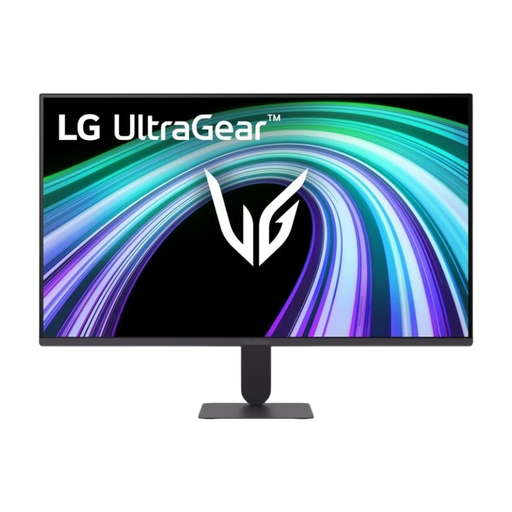
LG UltraGear 27G411B-B, 27-inch Full HD IPS monitor
A 27-inch option to assess in your own workspace if you also view interface elements; choosing a monitor doesn't replace testing the portal.
27 inches; Full HD; IPS; 144 Hz.
View at Joybuy
 No image available
LG UltraFine 27U710B-B, 27-inch 4K IPS monitor
If you also check images or the interface visually, you can weigh the stated resolution and connection against your computer and workspace.
27 inches; 4K; IPS; USB-C.
View at Joybuy
 No image available
MSI Pro MAX 271UPX12G, 27-inch 4K UHD QD-OLED monitor
Compare this model if you also view images or the interface alongside screen-reader work; the screen specifications say nothing about the portal's accessibility.
27 inches; 4K UHD; QD-OLED; USB-C; 120 Hz.
View at Joybuy
Frequently asked questions
Does a 4K monitor make an art submission portal accessible to screen-reader users?
No, a monitor's resolution doesn't make a portal accessible. Test the portal itself for keyboard controls, form labels and error messages. W3C WAI warns that no single testing tool can determine on its own whether a website meets accessibility standards.
How can I make text larger if I have some residual vision as well as using a screen reader?
In Windows, you can adjust text size and app scaling. Then assess whether the combination of screen size, scaling and visible workspace works for you at your own workstation.
Can my laptop display video and charge through a single USB-C cable?
Only if the laptop supports the required video connection and the power delivery is sufficient. ASUS lists 65 W USB-C power delivery for the PA278CV, as does BenQ for the PD2705U; check your own laptop's requirements.
What helps when working at a screen for long periods?
Adjust the monitor to suit your workspace. For employees, Arboportaal explains that screen work should be alternated at regular intervals with other work or a break; this isn't a product specification.
Does a Dutch art submission portal have to meet accessibility requirements by law?
That depends on the operator and the service. DigiToegankelijk explains the accessibility requirements for government websites through EN 301 549 and WCAG. Dutch government information also sets out requirements for services covered by European accessibility rules, including certain e-commerce services. You can't tell whether those rules apply based on the description of an art submission portal alone.


