What should you consider when choosing?
First, check your must-play games and editions, then look at the display options supported by your TV and those games. Finally, consider whether you want to use discs and how important it is to play away from your TV.
| Buying concern |
What should you check? |
Who is this important to? |
| Game and edition availability |
Check the Dutch platform listing and whether it’s for the base game, an expansion or a bundle. |
I want to make sure my chosen RPG and edition are available on my console; around 36% of consumers say access to the games they want is their main buying concern. |
| Picture quality on a large TV |
Check what your chosen game and TV support, and distinguish native 4K from possible upscaling. |
I prioritise how my RPGs look on a large TV; around 29% of consumers say TV picture quality is their main buying concern. |
| Discs, downloads and storage |
Check whether your chosen console has a disc drive and which storage option you’re buying. |
I want to decide in advance whether I’ll use discs or download games, and how much storage I need; around 21% of consumers cite purchase format and storage as their main concern. |
| Playing away from the TV |
If you also want to play in handheld mode, check whether your chosen RPG is available on Switch 2. |
I want to switch between TV and handheld play, so I’m looking at the games available for Switch 2; around 14% of consumers say this combination is their main buying concern. |
Console options at Joybuy
These console options are aimed at playing science-fiction RPGs on a TV, with an additional option for playing on both TV and handheld.
 No image available
Sony PlayStation 5 Slim 825GB Digital Edition
Suitable if you want to play PS5 RPGs digitally on a TV; Sony lists Starfield and Cyberpunk 2077 for PS5.
Digital Edition with 825 GB; this version has no disc drive and uses digital games.
View at Joybuy
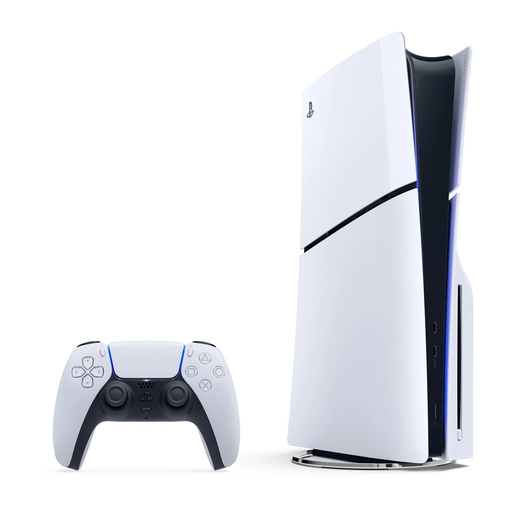 No image available
Sony PlayStation 5 Slim 1TB Disc Edition
Suitable if you want to play PS5 RPGs on a TV and are looking for a console version with a disc drive; Sony lists Starfield and Cyberpunk 2077 for PS5.
Disc Edition with 1 TB of storage.
View at Joybuy
 No image available
Nintendo Switch 2 console (EU)
Suitable if you want to play on both TV and handheld; Nintendo lists Cyberpunk 2077: Ultimate Edition for Switch 2.
You’ll need a compatible game and screen for 4K TV display.
View at Joybuy
Frequently asked questions
Is a 4K or 120 fps specification enough to play my RPG like that on TV?
No, the game and screen must also support the display you want. Nintendo lists a maximum of 60 fps at 4K for Switch 2, while Sony says PS5 Pro features vary by supported game. So check the capabilities of both your TV and the specific game.
What do I need to use Switch 2 with a large TV?
Use the TV dock to connect Switch 2 to a television. For 4K, both the game and screen must support it; Nintendo states a maximum of 60 fps at 4K.
How can I avoid running out of storage when downloading several games?
Check the storage option and how much space the games you want to install require. Microsoft lists Series S versions with 512 GB and 1 TB and mentions expansion options; the space required varies by game and edition.
Who should I contact if my console is faulty, and should I buy an extended warranty?
According to the Dutch government, the seller must provide a solution if a product is faulty. There is no fixed statutory warranty period in the Netherlands. Compare any additional cover with the rights you already have, and read the terms before deciding.
Do I have a cooling-off period for a console bought online in the Netherlands?
According to the Dutch government, online purchases from a business often come with a 14-day cooling-off period. Check the terms that apply to your specific purchase; this cooling-off period doesn’t automatically determine the cancellation rules for a downloaded game.


