
Keeper of delicate cards
Wants to capture the picture side and any notes without putting unnecessary strain on the card. They weigh up placing it against glass versus capturing it from above, and check that it can be handled safely.


For individual postcards that can safely lie on a glass plate, a compact flatbed scanner is a good option. Choose an overhead scanner if you want to avoid contact with the surface of the card, or if you also want to capture cards in an album. Compare the space needed while scanning and assess a test scan for detail, colour and reflections: the stated resolution alone does not guarantee an archive-quality copy.
Wants to capture the picture side and any notes without putting unnecessary strain on the card. They weigh up placing it against glass versus capturing it from above, and check that it can be handled safely.
Wants to examine small print, postmarks and both sides. So, look at the results of a test scan rather than just the resolution figure: Metamorfoze and the KB also recommend visually checking digital images for artefacts.
Needs to clear the scanning area after use, so considers both the setup while scanning and how the device can be stored afterwards. Epson lists a built-in stand for the Perfection V39II; CZUR describes the Shine 800 A3 Pro as foldable.
Suitable when: individual cards can safely lie on the glass and you want to scan both sides separately.
Trade-off: you need to place the card on the glass and turn it over; a storage stand does not automatically reduce the space needed while scanning.
Suitable when: you want to avoid contact with a delicate card surface or capture cards in an album.
Trade-off: use a test scan to assess reflections, colour and legibility; camera megapixels and dpi at a larger capture size are not directly comparable with a flatbed's optical dpi.
Suitable when: as well as individual cards, you regularly scan bound material that can safely lie on glass.
Trade-off: a book edge has no demonstrated benefit for an individual card; check the Dutch version and software support.
| Factor to consider | What should you check? | Who is more likely to prioritise this? |
|---|---|---|
| Protecting the original | Check whether the card can lie on the glass without pressure or friction; consider capturing it from above if contact is undesirable. | If the card is delicate, I want to avoid putting it under unnecessary strain when placing it down and turning it over. Around 36% of consumers prioritise protecting the original. |
| Details and both sides | Compare test files for legibility, cropping, colour and reflections; also check small print and postmarks. | I want to be able to examine small details on both the picture and address sides, not just see a high specification. Around 29% of consumers prioritise useful details on the card. |
| Space on a shared desk | Measure the full setup and check how much room you need to place cards and turn them over. | I need to clear the desk after use and want to know how much space the device takes up while scanning. Around 21% of consumers put clearing the workspace first. |
| Scanning a batch of cards | Factor in positioning, turning over and checking each card; compare the full process with a small test batch. | When scanning several cards, I want to work efficiently without skipping checks of the front and back. Around 14% of consumers prioritise processing a batch. |
Manufacturers quote different types of specifications. For the CZUR Shine 800 A3 Pro, the stated dpi also depends on the capture size.
Create test files from the same card and compare legibility, colour, cropping and reflections.
Disappointing details or edges may mean extra work, as you have to reposition the card and scan it again.
A stand for storing the scanner upright or a foldable camera mainly describes what happens after use. While scanning, you also need space for the cards and controls.
Measure the full setup and see how much room you need to turn a card over.
On a shared desk, the workspace may be occupied for longer while you scan a batch.
The narrow book edge on the Plustek OpticBook 3800L is designed for bound material; it has no demonstrated benefit for an individual postcard.
Only factor in book or album use if you actually plan to scan that material.
The Perfection V39II is an A4 flatbed scanner for individual cards and documents, with a stand for storing the device upright after use.
The CanoScan LiDE 400 is a flatbed scanner for individual cards that fit within the scanning area.
The IRIScan Desk 6 Pro is an overhead document camera for anyone who also wants to capture material without placing it against glass.
According to CZUR, the foldable Shine 800 A3 Pro is suitable for flat, individual sheets, among other things.
The OpticBook 3800L is a book-focused flatbed option for anyone who also scans bound material.
The Joybuy picks below include sheet-feed scanners, a document camera, and a flatbed and ADF combination. Check that the feed method for each model is suitable for your old postcards.
 No image available
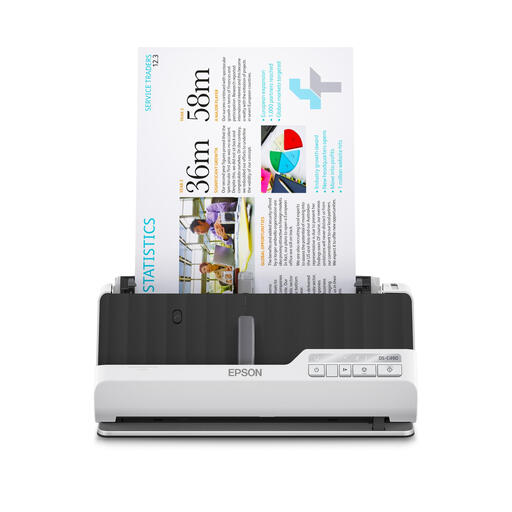
The product information describes a compact A4 sheet-feed scanner for limited space; check that the feed method is suitable for old cards.
The title lists 600 × 600 dpi. The description mentions PDF, JPG and TIFF output, a U-turn paper path and paper protection for originals.
 No image available
The product information lists support for cards; before use, check whether the feed method is suitable for the condition of your old postcards.
The title lists 600 × 600 dpi. The description mentions automatic double-sided scanning and paper protection.
 No image available
The product information describes a compact A4 scanner for limited space; check the feed method for old postcards.
The title lists 600 × 600 dpi. The description mentions Wi-Fi, automatic double-sided scanning and support for plastic cards, passports and booklets up to 5 mm thick.
 No image available
A document camera captures cards from above without placing them on a flatbed's glass; the product description advises against using it with glossy materials, such as glossy photos.
CZUR lists 8 MP and 205 dpi at A3 for this model. The product description mentions OCR and a design that folds down by 90°.
 No image available
The flatbed function is suitable for cards that can safely lie on glass; the listed ADF function does not automatically mean that old cards should be fed through the scanner.
The title lists 600 × 600 dpi and A4. The stated dimensions are 469 × 335 mm; bear this footprint in mind if you use a shared desk.
No, not automatically. If a card can safely lie on glass, a compact flatbed is a good option. If you want to avoid contact with the surface or scan cards in an album, an overhead scanner is worth considering. Assess the results with a test scan of one of your own cards.
Measure the space you need while scanning, not just the space needed to store the device. Also check that the connection and required software are compatible with the computer you use, and keep track of which scan shows the front and which shows the back.
No. According to the Dutch government, consumer purchases in the Netherlands are covered by a statutory guarantee, and the seller is your point of contact if the product is faulty. There is no fixed statutory guarantee period in the Netherlands that applies to every product.
Not automatically. According to the Dutch government, you can make a copy of copyright-protected photos for personal use, but you cannot distribute or publish it without permission. If identifiable people appear on the card, the GDPR may also apply to wider publication; check the rights and content of the specific card before publishing it.