Joybuy products for loose letters and feeder-based scanning
These product choices are aimed at loose letters and document processing. Check the condition of the paper before putting a letter through an automatic feeder. The models listed don’t cover every scanning method discussed in this buying guide.
 No image available
Epson DS-C330 ADF + sheet-fed scanner, 600 × 600 DPI, A4, black and white
A relevant option if you want to process loose, sturdy letters using automatic feeding. Only feed fragile paper if it’s safe to do so.
Listed in the product name: A4 and 600 × 600 DPI.
Joybuy
 No image available
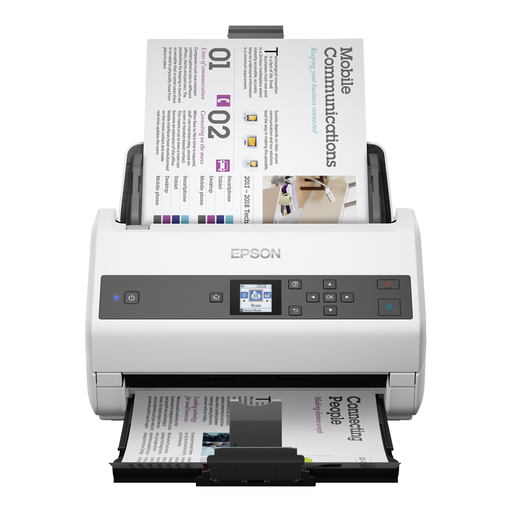
Epson WorkForce DS-970 sheet-fed scanner, 600 × 600 DPI, A4, grey and white
This feeder scanner is designed for loose sheets. Use the feeder only for letters that can pass through the mechanism safely.
Listed in the product name: A4 and 600 × 600 DPI.
Joybuy
 No image available
Epson WorkForce DS-6500 Power PDF
Worth considering if you want to scan loose letters and are looking at a flatbed option. Check the model’s configuration and only feed paper that’s suitable for it.
Joybuy
 No image available
Epson WorkForce DS-70 handheld scanner, 600 × 600 DPI, A4, white
A handheld scanner could suit you if you want to scan loose A4 letters manually. Consider whether this approach works for your needs.
Listed in the product name: A4 and 600 × 600 DPI.
Joybuy
 No image available
Epson WorkForce DS-80W handheld scanner, 600 × 600 DPI, A4, white
This handheld scanner is designed for loose A4 documents. Check whether manual scanning is suitable for the number of letters you want to process.
Listed in the product name: A4 and 600 × 600 DPI.
Joybuy
Frequently asked questions
Should an old, fragile letter go through an automatic document feeder?
Not as a matter of course. First assess whether it is torn, folded or fragile. The Library of Congress recommends choosing scanning equipment and methods to suit the condition of the original. Use an automatic document feeder only for paper that can be fed through safely.
Does OCR automatically make handwritten letters searchable?
No. Text recognition won’t convert handwriting accurately every time. The National Library of the Netherlands identifies scan quality and source material as factors. Keep the image scan, test recognition on your own letters and check the transcription.
How should I store scans for future use?
Keep a complete image version and, if you like, create separate files for reading or searching. For professional digitisation of heritage material, Metamorfoze describes storing master files and derivative files for use. This professional approach isn’t automatically a requirement for home use.
What are my rights when buying a scanner online in the Netherlands?
For online consumer purchases, you generally have a 14-day cooling-off period, according to the Dutch government. You’re also entitled to a product that meets legal quality requirements; there’s no fixed statutory warranty period in the Netherlands. Discuss any fault with the seller.
Can I scan personal letters and share the scans?
Scanning for your own use is different from distributing or publishing the scans. The Dutch government allows you to make a private copy of copyrighted text for your own use, but not to distribute or publish it without permission. According to the Dutch Data Protection Authority, processing personal data purely for personal or household purposes falls outside the GDPR. Consider sharing or publishing separately.


