What should you look for when choosing?
First decide whether you mainly scan stacks of loose sheets, work in different locations or handle delicate originals. Then measure the space needed for your chosen feeding and output method while scanning.
| What to consider |
What to look for |
Who should consider this? |
| Desk space while scanning |
Measure the required depth with the trays open. Also compare the direction in which paper is fed in and comes out; Epson Netherlands describes a U-turn path for the ES-C320W that does not increase its footprint while scanning. |
If your desk has little free space, you'll want to know whether there's room for paper on both sides of the scanner; around 31% of consumers say desk space while scanning is their main concern when buying. |
| Processing stacks and double-sided forms |
Check that the feeder suits your paper, and compare speeds only when the unit and scan mode are the same. Brother specifies a 20-sheet feeder and double-sided scanning for the ADS-1800W. |
If you regularly process stacks of loose forms, automatic feeding can reduce the need to handle them one by one; around 31% of consumers prioritise stack processing. |
| Delicate or unusual originals |
Check the size, thickness and condition of your forms. A glass platen lets you place originals on it individually, rather than feeding them through rollers. |
If you have documents you'd rather not feed through a paper feeder, the way the original is supported matters; around 15% of consumers say unusual originals are their main concern when buying. |
| Finding scans and storing them securely |
Check that the software and storage location suit the way you work. For personal data, the organisation must also put appropriate security measures and access controls in place, as the Dutch Data Protection Authority advises. |
If you want to find scans quickly later and restrict access, you'll need agreed rules for file names, storage and access; around 23% of consumers prioritise useful digital records. |
Joybuy products
This selection focuses on A4 sheet-fed scanners for loose forms, including models for stacks and small workspaces.
 No image available
Canon imageFORMULA R10 A4 scanner
Suitable for anyone processing several loose forms and looking to scan both sides.
A4; stated resolution: 600 × 600 dpi.
Joybuy
 No image available
Epson DS-C330 A4 scanner
Suitable for anyone with limited desk space who needs a scanner for loose forms and thicker originals.
A4; stated resolution: 600 × 600 dpi; black and white according to the product title.
Joybuy
 No image available
Epson DS-C490 A4 scanner
Suitable for anyone processing different types of loose forms and looking to scan both sides automatically.
A4; stated resolution: 600 × 600 dpi; black and white according to the product title.
Joybuy
 No image available
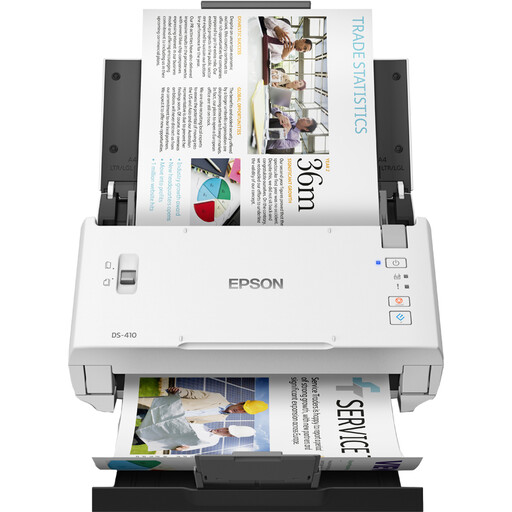
Epson WorkForce DS-410 A4 scanner
Suitable for anyone regularly processing stacks of loose forms and looking to scan both sides.
A4; stated resolution: 600 × 600 dpi; black and white according to the product title.
Joybuy
 No image available
Canon imageFORMULA P-215II A4 scanner
Suitable for anyone looking to process small stacks of loose forms and wanting a mobile scanner.
A4; stated resolution: 600 × 600 dpi. Canon lists a depth of 257 mm with the tray open and 95 mm with it closed.
Joybuy
Frequently asked questions
Should I choose an automatic feeder or a flatbed for maintenance forms?
Choose automatic feeding if you mainly process stacks of loose sheets. For an original you don't want to feed through rollers, a glass platen offers an alternative; check that its size and the need to place it individually suit your forms.
How can I stop scans getting lost or accessed by the wrong people?
Use a consistent storage location and clear file names, and check that the scans are legible. If the forms contain personal data, the organisation must put appropriate security measures and access controls in place; the Dutch Data Protection Authority highlights access management as an important consideration.
What should I check before installation and maintenance?
Check that the power supply, connection and software suit your workspace, and measure the space with the feeder open. Follow the chosen model's instructions for cleaning and maintenance; the Brother ADS-1800W lists an output tray as an optional accessory.
What warranty applies to a purchase in the Netherlands?
Consumer purchases are covered by statutory guarantees as well as any manufacturer or seller's warranty. The seller must resolve issues with a faulty product under the applicable conditions; for business purchases, you can't automatically rely on consumer rights.
Can I dispose of paper invoices after scanning them?
Not automatically: the Dutch Tax and Customs Administration allows digital storage of business invoices and receipts after scanning, subject to certain conditions. The scan must be an accurate and complete reproduction, and authenticity features must be retained; check that your documents meet these conditions.


