Choose based on how much space the paper path takes up while scanning and how many forms you process at a time. For batches of double-sided forms, an ADF with duplex scanning is a sensible option. If your desk is very small, it’s worth considering a U-shaped paper path; if you’ll be using the scanner in different locations, check its power supply and connections too. These recommendations are based on manufacturers’ specifications, not on an independently measured performance comparison.
Which scanner is right for you?
Forms on a small desk
You scan at a fixed workstation where there’s little spare room for feeding paper, too. So compare the paper path while the scanner is in use. Epson Netherlands describes the ES-C320W’s U-shaped paper path as a way to keep its footprint small while scanning suitable sheets.
Processing batches of forms
You regularly process several loose forms, which may be double-sided, and don’t want to feed them in by hand one at a time. Compare the ADF capacity and check whether duplex scanning is specified. Brother Netherlands and Canon Netherlands list a 20-sheet ADF for the ADS-1300 and imageFORMULA R10.
Maintenance worker on the move
You take the scanner with you or move between workstations. Check the available power supply and connections, as well as the size of your scanning jobs. Epson Netherlands describes the ES-60W as having a battery and an automatic feed mode; this mode is not the same as an ADF for a stack of sheets.
What should you look for in a scanner for maintenance forms?
Compact ADF with a U-shaped paper path
Best for: a fixed, very small workstation where you regularly scan loose sheets. Epson describes this use for the ES-C320W.
Keep in mind: the ES-C320W uses a straight paper path for booklets and passports, so check that there’s enough clear space behind the scanner.
Portable ADF with USB power
Best for: small batches of double-sided forms at different workstations. Brother lists a 20-sheet ADF, duplex scanning and USB-C power for the ADS-1300; Canon lists a 20-sheet ADF and duplex scanning for the imageFORMULA R10.
Keep in mind: check that you have a compatible computer and connection, as well as enough room for the paper guides when they’re open.
Desktop ADF for larger batches
Best for: larger batches and workflows that need searchable files. Plustek lists a 50-sheet ADF and OCR for the SmartOffice PS188.
Keep in mind: check the available space and software compatibility. A stated capacity doesn’t guarantee that mixed or damaged forms will feed through without intervention.
Mobile, single-sheet feeding
Best for: occasionally scanning one form when portability matters more than automatically processing a batch. Epson describes the ES-60W as having a battery and an automatic feed mode.
Keep in mind: automatic feed mode doesn’t mean you can load a stack into an ADF. Check that the feeding method suits the number of forms you need to scan.
| What to consider |
What should you check? |
Who should consider this? |
| Space while scanning |
Compare the full paper path and the clearance needed with the space at your workstation, including when the guides are open. |
If you scan at a small desk, you’ll want to know how much room the input and output take up. Around 36% of consumers put desk space at the top of their list. |
| Batch size and duplex scanning |
Check the number of sheets per session, whether they’re single- or double-sided, and the stated ADF capacity for your paper. |
If you regularly process batches of loose forms that may be double-sided, the number of sheets you can feed through in one go matters. Around 29% of consumers prioritise batch processing. |
| Searchable files and careful archiving |
Check the OCR and file options, the legibility and completeness of a test scan, and your chosen storage location. |
If you want to find maintenance forms later, or they contain personal data or tax documents, consider storage and any retention requirements too. Around 21% of consumers prioritise archiving. |
| Portability and connections |
Check the power supply and connections, the supported computer environment, and whether you need an ADF for feeding a stack. |
If you work in different locations, the power supply and connection need to suit your workstation. Around 14% of consumers put portability at the top of their list. |
Common buying mistakes
-
Comparing only the dimensions when closed
The space a scanner takes up can change when the input tray is open. Canon Netherlands lists the P-215II as 95 mm deep with the tray closed and 257 mm deep with it open; these measurements apply to this model.
Measure the space available and compare the full paper path for each model while it’s in use.
If the scanner doesn’t fit, you may need extra workspace or find you can’t use it in the intended location.
-
Confusing automatic feed mode with a batch ADF
A feed mode for individual sheets isn’t the same as an ADF with a stated capacity. Epson describes the ES-60W as having an automatic feed mode; Brother lists a 20-sheet ADF for the ADS-1300.
If you want to scan batches, check that the product specifications state a capacity for sheets loaded into the feeder.
Feeding sheets one at a time can mean more manual work when processing a batch.
-
Assuming a searchable PDF is a complete and suitably secure archive
OCR can make text searchable, but it doesn’t prove that every page is complete and legible, or that the storage is suitably secure. The Dutch Tax and Customs Administration allows business invoices and receipts to be stored digitally under certain conditions, including an accurate and complete representation of the original. The Dutch Data Protection Authority says organisations must determine appropriate security measures themselves when processing personal data.
Check test scans for missing sides and legibility, and make sure the storage location and retention period suit the contents of the forms.
Brands to compare
Epson
Epson offers a compact ADF with a U-shaped paper path, as well as a separate portable option for feeding sheets one at a time.
- According to Epson, the ES-C320W’s U-shaped paper path lets you scan without increasing its footprint while in use.
- The ES-C320W uses a straight paper path for booklets and passports. The ES-60W’s automatic feed mode isn’t a batch ADF.
Brother
The ADS-1300 is a portable option with an ADF for small batches of maintenance forms.
- Brother specifies duplex scanning, a 20-sheet ADF and USB-C power.
- Check that the connection works with your computer and that you have any accessories you may need.
Canon
The imageFORMULA R10 is a portable ADF option; the P-215II shows why you should consider dimensions while the scanner is in use.
- Canon specifies duplex scanning and a 20-sheet ADF for the R10.
- Canon Netherlands lists the P-215II as 95 mm deep with the tray closed and 257 mm deep with it open. Don’t apply these measurements to the R10.
Plustek
The SmartOffice PS188 is designed for larger batches and workflows that need searchable files.
- Plustek lists a 50-sheet ADF and OCR for this model.
- Check that you have enough workspace and that the software suits your working environment. The stated capacity doesn’t predict how every form will feed.
Scanners at Joybuy
Joybuy’s selection for digitising maintenance forms, from compact sheet-fed scanners to portable models.
 No image available
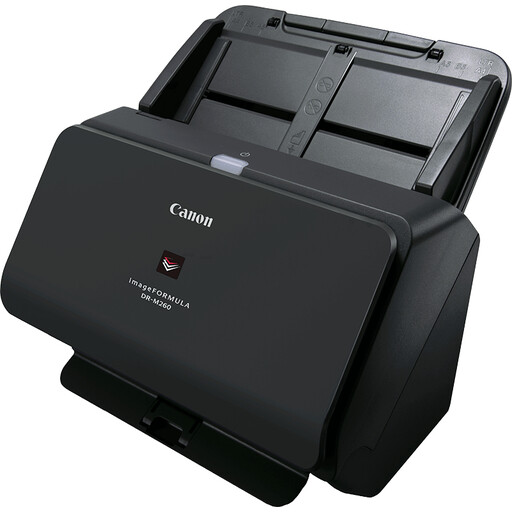
Canon imageFORMULA DR-M260, 600 × 600 DPI, A4
The product title describes a sheet-fed scanner. Compare the space its paper path takes up while in use with the space available on your desk.
View at Joybuy
 No image available
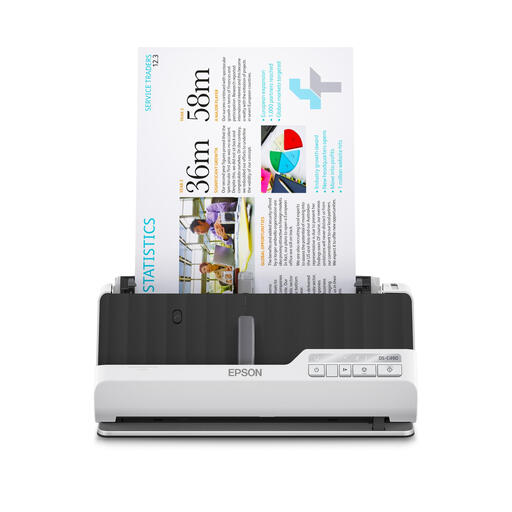
Epson DS-C490, ADF and sheet-fed, 600 × 600 DPI, A4
This option is for anyone looking for an ADF with a U-shaped or straight paper path. Measure the clearance needed for the paper path you choose.
View at Joybuy
 No image available
Epson WorkForce DS-70, handheld, 600 × 600 DPI, A4
A handheld scanner could suit you if you’re looking for a portable device. Check that its feeding method suits the number of forms you process in each session.
View at Joybuy
 No image available
Epson WorkForce DS-80W, handheld, 600 × 600 DPI, A4
If you work in different locations, check how the scanner is powered and connected, and whether its feeding method suits your scanning jobs.
View at Joybuy
 No image available
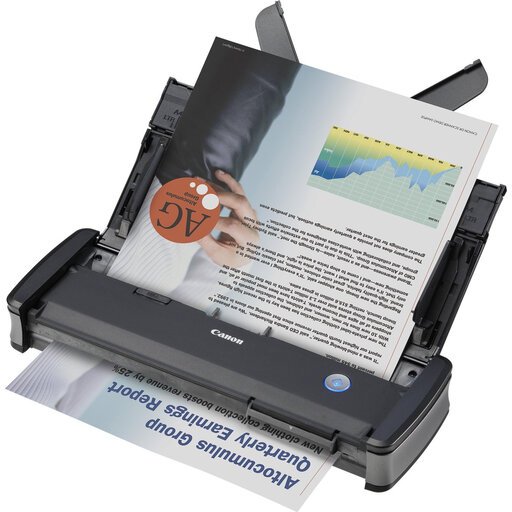
Canon imageFORMULA P-215II, sheet-fed, 600 × 600 DPI, A4
Canon Netherlands lists the P-215II as 95 mm deep with the tray closed and 257 mm deep with it open. When planning your desk layout, allow for the scanner in use, not just when it’s closed.
View at Joybuy
Frequently asked questions
Can I always throw away paper forms after scanning them?
No, buying a scanner doesn’t mean you can automatically do that. The Dutch Tax and Customs Administration allows business invoices and receipts to be stored digitally if certain conditions are met, including an accurate and complete representation of the original. Whether you need to retain your maintenance forms depends on their contents and your organisation.
What should I do if my maintenance forms contain personal data?
According to the Dutch Data Protection Authority, an organisation that processes personal data must determine appropriate security measures based on the risks. So also check who can access your chosen storage location. OCR or a wireless connection doesn’t automatically make storage suitably secure.
Can I feed forms with staples or paperclips straight into the scanner?
Prepare the sheets for the paper path and check the manual for your chosen model. Joybuy Netherlands warns against paperclips, pins and wet ink when using the Epson ES-C320W; follow the instructions for other models too.
Are scanners in the Netherlands always covered by just a two-year warranty?
No. ACM ConsuWijzer explains that the statutory guarantee for a consumer purchase in the Netherlands doesn’t have a fixed two-year period; what matters is what you can reasonably expect from the product. Also check separately for any manufacturer’s warranty and its terms.


