
You want to preserve bound family books
You want to digitise pages from a bound book or album, so you’ll need a suitable scanning area and enough room to work. IRIS and CZUR describe their models as options for books and documents.


For bound family books, an overhead scanner is a suitable option; for loose, fragile photos and documents, a flatbed scanner is often a better choice. A scanner with an automatic document feeder can save time when handling stacks of sturdy loose sheets, but it is no substitute for a book scanner. Before you buy, compare the scanning area with your originals, and check the space you’ll need, software compatibility and storage settings.
You want to digitise pages from a bound book or album, so you’ll need a suitable scanning area and enough room to work. IRIS and CZUR describe their models as options for books and documents.
You’d rather place old letters, certificates or photos one at a time on a glass platen than feed them through an automatic document feeder. Canon and Epson describe their A4 flatbed models as suitable for loose documents and photos.
You want to be able to put the scanner away after use. Epson says the Perfection V39II has a built-in stand, while CZUR describes the Shine Ultra series as foldable.
Suitable when: you regularly scan bound books or albums without feeding the pages through a sheet feeder. IRIS lists the Desk 6 Pro as supporting formats up to A3.
Consider: you’ll need a clear area to work; curved or glossy pages won’t necessarily produce a clear, easy-to-read scan.
Suitable when: you mainly want to scan individual loose letters, certificates or photos. Canon says the CanoScan LiDE 400 has a maximum scanning area of 216 × 297 mm.
Consider: you’ll need to place each item on the glass platen separately; an A4 scanning area can’t capture a larger double-page spread in one go.
Suitable when: you want to process lots of sturdy loose sheets. Brother lists a 20-sheet feeder and duplex scanning for the ADS-1800W.
Consider: this feeder is designed for loose sheets, not bound books; handle fragile originals separately.
| What to consider | What to look for | Who should pay particular attention? |
|---|---|---|
| Bound pages | Compare the largest page or spread with the scanning size, and, if possible, test a scan near the spine. | If I want to preserve bound family books, I’m looking for a way to scan the pages without feeding them through a sheet feeder. Around 36% of consumers say bound pages are their main reason for buying. |
| Fragile loose items | Check the condition and dimensions of the original; review a sample scan before processing the rest. | If old photos or documents are fragile, I’d rather handle them individually than choose a scanner based on feed speed. Around 29% of consumers give fragile loose originals top priority. |
| Space for the scanner and scanning | Measure both the storage space and the clear work area you’ll need when using it, and check the required power supply and connections. | In a small student room, I want to know where the scanner will sit and where the document will fit while I’m scanning. Around 21% of consumers focus mainly on the space required. |
| Stacks of loose sheets | Keep bound and fragile items separate from sheets suitable for feeding; check that the duplex scanning and file options you want are supported. | If I have lots of sturdy loose sheets, I want to spend less time placing each one on the scanner individually. Around 14% of consumers prioritise processing loose sheets. |
A feeder such as the one on the Brother ADS-1800W is designed for loose sheets; it isn’t suitable for scanning pages in bound books.
Before you start, sort your archive into bound items, fragile loose originals and sheets suitable for feeding.
You may therefore need a separate scanning method for bound or fragile items.
Canon says the CanoScan LiDE 400 has a maximum scanning area of 216 × 297 mm, while IRIS lists the Desk 6 Pro as supporting formats up to A3. A larger spread won’t necessarily fit in one scan.
Measure the full page or spread you want to preserve and compare it with the stated scanning area.
Family documents may contain personal information, so check the destination and sharing settings before you start scanning.
Before digitising sensitive items, check where the files will be stored and which sharing settings are enabled.
IRIS offers the IRIScan Desk 6 Pro as an overhead scanner for documents and books up to the manufacturer’s stated A3 size.
The Canon CanoScan LiDE 400 is an A4 flatbed scanner for loose documents and photos that fit within its scanning area.
Epson presents the Perfection V39II as an A4 flatbed scanner with a built-in stand.
The Brother ADS-1800W is a compact document feeder scanner designed for loose sheets.
CZUR describes the Shine Ultra series as foldable scanners for books, documents and more.
These products offer options for loose documents and for combining a flatbed with a document feeder. Check whether each model is suitable for bound books or fragile originals.
 No image available
A combination of flatbed and document feeder may suit you if you want to scan bound or fragile items as well as loose documents.
The product description mentions a flatbed for books and delicate materials, plus a 50-sheet ADF and duplex scanning.
The product title lists 600 × 600 DPI and A4.
 No image available
This option is designed for loose family documents where a foldable device and A3 sheets are useful.
The product title lists A3 as the maximum size for flat sheets; this doesn’t confirm that it can scan pages in bound books.
The product description mentions OCR and a foldable design.
 No image available
This sheet-fed scanner is suitable for loose sheets; the described feeder isn’t a flatbed option for bound family books.
The product title lists A4 and 600 × 600 DPI. The product description mentions a straight-through feed path for booklets up to 5 mm thick.
According to the product description, automatic duplex scanning isn’t available.
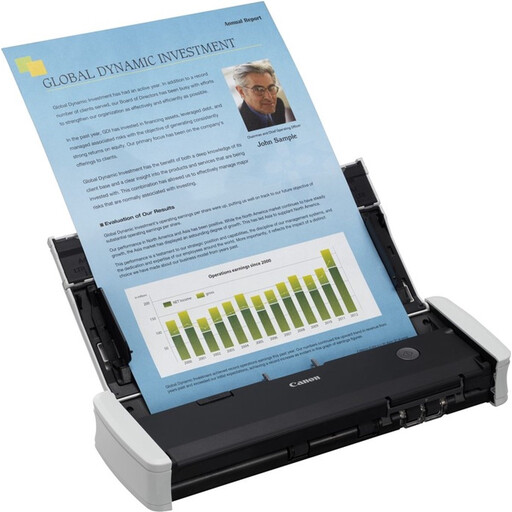 No image available
A sheet-fed model may suit you if you mainly want to scan loose documents up to A4 and put the device away after use.
The product description lists a 20-sheet capacity, duplex scanning, 12 pages per minute and USB connectivity.
The sheet-fed mechanism is designed for loose documents and doesn’t offer a flatbed option for pages in bound books.
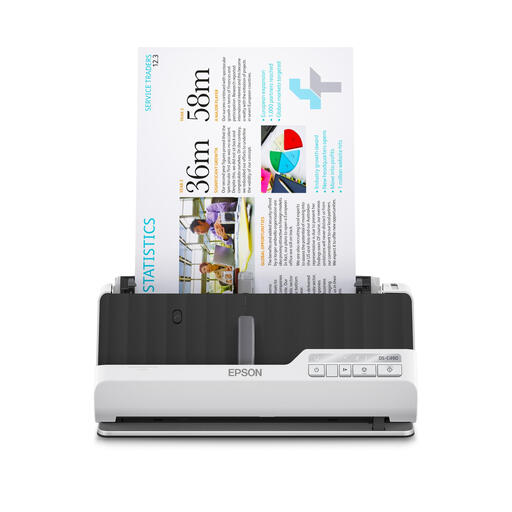 No image available
This scanner is designed for loose documents; check that its feeder is suitable for the condition and size of your originals.
The product title lists A4 and 600 × 600 DPI. The product description mentions automatic duplex feeding and support for brochures up to 5 mm thick.
The feeder described isn’t a flatbed option for bound family books.
You can if the software you choose supports local storage. IRIS lists a local drive as a destination for the Desk 6 Pro; also check the software version and automatic sharing settings.
The Government of the Netherlands says that making a private copy for personal use is permitted, but you may not distribute it or make it publicly available. Consider any sharing beyond personal use separately; owning the book doesn’t automatically give you permission to do so.
The Dutch Data Protection Authority describes an exemption for personal or household use when images remain private or are shared only within a very limited circle. According to the Authority, this exemption doesn’t automatically apply to wider public distribution or commercial use.
Check regularly that scans are legible and that no pages have been missed. The National Archives includes checks for image quality and missing pages in its own digitisation process; this is a working practice, not a performance claim for a home scanner.
ACM ConsuWijzer states that online purchases generally come with a 14-day cooling-off period after delivery. Statutory guarantee rights also apply: a product must meet what you could reasonably expect under normal use. These rights are separate from any manufacturer’s warranty.