What to look for in a book scanner
When scanning bound lecture notes, your choice mainly depends on how you want to capture the pages, what you plan to do with the files and how much space you have.
| What to consider |
What to look for |
Who is this important for? |
| Legible pages and preserving the binding |
Compare overhead scanning with a book-friendly platen; check the book thickness, scan size and a test page near the spine. |
I want to capture my notes without pressing my book flat, and I also need to be able to read text close to the spine. Around 31% of consumers put preservation and legibility first. |
| Searchable text |
Check whether the model offers searchable PDF output and test OCR with your own handwriting, highlights and tables. |
I want to find passages later, so I need to check how well it recognises my own notes. Around 25% of consumers prioritise being able to search their scans. |
| Scanning lots of pages |
Look at how turning pages, aligning them and checking scans works. A scan time per image doesn’t tell you how long a whole notebook will take. |
I need to scan lots of pages in a row and want to know how many steps are involved. Around 19% of consumers put scanning speed first. |
| Space and portability |
Compare the space needed for a permanent setup with handheld scanning, and check whether you can capture the entire page. |
I have limited space or want to be able to move the scanner, but still need to capture pages carefully. Around 13% of consumers prioritise space-saving and portability. |
| Features and running costs |
Compare the features you need and read the terms for included software and any extended warranty. |
I only want to pay for features that suit the number of pages I scan, and I want to know what the software includes. Around 12% of consumers put cost first. |
Joybuy products
The Epson models below are document and handheld scanners for loose pages; two models are also listed as able to scan booklets up to 5 mm thick. For bound lecture notes, check whether the feed is suitable for your book and pages.
 No image available
EPSON ES-C380W ADF + Sheet-Fed Scanner 600 x 600 DPI A4 Black
Suitable for a compact workspace where loose sheets or booklets up to 5 mm thick are fed through the straight paper path.
600 × 600 DPI; U-path. Automatic double-sided scanning is not supported.
Joybuy
 No image available
EPSON DS-C330 ADF + Sheet-Fed Scanner 600 x 600 DPI A4 Black, White
An option for a small workspace where loose sheets or booklets up to 5 mm thick are fed through the compact U-turn paper path.
600 × 600 DPI; output to PDF, JPG and TIFF. The product description lists paper protection.
Joybuy
 No image available
Epson WorkForce DS-70 Handheld Scanner 600 x 600 DPI A4 White
Suitable for scanning loose A4 documents on the go, moving the device over the page yourself.
600 × 600 DPI; USB-powered and connects to a PC or laptop. The product description lists OCR and searchable PDF output.
Joybuy
 No image available
Epson WorkForce DS-80W Handheld Scanner 600 x 600 DPI A4 White
A portable option for loose A4 pages if you don’t always scan from a fixed workspace.
600 × 600 DPI; Wi-Fi and battery-powered. The product description lists OCR software and searchable PDF output.
Joybuy
 No image available
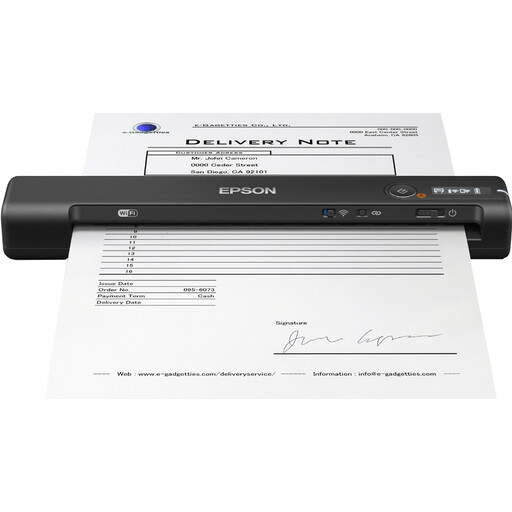
Epson WorkForce ES-60W Handheld Scanner 600 x 600 DPI A4 Black
Worth considering if you want to scan loose A4 documents on the go and select settings on the device.
600 × 600 DPI; Wi-Fi, USB connection, rechargeable battery and LCD screen.
Joybuy
Frequently asked questions
Is a scanned PDF automatically searchable?
No, a scanned PDF isn’t automatically searchable. Check whether the model you choose offers searchable PDF output, and test how well it recognises your own notes. VIISAN notes that OCR depends on the quality of the original and its layout.
How can I check a scanner before scanning a whole notebook?
Start by scanning a page near the spine, a page with notes and a page with a tricky layout. Check that the edges have been captured in full, and proofread any recognised text.
Who can I contact if a scanner I bought in the Netherlands isn’t working properly?
If there’s a problem with a product, the seller must provide a solution. The Dutch government distinguishes between statutory guarantees and a manufacturer’s or extended warranty.
Do I have a cooling-off period for an online purchase?
For many distance purchases from a business, you have a 14-day cooling-off period. The Dutch government lists some exceptions, so check the terms that apply to your purchase.
Can I share scanned lecture notes?
Not necessarily. The Dutch government says you may make a private copy of protected material for your own use, but you may not distribute or publish it. Whether you can share specific lecture slides or other text depends on the rights to that material.


