
Student with a small desk
Scans the odd statement and wants to put the scanner away after use.


If you only scan the odd statement, a handheld or flatbed scanner is often a better fit than a scanner for stacks of paper. If you have lots of double-sided sheets, an automatic document feeder can save you the effort of feeding them in by hand. Also consider how much space you need, the connection and the software for searchable PDFs. Store scans somewhere private and make a secure backup.
Scans the odd statement and wants to put the scanner away after use.
Wants to scan several loose statements, possibly double-sided, without having to feed in each sheet individually.
Wants to save scans as searchable files and prevent financial details from being accessible through a shared account.
| What to consider | What should you check? | Who should pay particular attention? |
|---|---|---|
| Space and storage | Check the dimensions and the space needed while feeding in sheets. Also make sure USB power will work with your computer. | If I only scan occasionally, I want to be able to put the scanner away afterwards and keep my small desk clear. Around 33% of consumers prioritise saving space. |
| Double-sided stacks | Check the automatic document feeder’s capacity and whether the exact model scans both sides automatically. | When I have a stack of double-sided statements, I want to spend less time feeding in or turning over sheets myself. Around 23% of consumers prioritise handling stacks. |
| Searching by text | Check whether the software for the exact model can create searchable PDFs and works with your computer. | If I want to find a name or date later, I need OCR software that can recognise text in scans. Around 22% of consumers prioritise being able to find information. |
| Private storage and backups | Decide in advance where to store files privately, who can access them and how to back them up. If you use cloud storage, check the security options. | In shared accommodation, I want to decide who can open my financial scans and make sure I don’t lose them. Around 22% of consumers prioritise private storage. |
A scanner that takes sheets one at a time doesn’t necessarily have a feeder tray for a stack. Epson describes the ES-50 as a single-sheet scanner, while Brother lists an automatic document feeder with a 20-sheet capacity for the ADS-1300.
Feeding in sheets one by one takes extra time when you have a stack.
Compare the stated capacity of the automatic document feeder, rather than relying on terms such as ‘automatic’.
A scan may simply be an image of a page. You need OCR to search the text; Epson describes this as a feature of ScanSmart.
Check that the software is compatible with the exact model and your computer. Scan a test page and check that names, dates and amounts are recognised correctly.
Bank statements can contain sensitive information about payments. A shared account may give others access, and files can be lost if they aren’t backed up. The Autoriteit Persoonsgegevens highlights the sensitive information contained in statements. Veilig Internetten recommends backups and secure file sharing.
Choose a private destination before you scan anything and set up a suitable backup. If you use cloud storage, check the security options available.
A stated manufacturer’s warranty doesn’t automatically define everything you can expect if a product is faulty. ACM ConsuWijzer distinguishes between a voluntary warranty and your statutory right to a product that meets acceptable standards.
If your scanner is faulty, also check your rights with the seller.
Canon offers both a flatbed scanner for individual documents and portable models with an automatic document feeder. Canon says the imageFORMULA R10 and the flatbed mentioned have different feeding methods.
The WorkForce ES-50 is a compact USB scanner for single sheets. The ES-C320W combines Wi-Fi with a U-shaped paper path. Epson describes ScanSmart OCR as a way to create searchable PDFs.
Brother describes the ADS-1300 as a portable USB-C document scanner with double-sided scanning and an automatic feeder for 20 sheets.
This Joybuy selection includes a handheld scanner and document scanners with automatic feeders for individual or double-sided statements.
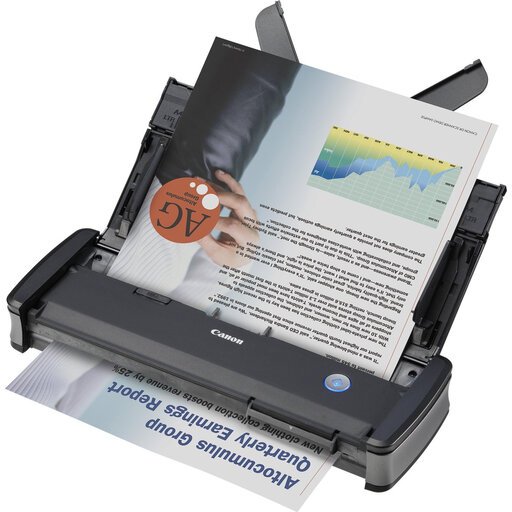 No image available
An option for double-sided stacks if you’re looking for a compact, portable scanner.
20-sheet automatic document feeder; automatic double-sided scanning; USB-powered.
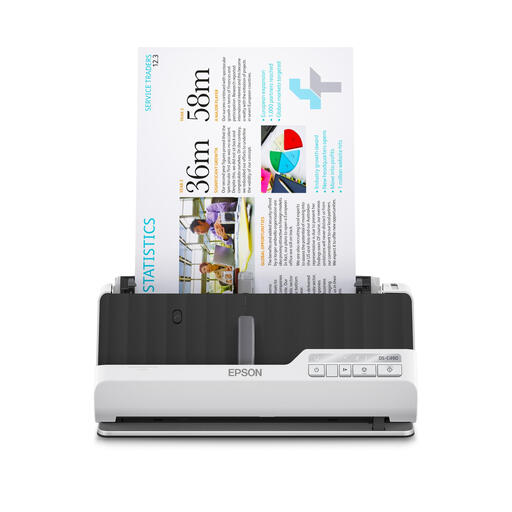 No image available
Worth considering if you want to feed in double-sided statements and need different paper paths.
10-sheet automatic feeder; automatic double-sided scanning; U-shaped and straight paper paths.
 No image available
An option for a small workspace where Wi-Fi and a U-shaped paper path could come in handy.
Wi-Fi and USB; automatic double-sided scanning; U-shaped paper path.
 No image available
A portable handheld scanner for anyone who occasionally scans individual sheets and wants to search the text in their scans.
Wi-Fi and USB; the product description lists OCR for searchable PDFs and up to 300 pages on a full battery.
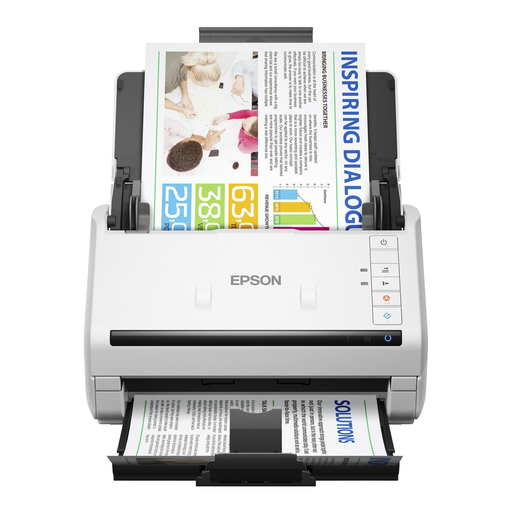 No image available
Worth a look if you regularly scan double-sided stacks and need a higher feeder capacity.
50-sheet automatic document feeder; double-sided scanning in a single pass.
The Rijksoverheid says that private individuals are not required to keep their records, including bank statements. The Belastingdienst can reassess tax from up to five years ago; this is not the same as a general legal requirement for private individuals to keep records. Different rules apply to businesses.
Use software with OCR that can create a searchable PDF. Epson describes this feature for ScanSmart and lists the ES-C320W as a compatible model. After scanning, check that names, dates and amounts are clear and searchable.
Choose a storage location your housemates can’t access and make a backup. Veilig Internetten recommends using security features or encryption when sharing files or using cloud storage. This is security advice, not a legal requirement specific to scanners.
If your scanner is faulty, you can rely on your statutory right to a product that meets acceptable standards; a manufacturer’s warranty doesn’t automatically limit that right. ACM ConsuWijzer distinguishes between statutory rights and a voluntary warranty. If the scanner is faulty, contact the seller and check what remedy applies in your situation.