What should you look for when buying?
Start with the feeding and double-sided scanning features that suit your letters. Then consider the space needed during use, how easy it is to find scans later, where they’re stored and the condition of the paper.
| What to consider |
What to look for |
Who is this most important for? |
| Complete scans |
Check for automatic document feeding and double-sided scanning, and check the page order in a test file. |
If I scan multi-page letters or text printed on both sides, I don’t want to miss a page or turn over each sheet individually. Around 28% of consumers prioritise complete multi-page scans. |
| Space needed during use |
Measure the space needed for both the input and output sheets, and compare USB with Wi-Fi. |
If I have limited workspace, I want to know how much room the scanner needs with paper loaded and whether I can put it away after use. Around 22% of consumers give saving space their highest priority. |
| Finding scans later |
Check for OCR, searchable PDF output, and the file name and storage folder for the exact model. |
If I want to find an appointment later by name or date, the text recognition needs to work with my software and filing system. Around 22% of consumers choose easy retrieval as their main consideration. |
| Storing personal post |
Choose where scans are saved, check the cloud settings and back up any files you want to keep. |
If I scan personal letters, I want to decide where the files go and who can access them. Around 17% of consumers prioritise control over where files are stored. |
| Delicate paper |
Check which types of paper are supported and whether a carrier sheet is suitable for the exact model. |
If my letters are thin, torn or creased, I want to scan them without forcing them through an unsuitable feeder. Around 11% of consumers give handling unusual paper their highest priority. |
Scanners at Joybuy
This selection includes sheet-fed scanners for limited workspace, double-sided letters and scans you’ll want to find again later.
 No image available
Epson DS-C330 ADF sheet-fed scanner
Suitable if you want to scan A4 letters and are looking for a U-turn paper path for a small workspace.
The product name lists A4 and 600 x 600 DPI; the product information mentions an automatic document feeder.
View at Joybuy
 No image available
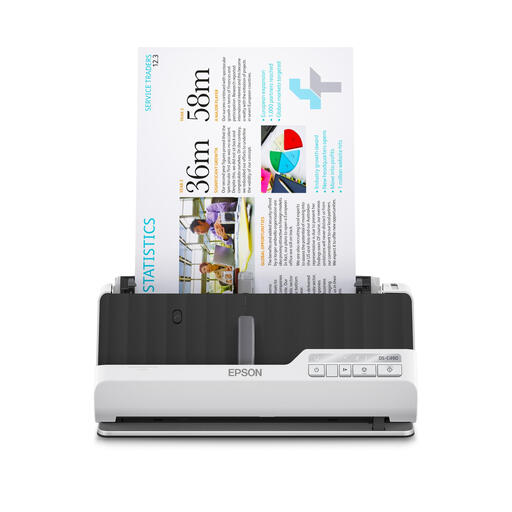
Epson DS-C490 ADF sheet-fed scanner
Suitable if you want to compare a U-turn path with a straight paper path for different types of original.
The product name lists A4 and 600 x 600 DPI. The product information mentions automatic double-sided scanning and both paper paths.
View at Joybuy
 No image available
Epson ES-C320W ADF sheet-fed scanner
Suitable if you have limited workspace and want flexible placement with Wi-Fi.
According to Epson, this model has both a U-turn path and a straight path, automatic document feeding and double-sided scanning. Epson lists ScanSmart compatibility for searchable PDFs.
View at Joybuy
 No image available
Epson WorkForce DS-70 handheld scanner
Suitable if you want to put the scanner away after use and can connect a laptop or PC while scanning.
The product name lists A4 and 600 x 600 DPI. The product information mentions an automatic document feeder, a USB connection to a computer and OCR software for searchable PDFs.
View at Joybuy
 No image available
Epson WorkForce DS-80W handheld scanner
Suitable if you want to scan flexibly or put the scanner away after use.
The product name lists A4 and 600 x 600 DPI. The product information mentions automatic document feeding, Wi-Fi, USB and OCR software for searchable PDFs.
View at Joybuy
Frequently asked questions
Do I need an automatic document feeder for appointment letters?
If you regularly scan multi-page letters, an automatic document feeder cuts down on the number of separate steps. If you often scan text printed on both sides, also check whether the model can scan double-sided documents.
How can I make an appointment letter easy to find later?
Use software that supports OCR and searchable PDFs, give the file a recognisable name, and check that names and dates are legible. Epson says the ES-C320W is compatible with ScanSmart, which can create searchable PDFs.
What should I do with a creased or torn letter?
Don’t feed a letter like this in with ordinary sheets without checking first. Ricoh lists thin, torn or creased paper as a possible cause of feeding problems and describes a carrier sheet for a specific ScanSnap model. Check the instructions for your model or use a flatbed scanner.
Do I need to comply with GDPR when scanning my own personal post?
According to the Dutch Data Protection Authority, GDPR does not apply to processing for personal or household use. This exemption is not blanket permission to disclose other people’s data or process it professionally. Safe Internet Use recommends checking the security and terms of cloud services and making backups.
Is the statutory warranty period for a scanner in the Netherlands always exactly two years?
No. According to the Dutch government, there is no fixed statutory warranty period in the Netherlands: you’re entitled to a product that works as it should, and the seller must provide a solution if there’s a valid problem. A manufacturer’s warranty or paid extension is separate from this.


