
Vandaag of morgen in huis

Kwaliteit gegarandeerd

Welkomstaanbiedingen ontgrendelen: GRATIS bezorging | Tot 80% korting | Gratis 30 dagen JoyPlus-proefperiode
Download de app
When you work with large files, you know that waiting is not an option. Whether you're editing 4K videos, managing a large game library, or needing fast backups, a slow external drive is a source of frustration. The search for a fast, reliable storage solution often leads to products like the Samsung Portable SSD T9 4TB. But before you make a purchase, it's important to know what to look for. Many marketing claims promise the world, but the reality is often more complex.
Here, we highlight two common pitfalls when buying a high-performance external SSD and explain how to avoid them.
To ensure you make the right choice, there are a few technical specifications you shouldn't overlook. These determine whether an external SSD lives up to its promises in practice.
The speed of an external SSD is determined by its USB standard. The Samsung Portable SSD T9 uses USB 3.2 Gen 2x2. This is a crucial detail.
Practical Tip: Check the specifications of your computer or motherboard. To utilise the full speed of the T9, you need a port that explicitly supports USB 3.2 Gen 2x2. If you connect it to a regular USB 3.2 Gen 2 port, the speed will be halved to about 1,000 MB/s.
An external 4TB SSD offers a huge amount of space, but it's not necessary for everyone. Determine your needs based on your usage:
A good external SSD works seamlessly across different platforms. Most drives, including the Samsung T9, are pre-formatted with the exFAT file system. This works out of the box on both Windows and macOS. If you plan to use the drive exclusively as external storage for Mac, you might consider reformatting it to APFS for potentially better integration and performance within the Apple ecosystem. Also, always check which cables are included (USB-C to C and USB-C to A) to prevent connectivity issues.
Based on these criteria, we have highlighted a few popular choices that suit different user profiles.
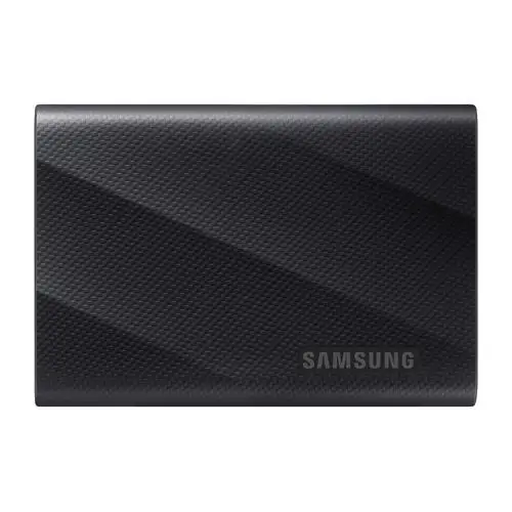
Why This Fits Their Persona: Ideal for video editors and 3D artists who need maximum speed and capacity. The 4TB of space is perfect for large project files, and the 2000MB/s speed minimises waiting times when rendering and transferring 8K video footage.
This SSD actually delivers the advertised speed, provided you have a USB 3.2 Gen 2x2 port. Samsung is transparent about this requirement. It comes with both a USB-C to C and a USB-C to A cable, which prevents compatibility issues.
Read and write speeds up to 2,000 MB/s. Robust housing with drop protection up to 3 metres and hardware encryption for data security.
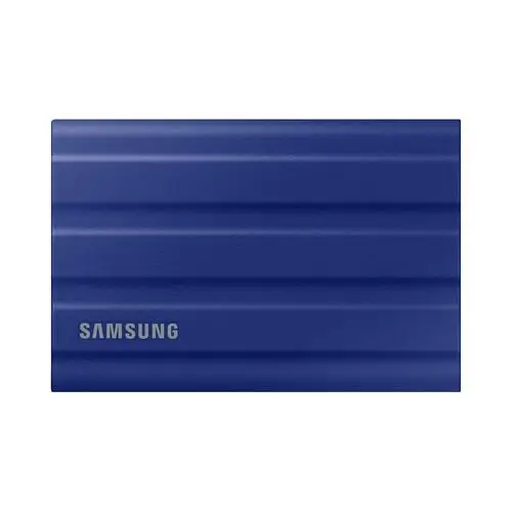
Why This Fits Their Persona: Suitable for photographers and filmmakers who often work outdoors or on location. For them, durability is just as important as speed. This drive can withstand bumps, dust, and rain.
This SSD doesn't focus on absolute top speed, but on reliability in harsh conditions. The IP65 rating is an objective measure of robustness, unlike vague claims about durability.
IP65-certified for dust and water resistance. Rubberised housing provides extra protection against drops. Speeds up to 1,050 MB/s are still excellent for most tasks.
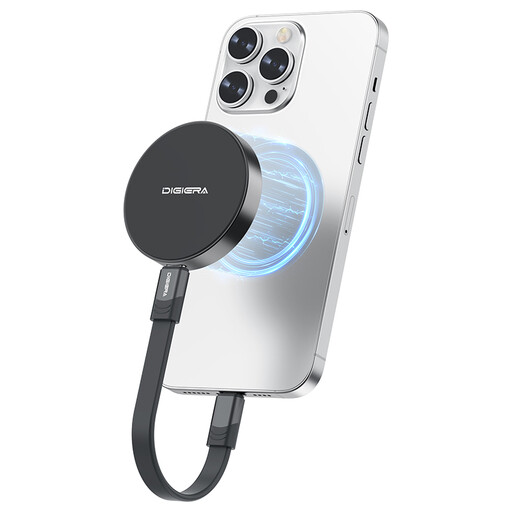
Why This Fits Their Persona: Specifically designed for users of the iPhone 15/16 Pro (Max) who want to record high-quality ProRes video directly. The magnetic attachment makes it an integrated part of your mobile filming setup.
This product solves a specific compatibility problem. Instead of a generic SSD with loose cables, it offers an integrated magnetic solution that simplifies the workflow for mobile videographers.
Magnetic attachment for direct mounting on an iPhone 15/16. Supports 4K 60fps ProRes recording. Very compact and lightweight (46 grams).
We have compiled a complete, up-to-date list of products that fully meet these strict selection criteria and local regulations.
Yes, to achieve the maximum speed, your computer or laptop must have a USB 3.2 Gen 2x2 port. A standard USB-C port (often USB 3.2 Gen 2 or Thunderbolt 3/4) will limit the speed to about 1,000 MB/s. Always check your device's specifications before purchasing a 2000MB/s external drive.
Absolutely. The T9 is compatible with macOS right out of the box, as it is usually formatted with the exFAT file system. This works on both Windows and Mac. For those who use the drive exclusively on Apple devices, reformatting it to APFS via Disk Utility on the Mac can further optimise performance and integration.
The choice depends on your priority. The Samsung T9 is designed for maximum speed (up to 2,000 MB/s) and is ideal for a studio environment or a workflow where every second counts. The T7 Shield is designed for durability, with an IP65 rating for dust and water resistance and a robust housing. Its speed of 1,050 MB/s is still very high, but the focus is on reliability on the go.
