
Vandaag of morgen in huis

Kwaliteit gegarandeerd

Welkomstaanbiedingen ontgrendelen: GRATIS bezorging | Tot 80% korting | Gratis 30 dagen JoyPlus-proefperiode
Download de app
If you're looking to upgrade your PC or PlayStation 5, you'll quickly come across the Samsung 990 PRO 2TB with heatsink. The specifications look impressive, but in the world of high-speed storage, it's easy to waste money on features you don't need or, worse, make a purchase that isn't even compatible. Before you make a purchase, let's review the most common pitfalls and the key specifications.
The marketing around SSDs can be confusing. Many buyers fall into the same traps, leading to disappointment or unnecessary costs.
To make the right choice, focus on the specifications that truly matter for your situation.
The PCIe 4.0 NVMe SSD is the current standard for high-end gaming and professional use. This interface offers an excellent balance between speed and broad compatibility.
A heatsink is a metal casing that helps dissipate heat from the SSD.
An M.2 SSD 2TB is considered the sweet spot for most demanding users. It provides enough space for your operating system, multiple large games, and project files without you constantly needing to free up storage space.
Not everyone has the same needs. Here are a few choices tailored to specific profiles.
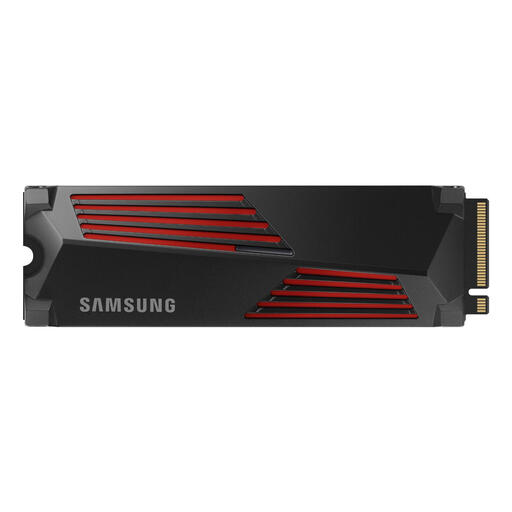
Why This Fits Their Persona: This user wants a hassle-free upgrade that is guaranteed to work. More storage, faster load times, and no compatibility issues.
This is a PCIe 4.0 SSD, exactly what the PS5 requires. The integrated heatsink fits perfectly and prevents performance loss due to heat.
Meets all of Sony's speed and dimension requirements. The 2TB capacity is ideal for a substantial game library.
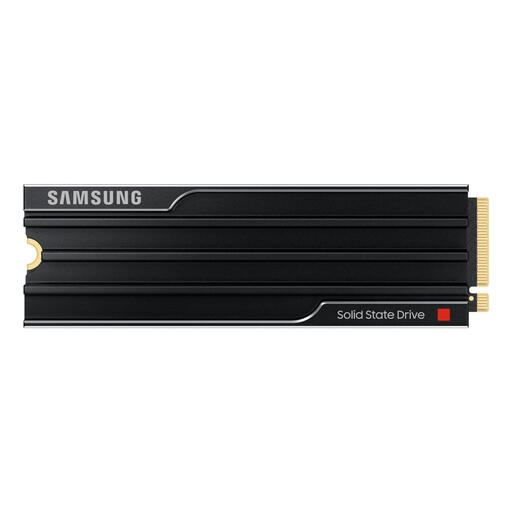
Why This Fits Their Persona: This user has a high-end PC with a PCIe 5.0 motherboard and wants the highest possible performance for demanding tasks and to be prepared for the future.
For this profile, PCIe 5.0 isn't a pitfall but a deliberate choice. The heatsink is absolutely necessary here to keep the extreme speeds stable.
According to Samsung, this SSD offers sequential read and write speeds significantly higher than PCIe 4.0 models, ideal for processing extremely large files.
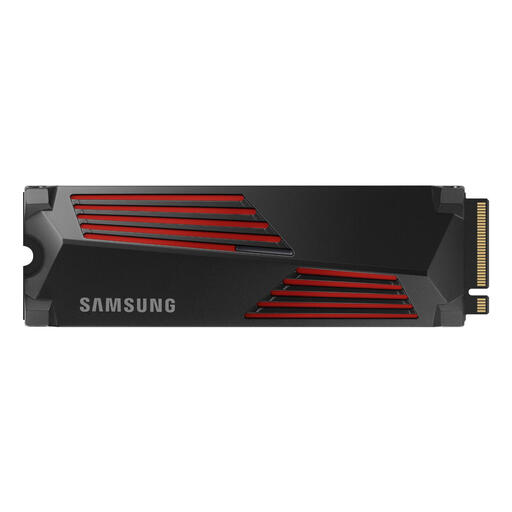
Why This Fits Their Persona: This user needs the speed of a professional SSD for video editing but is working with a more limited budget. 1TB is an excellent starting point for active projects.
Offers the performance and reliability of the 990 PRO series at a lower entry price. The heatsink guarantees stable performance during long rendering sessions.
Excellent price-to-performance ratio. It offers the same high read and write speeds as its 2TB counterpart, which is crucial for a smooth workflow.
We have compiled a complete, up-to-date list of products that fully meet these strict selection criteria.
Technically, you can, but you would need to buy and install a separate heatsink that meets Sony's dimension requirements. This involves extra steps and risks. It is generally easier and more reliable to purchase the version with a pre-installed heatsink directly.
For most gamers, 2TB is a comfortable amount. Major titles often take up more than 150 GB. With a 2TB SSD, you'll have enough space for your operating system, favorite applications, and a healthy library of games without constantly having to delete old ones to make room for new ones.
The main difference is the technology used. The Samsung 990 PRO 2TB SSD uses the PCIe 4.0 interface, making it ideal for the PlayStation 5 and most modern PCs. The 9100 PRO uses the newer PCIe 5.0 standard. This theoretically offers higher speeds, but you need a compatible motherboard to benefit from it. For a PS5, the 990 PRO is the correct and most cost-effective choice.
