
Vandaag of morgen in huis

Kwaliteit gegarandeerd

Welkomstaanbiedingen ontgrendelen: GRATIS bezorging | Tot 80% korting | Gratis 30 dagen JoyPlus-proefperiode
Download de app
By Joybuy Product Recommendation Officer, July 21, 2026
A full hard drive, slow file transfers, or the fear of losing important data on the go. These are common problems for anyone who works with large files, whether for work, study, or a hobby. A 1TB Samsung external SSD offers a fast, compact, and reliable solution. But with models like the T7, the rugged T7 Shield, and the blazing-fast T9, making a choice can be difficult.
This article will help you understand the specifications and find the right Samsung SSD for your needs. We compare the popular 1TB models based on their features, so you can make an informed decision.
Before you buy a Samsung SSD, it's wise to consider a few key points. Your specific use case will determine which model is most suitable.
Transfer speed is often the most important factor. The Samsung T7 and T7 Shield offer speeds up to approximately 1,050 MB/s via USB 3.2 Gen 2. This is ideal for most tasks, such as transferring large photo libraries or 4K video files. The Samsung T9 SSD goes a step further with a USB 3.2 Gen 2x2 interface, which the manufacturer claims can reach speeds of up to 2,000 MB/s. This is especially useful for professionals who constantly work with very large files. Note: to achieve this top speed, your computer or laptop must also have a USB 3.2 Gen 2x2 port. All models use a USB-C SSD connection, which is the standard for modern devices.
Do you often work outdoors, on a construction site, or in a dusty environment? Then durability is a key consideration. The standard T7 has a sturdy metal casing that provides protection against drops of up to two meters. However, the Samsung T7 Shield is specifically designed for more demanding conditions. With an IP65 certification, this model is dust and water-resistant and, according to Samsung, can survive a drop of three meters. For office use or the daily commute, the T7 is often sufficient, but for extra peace of mind on the go, the Shield is a logical choice.
All Samsung T-series SSDs are broadly compatible. They work out of the box with Windows, macOS, and Android. Are you looking for an external SSD for Mac? You don't need to worry; the drives are often pre-formatted with exFAT, which works on both systems. It's also a popular option for gamers looking to expand their storage. An external SSD for PS5 can be used to play PS4 games directly from the drive and to store PS5 games, although the latter must be moved to the internal console storage to be played.
Below, we highlight three popular choices, each with its own strengths.
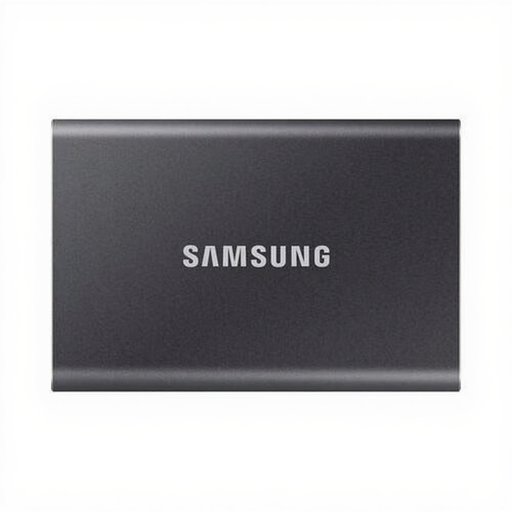
Why it stands out The Samsung T7 1TB is the all-rounder in the lineup. It combines high speed with a very compact and lightweight design. Weighing just 58 grams and the size of a credit card, it fits easily into your pocket or laptop bag.
Pros
Who is it for? For students, office workers, and content creators looking for a reliable and fast 1TB portable SSD for daily use. It's perfect for quickly transferring documents, presentations, and media files between different devices.
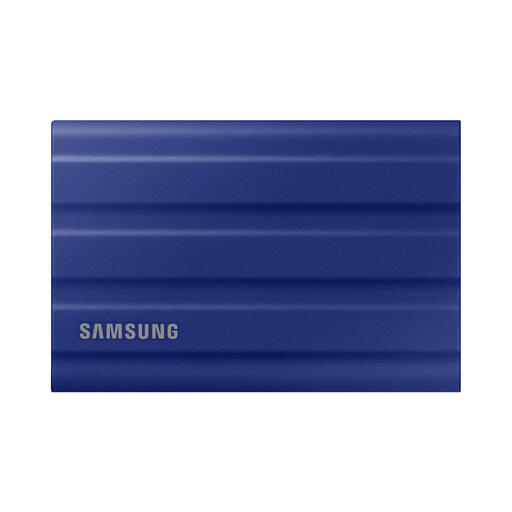
Why it stands out The T7 Shield is built for adventure. It offers the same fast external storage as the regular T7, but in an extra-durable shell. The rubber exterior provides extra grip and protection.
Pros
Who is it for? Ideal for photographers and videographers working on location, travelers, and anyone who wants to give their data extra protection on the move. If your SSD is regularly exposed to the elements, the Shield is worth the investment.
View the Samsung T7 Shield 1TB
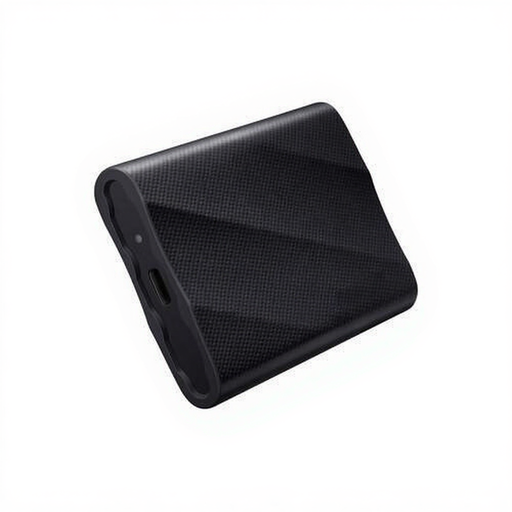
Why it stands out The Samsung T9 SSD is purely focused on maximum speed. With its USB 3.2 Gen 2x2 interface, it nearly doubles the transfer speeds of the T7 series, offering a huge time-saver when working with the largest files.
Pros
Who is it for? For the demanding professional, such as 8K video editors, 3D designers, and data analysts, for whom every second counts. Also for tech enthusiasts who simply want the fastest possible external storage and have a computer that supports it.
The Samsung 1TB external SSD is a popular choice, but there are, of course, more options on the market. Perhaps you're looking for a different capacity, another brand, or a model with specific features. Everyone has different needs when it comes to data storage.
Browse our full range and find the storage solution that's perfect for you.
Discover More USB Type Hard Drives
In short: the T7 is the fast and compact all-rounder. The T7 Shield offers the same speed but with added protection against water, dust, and drops. The T9 is focused on maximum performance with nearly double the speed of the T7 series, provided your device supports it.
Yes, you can. You can use an external SSD for PS5 to expand your game library. PS4 games can be stored and played directly from the SSD. PS5 games can be stored on the SSD to free up space on the internal console, but they must be copied to the internal storage to be played.
Yes, all models in the T-series are fully compatible with macOS. They usually come formatted with exFAT, allowing you to exchange files between both Windows PCs and an external SSD for Mac without needing to reformat the drive.
