What should you look for?
Start by comparing three screen options: a 27-inch QHD monitor for a more compact setup, a QHD monitor with a USB-C hub for a compatible laptop connection, or an ultrawide screen for several windows side by side. None of these sizes will eliminate reflections from a window; Arboportaal also highlights workstation setup and shading.
27-inch QHD without a USB-C hub requirement
A good fit if: you mainly use your dashboard and a limited number of other windows, and can connect your computer in another suitable way.
Bear in mind: you’ll have less continuous screen width than with an ultrawide model; don’t assume a standard monitor connection will charge your laptop.
27-inch QHD with a USB-C hub
A good fit if: you connect a compatible laptop and want to combine display, peripherals and potentially charging through the monitor. Dell specifies up to 90 W USB-C power delivery for the P2725DE; LG specifies up to 65 W for the 27BA65QB-B.
Bear in mind: check that your laptop supports USB-C video and that the stated charging power is enough for your device. The hub won’t reduce reflections from a window.
Ultrawide screen
A good fit if: you want to keep your dashboard, source material and documents visible at the same time; Dell lists the P3425WE as 34.1 inches with a resolution of 3440 × 1440 pixels.
Bear in mind: the desk space you’ll need and your viewing position. Measure your workspace before opting for extra screen space.
| Consideration |
What should you check? |
Who is this important for? |
| Readability in daylight |
Look at the window position, potential reflections, brightness specification and available shading. A stated brightness level doesn’t tell you how the screen will perform in your workspace. |
If the window could be reflected in your screen, you’ll want to keep reading text and charts clearly. Around 36% of consumers say readability in light from a window is their main reason for buying. |
| Room for several windows |
Measure the desk space available and assess your usual window layout using a readable text size. |
If you want to see your dashboard, data source and documentation at the same time, continuous screen space matters. Around 29% of consumers prioritise this room for windows. |
| Connecting and charging a laptop |
Compare your laptop’s USB-C video capabilities and charging requirements with the monitor’s ports. |
If you regularly connect your laptop, you’ll want to know whether the monitor supports display and charging for your device. Around 21% of consumers choose primarily on the basis of a suitable laptop connection. |
| Adjustability |
Check the height adjustment and tilt, and whether you can position the monitor to suit your workspace. |
If you want to adjust the screen position to suit your workspace, the stand’s adjustability is important. Around 14% of consumers give this adjustment option top priority. |
Monitors at Joybuy
This selection includes monitors for dashboard work, from 27-inch screens to ultrawide models for working with several windows. Assess reflections from windows and your workspace setup separately, and if you use a laptop, check that the connections and charging power are right for your device.
 No image available
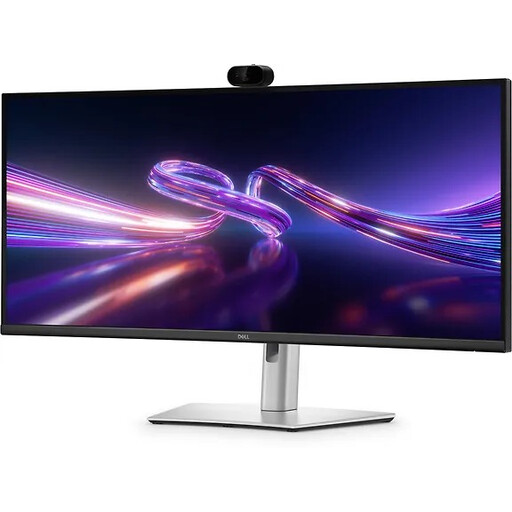
Dell Pro P3426WEV
A good fit if you want to view your dashboard and other windows side by side; bear in mind the desk width you’ll need.
34.1-inch curved WQHD IPS screen, USB-C hub, webcam, 100 Hz and up to 90 W Power Delivery.
View at Joybuy
 No image available
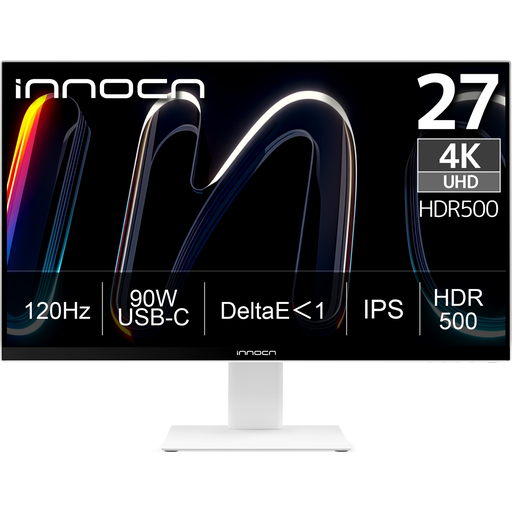
INNOCN CB27U1
A 27-inch option if you want to view dashboard details on a 4K screen; check that the connections are compatible with your computer.
27-inch 4K UHD IPS screen with 3840 × 2160 pixels, USB-C with 90 W Power Delivery and a height-adjustable stand.
View at Joybuy
 No image available
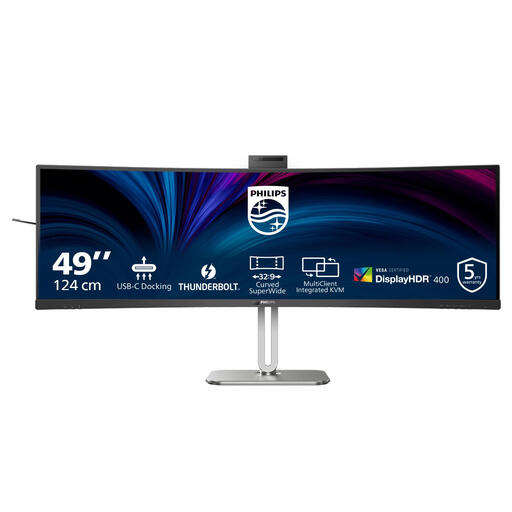
Philips 49B2U6903CH/00
The wide screen layout is designed for viewing several windows at once; measure your desk space beforehand.
49-inch Dual QHD LCD screen with 5120 × 1440 pixels.
View at Joybuy
 No image available
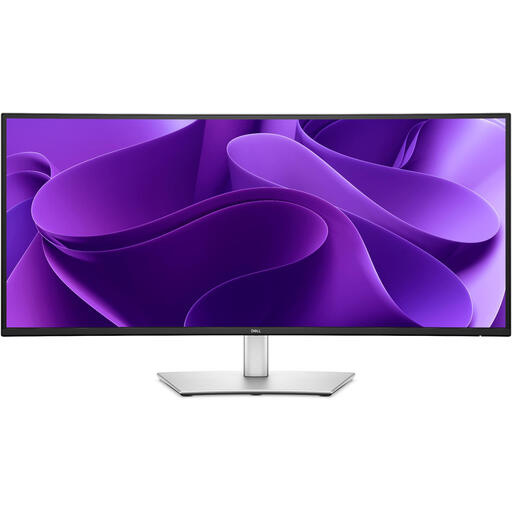
Dell Pro Plus P3425WE
A good fit if you want to use your dashboard and documents side by side; bear in mind the desk width needed for a 34.1-inch screen.
34.1-inch ultrawide screen with 3440 × 1440 pixels. Dell Netherlands specifies up to 90 W USB-C power delivery for this model.
View at Joybuy
 No image available
LG 27GS85Q-B
A 27-inch QHD option for a more compact dashboard setup; check which connection your computer needs.
27-inch Quad HD LCD screen with 2560 × 1440 pixels.
View at Joybuy
Frequently asked questions
Should you mainly buy a brighter screen if the window is reflected in it?
No, first look at your setup and shading. Arboportaal highlights the position of screens relative to windows and reflections as things to consider; a brightness specification alone doesn’t confirm that reflections will disappear.
Can a USB-C monitor connect to and charge your laptop with one cable?
It depends on both the laptop and the monitor. Check whether your laptop supports display over the USB-C connection you’ll be using, and compare your charging needs with the model specifications. Dell specifies up to 90 W for the P2725DE, while LG specifies up to 65 W for the 27BA65QB-B.
How should you set up a workstation beside a window?
Position the screen and workstation so that the window isn’t reflected distractingly in the screen, and use suitable shading if needed. Arboportaal also highlights lighting and adjustability; that doesn’t automatically make a specific monitor model suitable for every position beside a window.
What are your rights when buying a monitor online?
For online consumer purchases, you generally have a 14-day cooling-off period after delivery, with some exceptions. ACM ConsuWijzer also notes that your statutory guarantee is separate from any guarantee offered by the seller or manufacturer; if a product is faulty, contact the seller. Don’t assume the same consumer rights apply to a business purchase.
Are there Dutch workplace regulations for working with screens?
Arboportaal outlines considerations for employers when setting up workstations for screen use, including reflections, lighting and adjustability. For laptop use, the stated threshold of more than two hours of screen work per day is relevant to being able to use a separate screen or keyboard; this isn’t a product specification for individual shoppers.


