
Dashboard builder who uses several windows
You want to view charts, source data and reports side by side. Whether an ultrawide screen will suit you also depends on the width of your desk.


For a sales dashboard on a sit-stand desk, first choose a screen that you can position comfortably at both sitting and standing height. Then decide how much workspace you need for dashboards, source data and reports. An ultrawide screen can display several windows side by side, but it needs enough desk width. A 27-inch QHD or 4K model is more compact, although how readable 4K content is also depends on the display scaling.
You want to view charts, source data and reports side by side. Whether an ultrawide screen will suit you also depends on the width of your desk.
You switch between sitting and standing and want to adjust the screen position accordingly. Arboportaal recommends placing the top of the screen slightly below eye level; an adjustable monitor alone won’t determine your whole working posture.
You want to connect your display, peripherals and possibly power easily. Check that your laptop, cable and chosen monitor model are compatible.
For a sales dashboard on a sit-stand desk, screen positioning, layout, laptop connectivity and readability all involve different considerations. Choose a screen layout based on what you want to see at the same time and what will fit your workspace.
A good fit if: you’re looking for a more compact main display for dashboard work. Dell Nederland lists 2560 × 1440 pixels and USB-C docking for the P2725DE.
The trade-off: you’ll have less horizontal space than on the 34-inch Philips ultrawide reviewed here. Check whether your windows will still fit comfortably side by side.
A good fit if: you want to see dashboards, data and reports at the same time, and have enough room on your desk. Philips Nederland specifies a resolution of 3440 × 1440 pixels for the 34B1U5600CH/00.
The trade-off: measure the available desk width and check that your computer supports the resolution and window layout you want.
A good fit if: you want more pixels on a 27-inch screen. LG Nederland lists 3840 × 2160 pixels for the 27UP850K-W.
The trade-off: more pixels don’t guarantee more usable workspace. Check that text and controls remain readable with your chosen display scaling.
For consumers choosing a monitor for building a sales dashboard at a sit-stand desk, these are the main buying concerns:
| Buying concern | What to look for | Who is it most relevant to? |
|---|---|---|
| Screen position when sitting and standing | Check the height adjustment and screen position at both desk heights; also look out for reflections. | When I switch between sitting and standing, I want to be able to set the screen at a suitable height each time. Around 36% of consumers in this use case prioritise screen position. |
| Room for dashboards and source windows | Measure the available desk width and check whether your preferred window layout will fit at the resolution. | I want to view my dashboard, source data and reports side by side. Around 29% of consumers in this use case prioritise space for several windows. |
| Laptop connectivity and cables | Compare the video capabilities of your laptop port and the power delivery you need with the specifications of the exact monitor model. | I want to connect my laptop with fewer separate connections, but only if video and power are genuinely compatible. For around 21% of consumers in this use case, connectivity is their main buying concern. |
| Readable dashboard details | Check figures, labels and controls using your own dashboard and the display scaling you plan to use. | I want to read the details clearly without text and controls becoming too small. Around 14% of consumers in this use case prioritise extra pixels and readability. |
A 27-inch and a 34-inch monitor differ in more than their diagonal measurement: desk space and screen position when sitting and standing matter too.
Measure your desk’s width and depth, and check the screen position at both working heights.
If the stand doesn’t suit your setup, you may need a different mounting solution. Check in advance that it will work in your workspace.
A USB-C port alone doesn’t tell you whether your laptop, cable and monitor support the video and power functions you need.
Check the video capabilities of your laptop port, the power delivery required and the capabilities of the exact monitor model.
If they’re incompatible, you may need a separate connection or laptop power supply.
Philips specifies a VA panel for the Philips 34B1U5600CH/00, so an OLED label in a product category doesn’t match the model’s specifications.
Compare the model code and panel type in the manufacturer’s specifications with those of the model on offer.
According to the Rijksoverheid, statutory guarantees in the Netherlands have no fixed time limit. A manufacturer’s warranty doesn’t replace your statutory rights.
Compare any additional warranty terms with your rights, and contact the seller if the product is faulty.
The Pro Plus P2725DE reviewed here is aimed at anyone looking for an adjustable 27-inch QHD monitor with USB-C docking.
The 34B1U5600CH/00 reviewed here is designed for a wide workspace and use with two devices at the same time.
The 27UP850K-W reviewed here is a 27-inch 4K option for anyone looking for extra pixels in this screen size.
The FlexScan EV2795 reviewed here is a 27-inch QHD option with USB-C docking and support for connecting multiple screens.
This selection from Joybuy includes 27-inch QHD and 4K models, as well as 34-inch monitors for dashboard work. Check that the screen layout, stand and connections of each model suit your desk and computer.
 No image available
A good choice if you’re looking for extra pixels on a 27-inch screen; view your own dashboard using your preferred display scaling.
The product name specifies 27 inches, 4K and IPS.
How readable text and controls are also depends on the display scaling you set.
 No image available
An option if you want to view several windows side by side and have room for a wide monitor.
The product name specifies a curved 34.1-inch WQHD screen, a USB-C hub and a webcam.
Check the available desk width and whether your laptop supports the connections you need.
 No image available
A good fit if you’re looking for a 27-inch QHD screen for a more compact dashboard setup.
The product name specifies 2560 × 1440 pixels, Fast IPS and a tilting stand.
Check whether the available tilt adjustment is enough for your sitting and standing heights.
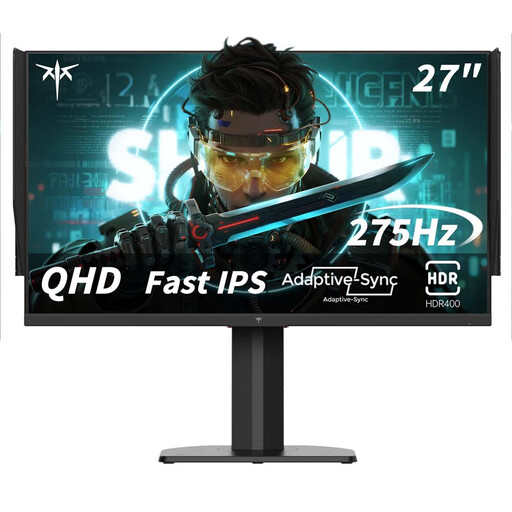 No image available
A 27-inch QHD model to consider if you’re looking for this screen layout; check that the stand gives you the screen height you want.
The product name specifies 2560 × 1440 pixels, Fast IPS and 240 Hz, with 275 Hz OC.
 No image available
If you want to use several windows side by side, check that the 34-inch screen will fit on your desk.
The product name specifies a USB-C hub monitor for video conferencing.
Compare the connectivity options with your laptop and check that the screen position will suit your setup.
Readjust your workspace whenever you change posture. Arboportaal recommends placing the screen directly in front of you, with the top slightly below eye level.
No, the connection alone doesn’t guarantee this. Check that your laptop port supports video and compare your charging needs with the specifications of the exact monitor model. Dell lists 90 W USB-C power delivery for the P2725DE; EIZO lists up to 70 W power delivery for the EV2795.
Arboportaal states that when employees work at a screen for more than 2 hours a day, the screen and keyboard must not be attached to each other. This applies to employees and isn’t a general monitor requirement for every private buyer.
Compare the information for the exact model; the European Commission covers electronic displays in its energy labelling information. According to the Rijksoverheid, statutory guarantees in the Netherlands have no fixed time limit, and the seller is your point of contact if a product is faulty.
According to the Rijksoverheid, many online consumer purchases from a business come with a 14-day cooling-off period. Check the applicable terms and see whether the screen layout and readability suit your workspace.