
For anyone entering lots of figures
If you regularly update sales figures and tables, decide whether an integrated numeric keypad is worth the extra desk space. Dell lists a numeric keypad on the KB216.


If you often enter sales figures, start with a keyboard that has a numeric keypad. For long typing sessions, its shape and how it fits on your desk matter too. Then check the physical key layout, connection and any software for shortcuts or switching between devices. No single feature makes one model right for everyone.
If you regularly update sales figures and tables, decide whether an integrated numeric keypad is worth the extra desk space. Dell lists a numeric keypad on the KB216.
If you spend a long time typing and updating dashboards, consider the keyboard’s shape, mouse position and variety in your work together. Arboportaal recommends changing your working posture during screen work.
If you often use shortcuts or switch between devices, check that the features you want work with your dashboard software and computer. Logitech and HP describe customisable features for specific keyboard models.
First, consider how often you enter figures and how much room you need for your mouse next to the keyboard. Then compare the physical layout, connection and any software against the way you work.
| What to consider | What should you check? | Who is this important for? |
|---|---|---|
| Numbers and mouse space | Check whether the model has a numeric keypad and whether the keyboard and mouse will both fit on your desk. | If I often enter figures, I want those keys close to hand without losing sight of the space I need for my mouse. Around 31% of consumers prioritise entering figures regularly. |
| Working posture | Consider the shape, any wrist rest and the position of your mouse in your own setup. | For long sessions, I want to position my keyboard and mouse so I can use them comfortably together. Around 25% of consumers prioritise their working posture. |
| Layout and connection | Check the key legends, operating system and the USB port or Bluetooth support you need. | If I connect my keyboard to a dedicated home computer, I want its layout and connection to suit my system straight away. Around 19% of consumers say a suitable layout and connection are their main concern. |
| Shortcuts and devices | Check which features your dashboard software supports and what software or connection the keyboard requires. | For recurring dashboard tasks, I want to use shortcuts that my programme actually supports. Around 13% of consumers prioritise these tasks or switching between devices. |
| Power and after-sales support | Check how the keyboard is powered, which accessories are included and who to contact if the product is faulty. | If I use a keyboard every day, I want to know in advance how it is powered and what I can do if it develops a fault. Around 12% of consumers prioritise power and after-sales support. |
The Dutch QWERTY version and a listing for the Belgian AZERTY version may appear under the same model name. Conflicting layout information means the model name alone is not a reliable way to confirm which version you’re getting.
Check the exact variant and the visible key legends before ordering.
A different layout may mean adjusting your workflow or arranging an exchange.
The shape of a keyboard alone does not prove that it will prevent or relieve personal discomfort. The mouse position and the rest of your workspace matter too.
Assess your keyboard and mouse together, and vary your working posture and tasks.
The customisable features on the Logitech and HP models mentioned are tied to specific software. Your dashboard programme also determines which tasks you can use them for.
Before you buy, check the tasks you want to perform, your operating system and the app required for the exact version.
According to Logitech, the MX Keys S range is designed for customisable features and use with multiple devices. The ERGO K860 is a split keyboard with a numeric keypad.
According to Dell, the Dutch QWERTY version of the KB216 is a wired keyboard with a numeric keypad for use with a desktop computer.
The HP 455 is a full-size wireless model that, according to HP, uses a USB receiver.
CHERRY describes the KW 9100 SLIM as a low-profile keyboard for home or office use, with Bluetooth or a 2.4GHz receiver for connectivity.
This selection includes keyboards for entering figures, using multiple devices and choosing a more compact layout. Before buying, check the physical key layout and whether the version has a numeric keypad.
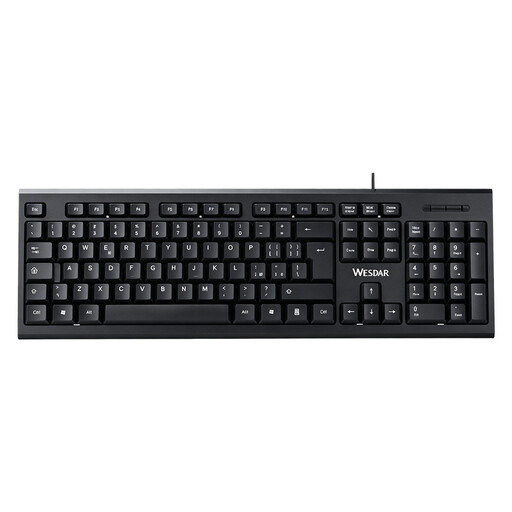 No image available
A wired, plug-and-play model for a fixed workstation where you often enter figures.
Full-size layout, numeric keypad, QWERTY and black.
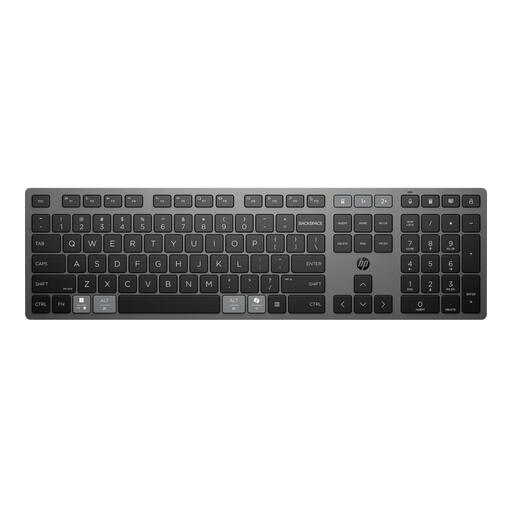 No image available
A rechargeable wireless keyboard for anyone looking for a model that works with multiple devices.
The product name specifies a wireless, rechargeable model for multiple devices.
 No image available
A full-size model with a numeric keypad for entering figures and using multiple devices.
The title specifies scissor keys, black and a US QWERTY layout. Check that the physical key legends suit your preferences.
 No image available
A 75% layout for anyone looking for a more compact keyboard setup and a choice of connection modes.
The title specifies USB, Bluetooth and 2.4GHz, a TFT display and US QWERTY. Check that the physical key legends suit your preferences.
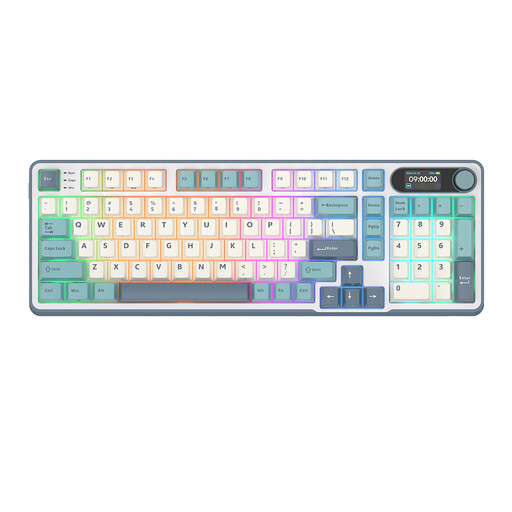 No image available
A 96% layout keyboard for anyone looking for a more compact setup with several connectivity options.
The title specifies Bluetooth, 2.4GHz and USB-C. According to the product information, it does not have a numeric keypad, so it may be less suitable if you often enter figures.
No, it depends on how much data entry you do. Choose one if figures are an important part of your work. Otherwise, consider how much room a full-size keyboard takes up next to your mouse. Excel also supports keyboard shortcuts, although the available combinations can vary by layout.
Position your keyboard as part of a suitably set-up workspace and take breaks from screen work. Arboportaal recommends varying your working posture and taking micro-breaks. If you choose a specific split keyboard, follow the manufacturer’s positioning instructions too. This product guidance is not a general legal requirement.
If a product is faulty, you have statutory rights against the seller in the Netherlands. The Rijksoverheid states that there is no fixed statutory guarantee period; normal wear and tear or damage caused by you does not automatically mean repairs will be free. Check the manufacturer’s warranty and the power requirements of your chosen model separately.
It depends on your working situation. According to Arboportaal, for an employee who works at a screen for more than two hours a day, the screen and keyboard must not be attached to each other. A laptop user must therefore be able to use a separate screen or keyboard. Employers also have a duty of care when employees work from home. This requirement does not automatically apply as a purchasing requirement to every reader.
Check the documentation and conformity information for the exact version. Business.gov.nl explains that radio equipment rules apply to devices with Bluetooth or a radio module, and names the manufacturer as responsible for the EU declaration of conformity. A model listed on a product page does not, by itself, prove that the version on offer meets these requirements.