What should you look for when choosing?
Start by considering what your viewing position and room require from the screen. Then compare motion handling, viewing angles and connections on models that suit your set-up.
OLED TV
Best for: watching in dim lighting and seating with places off-centre.
Consider: if there’s plenty of daylight, check the brightness and reflections on the specific model. It’s also worth considering prolonged display of fixed logos or score graphics.
LCD with mini-LED
Best for: consider this option if you often watch in daylight; LCD TVs can be bright.
Consider: mini-LED alone doesn’t tell you how well a model handles motion. Check the viewing angle, reflections and black levels too.
Standard LCD TV
Best for: consider this option if size and purchase price matter more than maximum contrast.
Consider: compare picture quality and viewing angles for each TV; screen technology alone doesn’t predict how a rugby broadcast will look.
| What to consider |
What should you look for? |
Who prioritises this? |
| Motion |
Compare the panel refresh rate and visible motion handling using sports footage. According to the Consumentenbond, calculating intermediate frames can cause picture errors during irregular action. |
I want to follow the players and camera pans, so I look at actual sports footage rather than relying on a refresh-rate claim alone. Around 29% of consumers prioritise clear, smooth action. |
| Screen size |
Measure the viewing distance and check the overall dimensions, including the stand or space needed for wall mounting. The Consumentenbond suggests dividing the viewing distance by 2.4 as a rough starting point. |
I want a screen that’s a suitable size for watching matches and films from my seat. Around 24% of consumers give screen size and viewing distance top priority. |
| Viewing angle |
Check the picture from the outer seat, not just from directly in front. |
When we watch as a group, I want to know how the picture looks from the side. Around 18% of consumers prioritise viewing angle. |
| Light in the room |
Look for windows and lamps opposite the screen, and compare brightness and reflections in similar conditions. |
I often watch during the day and want to assess the match picture in my room’s lighting. Around 18% of consumers prioritise visibility in daylight. |
| Source and sound |
Check that you can access the match you want to watch and that the connections on the TV, receiver and sound system are compatible. HDMI-ARC or eARC may be relevant for a soundbar. |
I want to connect my match source and existing sound system without overlooking my current set-up. Around 11% of consumers prioritise source and sound. |
TVs at Joybuy
The models shown are large TVs for home cinema use, with OLED, mini-LED and QLED options.
 Image unavailable
LG OLED83C67LA OLED evo AI C6 4K Smart TV
A large OLED screen to consider if you have a spacious home cinema set-up.
83 inches, 4K, 120 Hz and VRR up to 165 Hz.
The stated width and viewing distance can help you decide whether this size suits your room.
View at Joybuy
 Image unavailable
LG QNED85B6B QNED Evo Mini LED 4K Smart TV
A mini-LED option to compare if you’re looking for a large screen for your home cinema.
86 inches, 4K, 2,040 dimming zones and VRR up to 144 Hz.
View at Joybuy
 Image unavailable
METZ 86MQE8000Z 86-inch QLED Google TV
An 86-inch screen to consider if you have plenty of space for a large TV.
The product name lists 4K and 144 Hz.
Check that the dimensions suit your furniture and viewing distance.
View at Joybuy
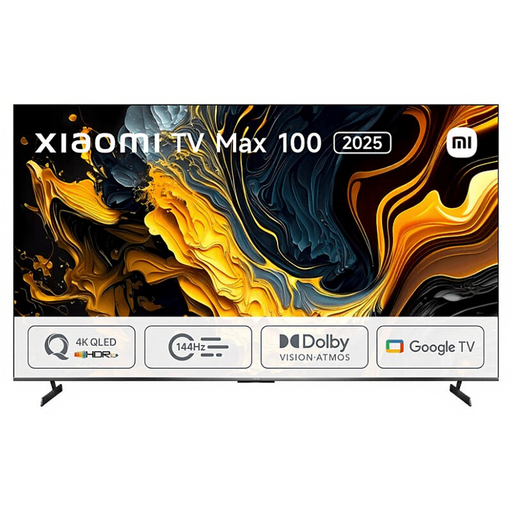 Image unavailable
Xiaomi TV Max 2025 100 NGZEU1N
This 100-inch model is designed for a set-up with room for an exceptionally large screen.
4K UHD, QLED and three HDMI connections.
The stated width is 222,9 cm; allow for this measurement when planning where to put it.
View at Joybuy
 Image unavailable
TCL 75Q7C 75-inch 4K Mini-LED Smart TV
A 75-inch mini-LED model to compare if you’re looking for a large screen that’s not as wide as the biggest options here.
The product name lists 4K and 144 Hz; the description mentions Full Array Local Dimming.
View at Joybuy
Frequently asked questions
Do I need 120 Hz to watch rugby at 120 frames per second?
No. The panel refresh rate isn’t the same as the broadcast frame rate. The Consumentenbond describes 50 Hz as a common TV signal and warns that calculated intermediate frames can cause errors during fast, irregular movement. So make sure you compare the match picture itself too.
How do you connect your existing soundbar?
Check whether the TV and soundbar have a compatible HDMI-ARC or eARC connection, and use the TV port labelled for this purpose. The Consumentenbond suggests an optical connection as an alternative if neither device has HDMI-ARC.
How should you set up the picture at home for a match?
Assess the picture in the lighting you usually have at home. The Consumentenbond recommends comparing the available picture modes, such as Standard and Sport, in those conditions; there’s no single setting that suits every room.
Does a higher energy rating always mean a lower electricity bill?
Not on its own; compare the stated energy consumption of the specific models too. The EU energy label for TVs includes information about HDR performance, while screen size and picture settings also affect actual energy use.
What are my rights when buying a TV online in the Netherlands?
According to ACM ConsuWijzer, standard TVs bought online are generally covered by a statutory 14-day cooling-off period after delivery. The product must also be of satisfactory quality; the Netherlands doesn’t have a fixed statutory guarantee period of two years.
Do I always need an extra sports subscription to watch rugby on TV?
Your choice of TV alone won’t determine this. Ziggo lists rugby broadcasts on channel 14 and through Ziggo Sport Totaal; before buying, check with your provider whether the specific match you want is available with your existing subscription.


