
Vandaag of morgen in huis

Kwaliteit gegarandeerd

Welkomstaanbiedingen ontgrendelen: GRATIS bezorging | Tot 80% korting | Gratis 30 dagen JoyPlus-proefperiode
Download de app
By: Joybuy Product Recommendation OfficerDate: 05-07-2026
So, you've set your sights on a gaming laptop with an RTX 5060. A smart choice, as this graphics card promises an excellent balance of price and performance for years to come. But that's where the real search begins. Which processor is the best match? Should you go for a compact 16-inch or an immersive 17-inch model? And what do all those specifications mean for your gaming experience?
The market can be overwhelming, filled with technical jargon and marketing promises. As a Product Recommendation Officer at Joybuy, my job is to help you. In this guide, we'll cut through the noise and focus on the specifications that truly matter. We'll compare several specific models to help you make an informed decision that fits your needs and budget.
Before we dive into the models, here are a few key points to consider. A gaming laptop is more than just its graphics card. The combination of components determines the final performance.
The processor is the brain of your laptop. For an RTX 5060 gaming laptop, both an Intel Core i7 laptop and an AMD Ryzen 7 laptop are powerful options. The choice depends on your use case.
Both are highly capable, so don't get fixated on the brand. Instead, look at the specific generation and model number (a higher number is generally newer and faster).
The display is your window into the game world. Three specifications are crucial here:
Based on the specifications that serious gamers and creators look for, we've highlighted a few models from Thunderobot. These Thunderobot gaming laptops pair an RTX 5060 with components geared for high performance.
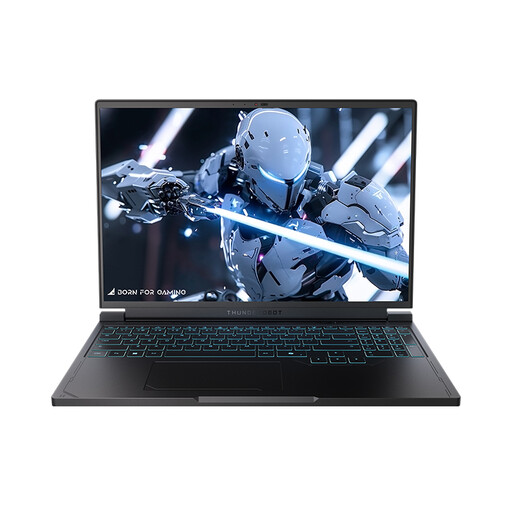
Why it stands out: This configuration is built for speed. The combination of a powerful AMD processor and an extremely fast 240Hz screen makes it an excellent choice for competitive esports players.
Advantages:
Who is this laptop for? For the competitive gamer for whom every millisecond counts. If you primarily play fast-paced shooters or racing games and want the smoothest visuals possible, the 240Hz refresh rate is a clear advantage.
View the Thunderobot Radiant S16 (Ryzen 7) on Joybuy.nl
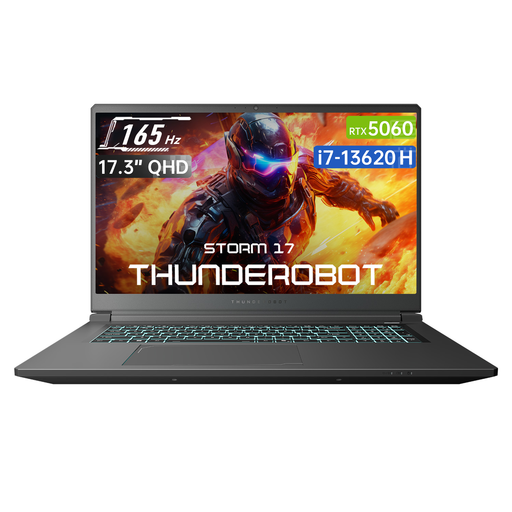
Why it stands out: This model goes all-in on an immersive experience with its large 17.3-inch screen. It's ideal for gamers who primarily use their laptop in one place and prefer a larger display.
Advantages:
Who is this laptop for? For the gamer looking for a desktop replacement. If you love single-player adventures, RPGs, or strategy games and want to get lost in the game world, the 17.3-inch screen offers a distinct added value.
View the Thunderobot Storm 17 on Joybuy.nl
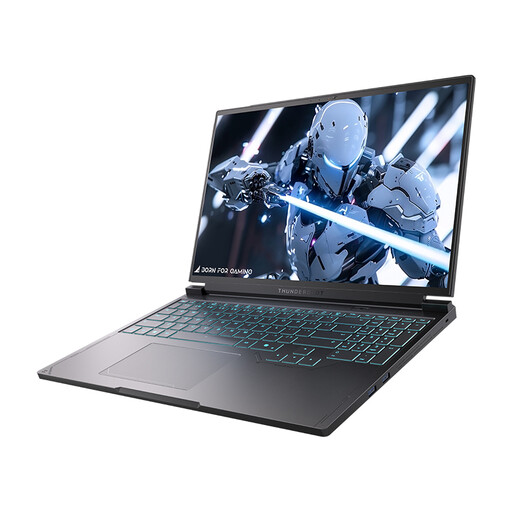
Why it stands out: This version of the Radiant S16 combines the fast 240Hz display with a high-performance Intel HX-series processor. This makes it a powerful all-rounder for both gaming and demanding productivity tasks.
Advantages:
Who is this laptop for? For the power user who wants the best of both worlds: an extremely fast screen for competitive gaming and a powerful Intel processor that excels in both games and heavy applications.
View the Thunderobot Radiant S16 (Intel i7) on Joybuy.nl
The perfect laptop is a personal choice. You might be looking for a different screen size, another brand, or a specific configuration not mentioned here. A good search starts with exploring all the possibilities. Check out our full range on our Laptop Screens page for more options.
Yes, the RTX 5060 is specifically designed as a strong card for QHD (1440p) gaming. You can expect to play most modern games at high settings with smooth framerates. For the most demanding titles, you might need to tweak a few settings to stay consistently above 60 FPS, but overall, it's an excellent combination.
The main difference is the balance between portability and immersion. A 16-inch gaming laptop is more compact and lighter, making it easier to take to a friend's house, a LAN party, or for work/study. A 17-inch gaming laptop is larger and heavier, but its bigger screen helps you get more immersed in your game. It feels more like a replacement for a desktop monitor.
