
Vandaag of morgen in huis

Kwaliteit gegarandeerd

Welkomstaanbiedingen ontgrendelen: GRATIS bezorging | Tot 80% korting | Gratis 30 dagen JoyPlus-proefperiode
Download de app
An RTX 5060 gaming laptop may look easy to compare on paper. However, two laptops with the same GeForce RTX 5060 can differ considerably in their screen, cooling, ports and power limit. The same is true of an RTX 5060 gaming PC or an RTX 5060 Ti configuration: the other components determine how much value you really get.
So don’t focus on the graphics card name alone. These are some common pitfalls to watch out for:
According to the product specifications for the models mentioned, the GeForce RTX 5060 has 8GB of GDDR7 video memory. For laptops, the GPU name isn’t the only important factor: check the stated maximum GPU power too. Models such as the Acer Nitro 18 AI, Lenovo Legion 5 and MSI Crosshair 17 HX list GPU power of up to 115W.
Higher power can allow for better performance, but the result also depends on the processor, temperature management, drivers and game settings. Treat claims about higher frame rates as product specifications or brand claims, rather than a guaranteed result in every game.
DLSS 4 and ray tracing support is mentioned in the descriptions for several products. These features only work in compatible games and can affect image quality, lighting or frame rate depending on the settings you choose. If you mainly play competitive games, you may value a high refresh rate more than maximum ray tracing.
An 240Hz gaming laptop is worth considering for fast-paced esports games, but always check the resolution and panel type. The range includes, for example:
An OLED QHD gaming laptop can be a great choice for both gaming and photo or video editing, thanks to its high resolution, deep blacks and wide colour gamut. Be sure to check the brightness, colour gamut, ports and weight. A larger or more feature-rich screen usually means a less portable laptop.
For an RTX 5060 gaming laptop with 16GB RAM, 16GB is a practical starting point for gaming, browsing and light streaming. For heavy multitasking, AI applications and content creation, 32GB is a better option. The MSI Stealth 16 AI+, for example, has 32GB DDR5.
Also consider the storage:
Upgrading is often easier on a desktop. An RTX 5060 Ti gaming PC may also be worth considering if you’re looking for a more powerful graphics configuration, but compare the power supply, motherboard, RAM type and available room for upgrades.
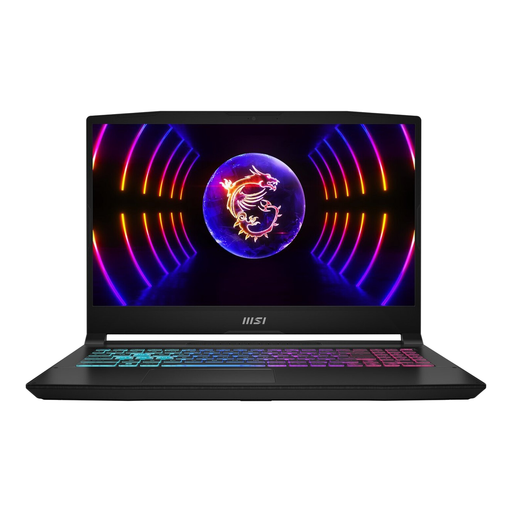
Why it suits this type of user: This configuration pairs an RTX 5060 with 16GB DDR5, a 1TB SSD and a 144Hz Full HD screen. It’s a straightforward setup for everyday gaming, without having to opt for a higher-resolution QHD panel straight away.
It has more storage than many 512GB models, and the specifications state that the RAM can be upgraded to 96GB.
RTX 5060 with 8GB GDDR7, 1TB SSD, 144Hz IPS screen and Wi-Fi 6E.
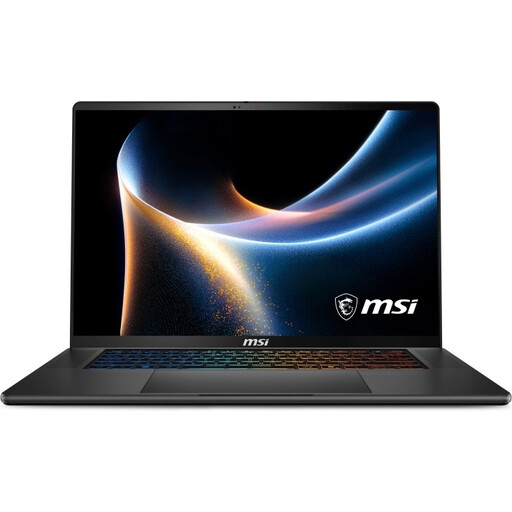
Why it suits this type of user: The combination of 32GB DDR5, a 1TB SSD, QHD+ OLED and 240Hz is well suited to people who combine gaming with video editing, productivity and AI workloads.
This configuration means you won’t need to upgrade the RAM straight away, and the specifications list two M.2 slots for storage expansion.
32GB DDR5, QHD+ OLED at 240Hz, 1TB SSD and Wi-Fi 7.
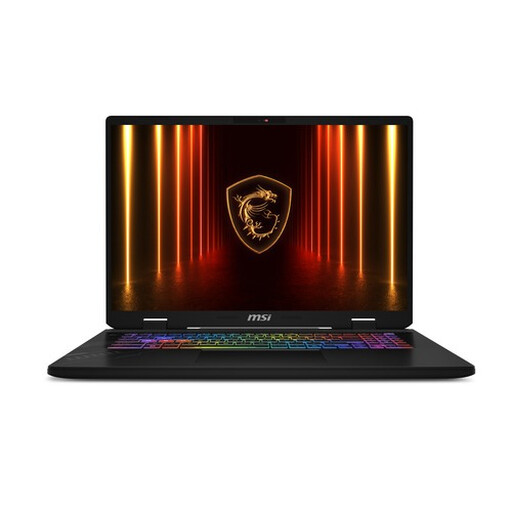
Why it suits this type of user: The 17-inch QHD+ screen with a 240Hz refresh rate is designed for people who value plenty of screen space and smooth visuals for gaming, streaming and multitasking.
The product specifications list 32GB RAM, a 1TB SSD and GPU power of up to 115W. When buying, make sure this configuration is right for the games you play.
QHD+ at 240Hz, 32GB DDR5, 1TB SSD and Thunderbolt 4.
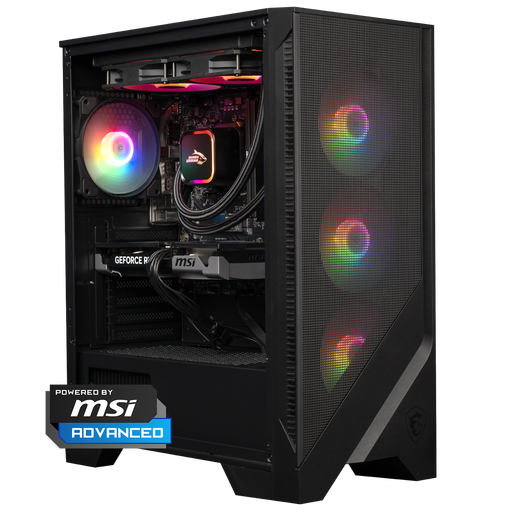
Why it suits this type of user: A desktop is less portable, but gives you a dedicated setup, more scope for cooling and often more room for future upgrades than a laptop.
The configuration specifies an RTX 5060 Ti, 16GB DDR5, a 1TB NVMe SSD, liquid cooling and a 650W power supply.
RTX 5060 Ti 8GB, Ryzen 5 7400, 1TB NVMe SSD and Windows 11 Home.
We’ve put together a complete, up-to-date list of products that meet these strict selection criteria and the applicable European safety regulations.
Before placing your order, always check:
Place your laptop on a hard, flat surface during demanding tasks, and keep the ventilation openings clear. This helps prevent overheating and performance loss due to thermal throttling. For a desktop, it’s also important to leave enough space around the case and remove dust regularly.
For modern games, office software and everyday multitasking, 16GB is usually a practical starting point. If you stream at the same time, edit video or use several demanding programmes, 32GB RAM is more suitable. Check whether the memory can be upgraded.
Power consumption depends on the processor, GPU power, brightness, game settings and whether you’re using the mains adapter. It’s considerably higher when gaming than when working with text. A desktop with an RTX 5060 Ti may also use more power because of its more powerful components. Check the adapter or power supply rating, and use energy-saving settings for everyday tasks.
How long it remains suitable for you depends on the games you play, the resolution you want and future software. A model with a 1TB SSD, upgradeable RAM and a screen with a suitable resolution gives you more flexibility. Bear in mind that, over time, newer games may need lower settings or DLSS support to run smoothly.
