
Vandaag of morgen in huis

Kwaliteit gegarandeerd

Welkomstaanbiedingen ontgrendelen: GRATIS bezorging | Tot 80% korting | Gratis 30 dagen JoyPlus-proefperiode
Download de app
A gaming laptop with an RTX 5060 can be a good choice for modern games, streaming, studying and creative software. But the graphics card name alone doesn’t tell you everything. Two laptops with the same NVIDIA GeForce RTX 5060 can differ in screen, graphics power, cooling, processor and upgrade options.
So focus on how the specifications work together. That way, you won’t pay for a high refresh rate your games can’t take advantage of, or a large SSD that’s full after just a few installations.
The RTX 5060 Laptop GPU is available in systems with different TGPs, or maximum graphics power. A higher TGP can offer more performance headroom in certain circumstances, but performance also depends on cooling, the processor, memory and game settings.
So don’t just check whether it says “RTX 5060”. Also look for:
A gaming laptop with 240Hz sounds appealing, but a higher refresh rate is most relevant for competitive games and high frame rates. A QHD+ screen also puts more demand on the GPU than Full HD, thanks to its higher resolution.
Consider the combination:
A 16-inch screen with 2560 × 1600 pixels, for example, can be a good choice for both gaming and photo editing. If you use the laptop for content creation, also check colour coverage, brightness and panel type.
A gaming laptop with 16GB RAM is a good starting point for many games, study programmes and everyday multitasking. However, streaming, video editing and demanding browser or software projects can need more memory.
So check:
A gaming laptop with a 1TB SSD gives you more room for large games and media files than a model with 512GB. A smaller SSD may still suit you if you mainly use cloud storage or plan to upgrade later.
The processor affects minimum frame rates, streaming, compiling and creative applications, among other things. A gaming laptop with a Ryzen 7 is a good option if you run several programmes at once. A gaming laptop with an Intel Core i7 or Core Ultra can also be a good fit, but check the specific model, core count and maximum clock speed.
Examples from the range:
A more powerful processor isn’t automatically necessary for every gamer. A mid-range processor may be enough for esports titles, schoolwork and general use. Extra processing power is useful for rendering, video editing and extended multitasking.
A 144Hz gaming laptop offers smoother visuals than a standard 60Hz screen, provided the laptop and game can deliver enough frames per second. A 240Hz gaming laptop is mainly aimed at players of competitive titles who can make use of the higher refresh rate.
For creative users, 100% sRGB or 100% DCI-P3, high brightness and an OLED panel are also useful specifications. These details come from the product information; they don’t guarantee that every user will see colours in exactly the same way.
A 17- or 18-inch screen gives you more viewing space, but makes the laptop less convenient to carry every day. According to the product information, the ASUS TUF Gaming A18 weighs around 2,60 kg, while the ASUS ROG Zephyrus G16 weighs around 1,85 kg.
Check the adapter too. Some product listings say that a charger isn’t included as standard, while others list an adapter in the box. Check the current product page before buying. Using the correct adapter is important to get the available performance during intensive gaming.
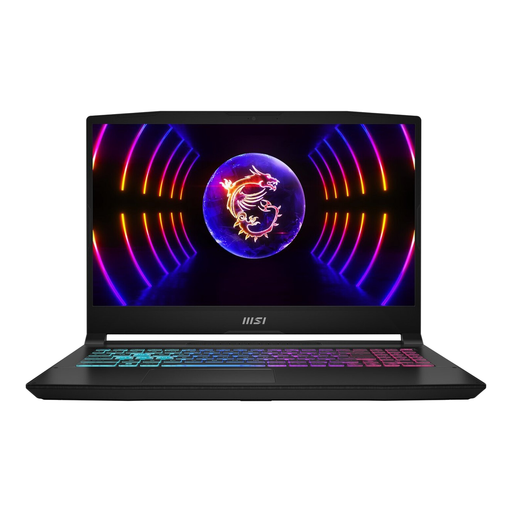
Why it suits this profile: This configuration combines an RTX 5060 with 16GB DDR5, a 1TB SSD and a 144Hz Full HD IPS screen. It’s a straightforward combination for gaming, studying and everyday use.
The product information lists more than just the GPU. It also specifies maximum graphics power of 115W, screen refresh rate, memory and upgrade support up to 96GB.
1TB SSD, 144Hz screen, Wi-Fi 6E and an Intel Core i7-14650HX processor.
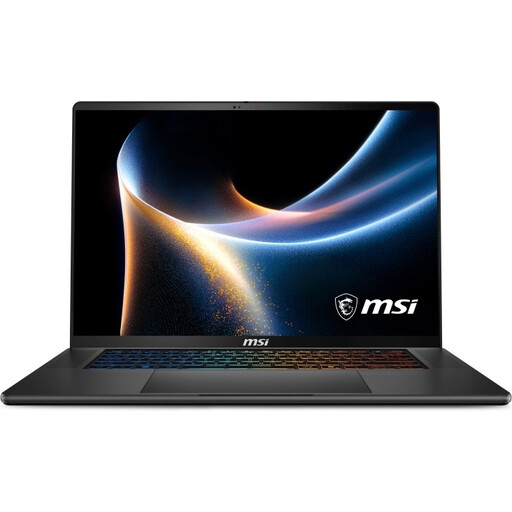
Why it suits this profile: The combination of an OLED screen, 32GB DDR5 and an aluminium chassis suits users who combine gaming with image editing, video work and working on the go.
The configuration lists 32GB of memory and two M.2 slots. This gives you more capacity for demanding multitasking and room to expand storage later.
16-inch QHD+ OLED, 240Hz, 1TB SSD, Wi-Fi 7 and a weight of around 1,99 kg.
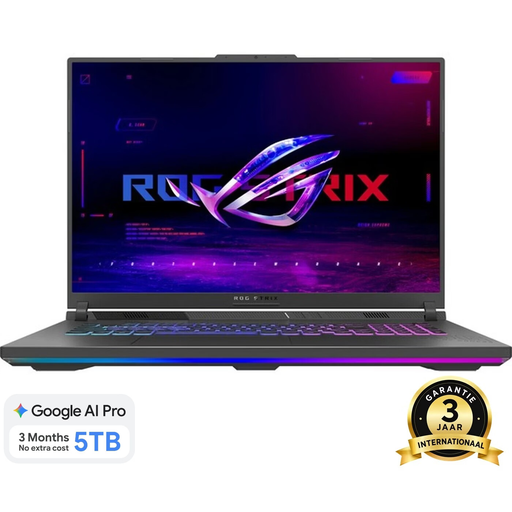
Why it suits this profile: The 18-inch screen and Ryzen 9 processor are designed for users who value a large display area and plenty of processing power.
The product listing specifies the resolution as well as the 240Hz refresh rate: 2560 × 1600. That way, you know exactly which screen you’re buying.
Ryzen 9 8940HX, 1TB SSD, 16GB DDR5 and an 18-inch WQXGA screen with 240Hz.
A laptop is practical for students, people working from home and gamers who want to move their system around. A desktop usually offers more room for cooling, future upgrades and a larger screen, but you’ll need a separate monitor, keyboard and mouse.
If you mainly play in one place, you could also consider a gaming PC with an RTX 5060. For example, the Lenovo Legion T5 combines a Ryzen 5 7600, RTX 5060, 16GB DDR5 and a 1TB SSD. Remember to factor in the extra cost of peripherals, and check the language of the installed operating system in the product information.
We’ve put together a complete, up-to-date list of products that fully meet these strict selection criteria and current European safety regulations.
For many games, studying and everyday multitasking, 16GB is a good starting point. For streaming, large creative projects and virtual machines, 32GB may be more practical. Check whether you can upgrade the memory later.
A 144Hz screen is a practical choice for many players. 240Hz may be appealing for competitive games, but only if the laptop can deliver enough frames per second with your settings. So consider the screen resolution, TGP and game genre together.
Its lifespan depends on game settings, maintenance, cooling and future software requirements. A model with upgradeable memory, a replaceable or upgradeable SSD and a clearly documented warranty gives you more flexibility. Use the laptop on a hard surface, keep the ventilation openings clear and check regularly for available updates and drivers.
