
RTS players who use lots of commands
If you use commands frequently, compare dedicated macro keys with remapping standard keys. Whether a macro is allowed in a particular game depends on that game's rules.


Start by deciding whether you need dedicated command keys for RTS games or would rather save desk space with a more compact keyboard. Then compare the switch type, layout and connections with your work and gaming devices. An adjustable actuation point is not, by itself, a proven general advantage for RTS players.
If you use commands frequently, compare dedicated macro keys with remapping standard keys. Whether a macro is allowed in a particular game depends on that game's rules.
If you type and game at the same desk, consider the feel and sound of the switches, as well as the connections for your work and gaming devices. For example, Razer and Keychron describe different switch and connectivity options for the models reviewed.
A TKL or 75% layout may be worth considering if you want to keep space free beside your keyboard. Be sure to compare the specific layout with your RTS shortcuts and the work keys you use most often.
First decide whether dedicated physical command keys matter more to you than a compact layout. Then consider sound, connectivity and how easy it is to reach the work and gaming keys you use every day.
| What to consider | What should you look for? | Who should pay extra attention? |
|---|---|---|
| Easy-to-reach RTS commands | Compare dedicated macro keys with remappable standard keys, and check the game's rules. | If I want quick access to my most important commands, I compare extra physical keys with remapping existing ones. Around 33% of consumers prioritise easy-to-reach RTS commands above all else. |
| Key sound | Check the switch type; manufacturers' descriptions are not comparable sound measurements. | If I combine work or calls with gaming, I want to know what the chosen version sounds like in my setup. Around 25% of consumers put key sound first. |
| Combining work and gaming | Check the connections, supported devices and which settings are available on each device. | If I want to use the same keyboard for work and gaming, I consider the layout and how easily I can switch between my devices. Around 25% of consumers prioritise this combination above all else. |
| Size and layout | Compare your shortcuts with the chosen 75% or TKL layout, and check ANSI/ISO and the language version. | If I have limited desk space, I want a more compact board without making important gaming or work keys awkward to reach. Around 17% of consumers put desk space first. |
Razer describes the BlackWidow V4 X as available with both Green and Yellow switches. According to Razer, these versions differ in their stated key feel and sound.
Check the full model name and switch type on the product page.
The Keychron V1 Max reviewed has a 75% ANSI layout; the SteelSeries Apex Pro TKL Gen 3 reviewed is a TKL model with a US layout.
Before choosing, compare the specific layout with your RTS shortcuts and the work keys you use most often.
A different layout may take time to get used to and could mean adjusting your key or game settings.
The Corsair K55 RGB PRO reviewed is a US version, and the Keychron page mentioned shows an ANSI layout. This information does not confirm which version a Dutch retailer sells.
Check the exact layout, language version and delivery terms with the retailer.
ACM ConsuWijzer distinguishes between voluntary retailer or manufacturer's warranties and your statutory right to a product that is fit for purpose.
Compare any extra cover with the rights you already have; a stated manufacturer's warranty period does not replace those statutory rights.
The models reviewed range from a board with dedicated macro keys to a wireless TKL version.
The V1 Max reviewed is a programmable 75% board for a compact desk and use with different devices.
The Apex Pro TKL Gen 3 reviewed is designed for anyone looking for a TKL board with per-key adjustable magnetic switches.
The K55 RGB PRO reviewed offers a wired option with dedicated macro keys.
These Joybuy products include TKL, 75% and full-size layouts for people who play RTS games and want to use the same keyboard for work. Check that the layout and specified version suit you for each product.
 No image available
A TKL version to compare if you want to keep desk space free for gaming and everyday typing.
TKL layout. US QWERTY.
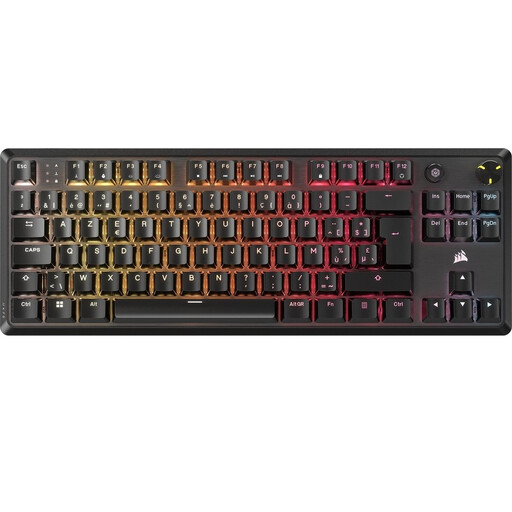 No image available
A TKL model to consider if you're looking for a more compact layout in a Belgian AZERTY version.
TKL layout. BE AZERTY. MLX Red switches.
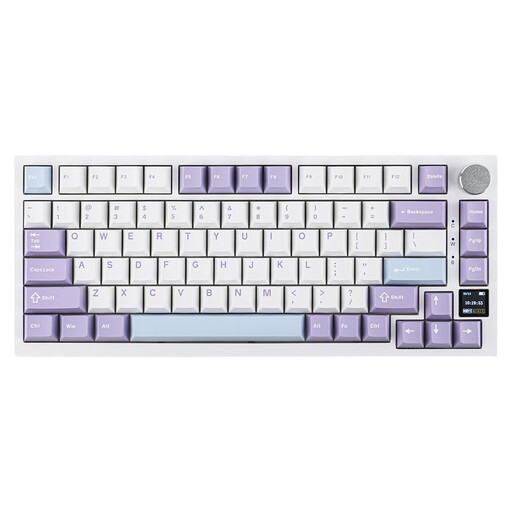 No image available
A 75% model to compare if you're looking for a more compact keyboard for gaming and work.
75% layout. Tri-Mode. US QWERTY.
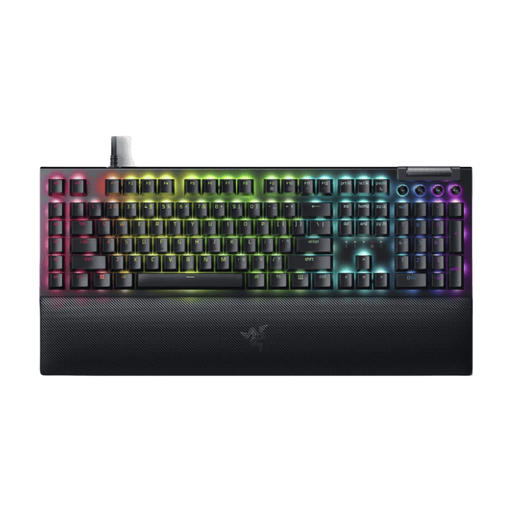 No image available
A full-size model to compare if you don't need a more compact layout and the US layout suits you.
Yellow switches. US layout. Full size.
 No image available
A TKL version to compare if you're looking for a more compact board and the US layout suits the way you use it.
Tenkeyless layout. US layout.
No, dedicated macro keys aren't always necessary. They provide extra physical inputs, while a programmable compact keyboard offers another way to assign keys. Compare both options against the shortcuts you actually use, and check the specific game's rules on automated actions.
First, check the physical layout and how the keyboard connects to each device. For the V1 Max, Keychron describes key remapping and macros through Launcher; for the Corsair K55 RGB PRO, the manual describes a USB connection and control through iCUE. Test the settings and your RTS shortcuts on the devices you plan to use the keyboard with.
That depends on the model and version. Razer states that the BlackWidow V4 Tenkeyless HyperSpeed is compatible with 3- or 5-pin switches. Check whether your exact keyboard version is hot-swappable and which switches are compatible before buying.
For a standard online purchase in the Netherlands, you generally have a statutory cooling-off period of up to 14 days after delivery, although there are exceptions. ACM ConsuWijzer also states that you are entitled to a product that meets what you could reasonably expect. If it breaks too soon during normal use, ACM says the retailer must put it right at no cost to you; a manufacturer's warranty does not replace this statutory right.