Gaming mice at Joybuy
This selection includes wired and wireless gaming mice with programmable controls or adjustable lighting, for players who want to tailor their RTS controls and lighting to the way they play.
 No image available
Razer Basilisk V3 35K, wired, black
A wired option if you want to tailor the controls and lighting to your RTS setup.
13 customisable controls and 11 RGB zones that can be configured through Razer Synapse.
USB connection; stated weight 101 g and dimensions 130 × 75 mm.
View at Joybuy
 No image available
Shark Gaming Velocity M70
Worth considering if you want to assign several RTS commands and adjust the lighting.
Seven programmable buttons with macro support and adjustable RGB lighting.
PMW3360 sensor, up to 12,000 DPI and a polling rate of up to 1000 Hz. The description lists a right-handed shape, rubber side grips and a weight of approximately 95 g.
View at Joybuy
 No image available
Razer Basilisk V3 X HyperSpeed
A wireless option if you want to avoid a cable and assign several commands to buttons.
Nine programmable buttons and adjustable Chroma RGB through Razer Synapse.
HyperSpeed Wireless and Bluetooth; maximum sensitivity 18,000 DPI.
View at Joybuy
 No image available
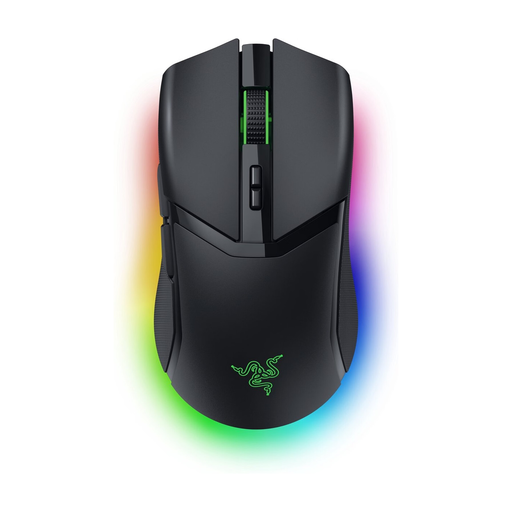
Razer Cobra Pro, wireless
A wireless option if you want to customise the controls and lighting effects to suit your preferences.
Ten customisable buttons and eleven individually programmable RGB zones.
HyperSpeed Wireless and Bluetooth; Focus Pro optical sensor up to 30,000 DPI. The description mentions an ergonomic design for right-handed users.
View at Joybuy
 No image available
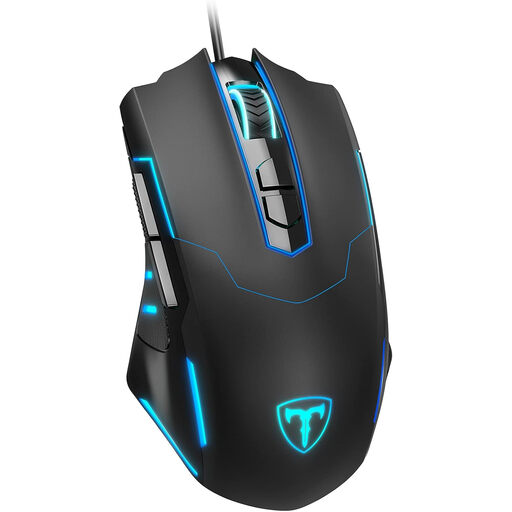
ET Gaming Mouse, wired
A wired option if you’re looking for programmable buttons and customisable lighting.
Seven programmable buttons with macro support and lighting with 16 million colour options.
Adjustable DPI from 1200 to 7200 and a polling rate of 125 to 1000 Hz. The description mentions an ergonomic contour and rubberised surface.
View at Joybuy
Frequently asked questions
Do you need as many mouse buttons as possible for an RTS game?
No. Choose buttons for commands you actually want to move to your mouse. Age of Empires IV also uses keyboard shortcuts, so check which commands your game lets you assign.
How do you set up RGB lighting for a dark room?
Choose an effect you find comfortable and check the settings for the exact model. SteelSeries describes how to control lighting for RGB-compatible devices through the lighting tab in GG Engine.
What can you do if your mouse develops a fault during normal use?
Contact the seller. In the Netherlands, a product must meet what you can reasonably expect from it. The Dutch government says there is no fixed statutory warranty period. The appropriate solution depends on the circumstances.
Can you try out a mouse bought online and then return it?
For an online purchase by a consumer, a statutory cooling-off period usually applies and ends 14 days after delivery. Check the terms and exceptions that apply to your purchase before returning it.
Where can you dispose of an old mouse or a loose battery?
Take a small electrical device to a collection point for electrical appliances. If you can remove the battery from the device, take it separately to a battery collection point, as advised by Milieu Centraal.


