Who is this choice relevant to?

RTS players without a charging spot

If you don’t want to use a socket for a mouse charger, you can compare a wired USB mouse with a wireless model that uses a replaceable battery. Logitech G lists one AA battery for the G305; a wired mouse uses a USB port.

RTS players who use lots of shortcuts

If you want to control in-game commands with your mouse, consider whether a few extra buttons will do or whether a larger thumb panel would suit you better. Razer and SteelSeries describe these button layouts for specific models.

RTS players with long sessions

If you play for long stretches, consider the grip, button reach and how the mouse is powered. A stated battery life or weight doesn’t automatically mean a model will feel comfortable for every hand.

What should you look for when choosing?

Wired USB mouse

A good fit if: you don’t want to manage a battery while playing and have a spare, compatible USB port.

Trade-off: the cable may restrict your movement and uses a USB port, but you won’t need a separate mouse charger.

Wireless with a replaceable battery

A good fit if: you want to play without a mouse cable and would rather replace a battery than recharge the mouse.

Trade-off: factor in replacement batteries, and check whether a receiver needs a spare USB port.

Rechargeable wireless mouse

A good fit if: you have a suitable way to charge it and don’t want to replace disposable batteries.

Trade-off: check the charging method for the model you’re considering and whether you can use it while it charges.

What to consider What should you check? Who is this important for?
Power without an extra socket Check whether the mouse is wired or uses a replaceable battery, and which computer port it needs. If I don’t want to use a socket for a mouse charger, power is my main consideration. Around 36% of consumers make powering their mouse without an extra socket their top priority.
Easy-to-reach RTS buttons Count the commands you want to assign, then check the button placement and profile settings. If I want to control lots of in-game commands with my thumb, I compare the number of buttons with how easy they are to reach. Around 29% of consumers say button layout is their main deciding factor.
Comfort during long sessions Compare the shape, grip and reach of the side and main buttons for your hand. If I play for a long time, I want a shape and button layout that suit my grip. Around 21% of consumers prioritise comfort and reach during long sessions.
Connections and ongoing costs Check whether you need a USB port for the cable or receiver, and what type of battery or charging method the model uses. If I want to keep using my existing computer setup, I check the ports, receiver and power source in advance. Around 14% of consumers consider connections and ongoing battery use most important.

Common pitfalls

  • Confusing not needing a socket with not needing a port

    A wired mouse uses a USB port; a wireless 2.4 GHz mouse may also need a port for its receiver.

    Check which ports are free on your computer before choosing between a cable, receiver and Bluetooth.

  • Assuming more buttons are always more convenient

    A large thumb grid gives you more options to assign, but it’s only useful if you can reach the buttons comfortably while playing.

    First, note down the actions you want to assign, then compare the button placement and layout.

  • Assuming the stated battery life guarantees how long you can play

    A manufacturer’s figure doesn’t guarantee how long the battery will last with your settings and playing habits.

    Check the conditions attached to the stated battery life, and keep a spare battery handy if you’re choosing an AA model.

Brands to compare

Logitech G

The G305 is a wireless option that uses one AA battery, while the G502 X LIGHTSPEED offers more customisable controls.

  • Logitech G states that the G305 offers up to 250 hours of battery life from one AA battery.
  • The G305 requires battery replacements. The 13 customisable controls listed by Logitech for the G502 X LIGHTSPEED apply to that model, not to every mouse from the brand.

Razer

The wired Basilisk V3 and wireless Naga V2 HyperSpeed offer different button layouts.

  • Razer lists 10+1 programmable buttons for the Basilisk V3 and a 12-button thumb grid for the Naga V2 HyperSpeed.
  • Not every RTS player needs a large thumb grid. The layout and connection options vary by model.

SteelSeries

The Aerox 9 Wireless is worth considering if you’re looking for a larger side panel.

  • SteelSeries lists 18 programmable buttons and a weight of 89 g for this model.
  • These specifications don’t prove that the mouse will be more comfortable for every hand or playing style; check the fit and power source of the version you’re considering.

Corsair

Corsair’s guidance on wired and wireless mice can help you weigh up the practical trade-offs between a cable and managing batteries.

  • Corsair cites not having to manage batteries as an advantage of a wired mouse, and not having cable drag as an advantage of a wireless one.
  • This is general guidance from the manufacturer, not an independent performance test or a specification for the entire product range.

Joybuy products for this situation

This selection includes wired USB mice and wireless models with replaceable batteries, so you can compare how each type works with the sockets you have and the available ports on your computer.

Razer Basilisk V3 35K wired gaming mouse

Razer Basilisk V3 35K

A wired option if you don’t want to manage a mouse battery and want to set up extra buttons for RTS commands.

Wired USB connection, 11 programmable buttons and a weight of 101 g. This model is designed for right-handed use and needs a spare, compatible USB port.

View at Joybuy
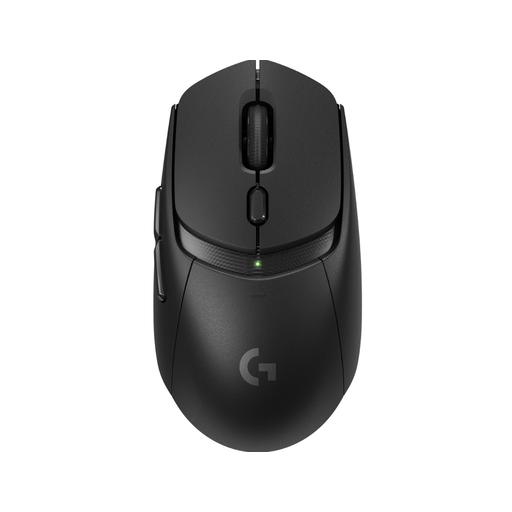
Logitech G309 LIGHTSPEED wireless gaming mouse

Logitech G309 LIGHTSPEED

A wireless option for anyone looking for a replaceable AA battery and a few customisable RTS buttons.

The product information lists six programmable buttons, LIGHTSPEED and Bluetooth. The stated battery life is more than 300 hours from one AA battery; the battery will eventually need replacing.

View at Joybuy

AJAZZ AJ159 V2 MC wireless gaming mouse

AJAZZ AJ159 V2 MC

An option for comparing wired and wireless connections without being tied to a mouse cable while you play.

The product information lists wired, Bluetooth and 2.4 GHz connection options, plus two replaceable 300 mAh batteries. The stated weight is 54 g (±3 g).

View at Joybuy
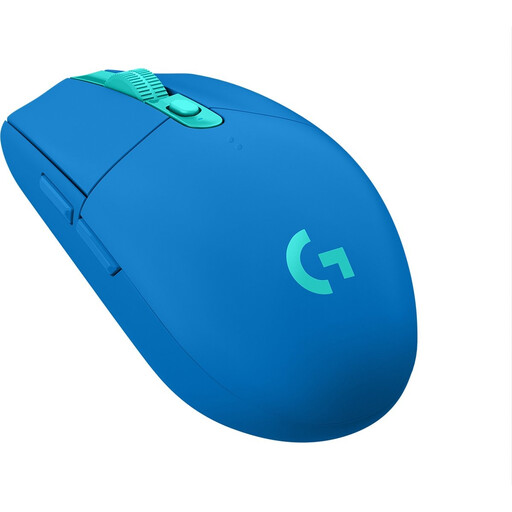
Logitech G305 LIGHTSPEED wireless gaming mouse in blue

Logitech G305 LIGHTSPEED, blue

A wireless AA battery option for anyone who doesn’t want to use a separate charging spot for their mouse.

Logitech G states that the G305 offers up to 250 hours of battery life from one AA battery. The 2.4 GHz connection uses a USB receiver; the stated weight is 99 g.

View at Joybuy

Razer Basilisk V3 X HyperSpeed wireless gaming mouse

Razer Basilisk V3 X HyperSpeed

A wireless option if you want to customise several functions and use an AA battery instead of needing a charging spot for your mouse.

The product information lists nine programmable buttons, LIGHTSPEED Wireless and Bluetooth. The stated battery life is up to 535 hours via Bluetooth; Razer Synapse is listed for customising the buttons.

View at Joybuy

Frequently asked questions

Do I need a spare socket for a wired gaming mouse?

No, not for a separate mouse charger: you plug a wired mouse into a compatible USB port on your computer. So, check that you have a spare USB port.

How do I look after a mouse with replaceable batteries?

Keep a suitable spare battery handy if you want to avoid interruptions. Take used batteries to a separate collection point in a shop or supermarket, as advised by Milieu Centraal.

Are a replacement battery or charging accessory included?

It depends on the exact version and packaging. Check what’s included and the charging or power method before you buy; don’t assume a mains adapter or charging mat is included.

Who should I contact about a fault after buying in the Netherlands?

Report a fault to the retailer. According to the Dutch government, if a fault occurs within the first year after purchase, the retailer must prove that the consumer caused it.

Which product safety rules apply to a wireless mouse in the Netherlands?

The European Radio Equipment Directive is relevant to equipment with Bluetooth or a radio-frequency module, according to Dutch government product safety information. Compliance must be assessed for the specific version; a product listing alone doesn’t demonstrate it.
