Start with one router if the lesson space already has a strong enough Wi-Fi signal; only choose multiple Wi-Fi points if you find that coverage is poor in that area. Measure the available space, including room for cables and the power supply, and check that the router is compatible with your existing modem and offers the guest access you need. For a specific product, also check the relevant compliance information and CE marking.
Who is this relevant for?
Tutor with limited space
You teach in one room and want to know whether the router, cables and power supply will fit on a crowded shelf. The Consumers' Association notes that the distance between the router and the device used for lessons affects the connection.
Tutor with coverage problems
You notice that the Wi-Fi signal is weaker in your lesson space than elsewhere in the house and wonder whether an extra Wi-Fi point would help. The Consumers' Association describes placing points where you want to boost the signal.
Tutor with visiting pupils
You want to give pupils internet access while protecting access to your private devices. FRITZ! and ASUS list guest access for specific models.
What should you look for?
First, check the signal in your lesson space. Then see whether you can position one device effectively there. An extra Wi-Fi point is only a sensible next step if coverage is poor in that area and you have the space and power supply for another unit.
| What to consider |
What should you check? |
Who is this important for? |
| Fitting it on a small shelf |
Measure the shelf and leave room for cables and the power supply; check how many units the solution you choose requires. |
If my shelf is already full, I want to know whether the router, cables and power supply will fit; around 33% of consumers who prioritise a compact setup consider this important. |
| Connection during lessons |
Test the signal where you use your device for lessons and check the internet connection; see whether a wired connection would be practical. |
For an online lesson, I want to know whether the connection is good enough where I teach; around 27% of consumers who prioritise their lesson connection consider this important. |
| Access for pupils |
Check whether the exact model offers guest access and how to set it up. |
When pupils use my network, I want to keep their access separate from my private devices. Around 20% of consumers who prioritise separate access for pupils consider this important. |
| Coverage in the lesson space |
Compare the signal in the lesson room with the signal by the router; check whether you can place and power an extra point there. |
If the signal is weak in the lesson room but good elsewhere, I want to know whether an extra point will fit there; around 20% of consumers who prioritise coverage where they teach consider this important. |
Common mistakes
-
Focusing only on the highest Wi-Fi speed
A high stated Wi-Fi speed does not, by itself, tell you whether the connection will be good in your lesson space. Distance, walls and your internet connection all play a part.
First, check the signal where you teach and test the connection on the device you use for lessons.
-
Assuming a mesh system takes up little space
Even compact mesh units need to be positioned separately and plugged into a power supply.
Start with one point if it gives you enough coverage; otherwise, decide in advance where the extra units can go.
-
Mistaking an Ethernet router for a replacement modem
A router with an Ethernet WAN port connects to an existing modem, but it is not automatically suitable for replacing equipment connected to a fibre broadband connection.
Before buying, check how your router will connect. If you want to replace your existing equipment directly, ask your provider about the network type and the settings you will need.
Brands to consider
TP-Link
The Deco X50 range is worth considering if you need multiple Wi-Fi points; TP-Link lists versions with one, two or three units.
- TP-Link says the Deco X50 supports optional Ethernet backhaul and each unit has three gigabit ports.
- Coverage figures apply to specific sets and do not tell you how much coverage you will get in your home. Multiple units also need more space.
ASUS
The RT-AX57 is a standalone router to consider if one device is enough for your lesson space.
- ASUS lists the RT-AX57 as measuring 230 × 134 × 56 mm, with a guest network and AiMesh.
- Its dimensions do not predict Wi-Fi coverage in your home. These features apply to this model and are not automatically available on other ASUS routers.
FRITZ!
The FRITZ!Box 4050 is an option if you want to use a router behind an existing modem and need guest access.
- The manufacturer lists a gigabit WAN port, three gigabit LAN ports, guest access and dimensions of 200 × 45 × 152 mm.
- According to its specifications, the FRITZ!Box 4050 is designed to connect to a modem. Check separately whether you want to replace your provider's modem instead.
Joybuy products
These are standalone routers for anyone who wants to start with one device; check the signal where you teach before choosing a solution. For the product on offer, check the relevant compliance information and CE marking: the Dutch Authority for Digital Infrastructure says this is a requirement for radio equipment placed on the market in the Netherlands.
 No image available
TP-Link TL-WR841N, single-band 2.4 GHz
Worth considering if you want one router and guest access for pupils is important. Bear in mind that it is a single-band 2.4 GHz model with Fast Ethernet.
Joybuy
 No image available
ASUS RT-AX52 AX1800
This standalone router is an option if you want one device and may want to expand your network later. The product information lists dual-band Wi-Fi 6 and AiMesh compatibility.
Joybuy
 No image available
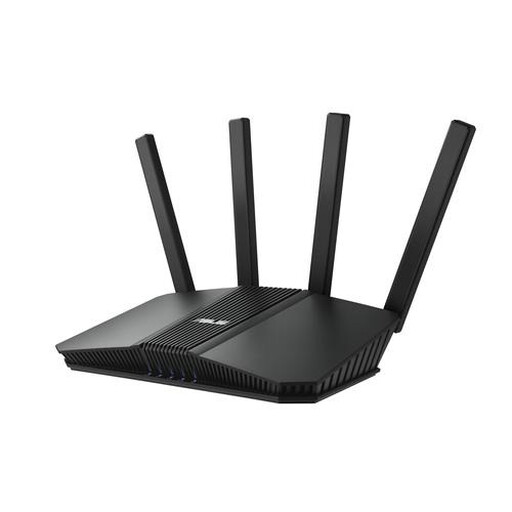
ASUS RT-BE82U BE6500
An option if you are looking for a standalone router with dual-band Wi-Fi. The product name lists a 2.5-gigabit Ethernet port; check that it is compatible with your wired devices.
Joybuy
 No image available
ASUS RT-AX52 Pro AX3000
This standalone router could suit you if you need a wired connection and want the option to expand your network with compatible AiMesh routers. The product name lists Gigabit Ethernet, while the product information specifies Wi-Fi 6.
Joybuy
 No image available
TP-Link TL-WR1502X Wi-Fi 6 travel router
This model is described as a travel router. Check that its portable design, required connections and power supply suit your fixed home setup; the product name lists dual-band Wi-Fi 6.
Joybuy
Frequently asked questions
Can I use my own router in the Netherlands?
Yes. According to ACM ConsuWijzer, you are free to choose your router. Your device must meet the applicable requirements and must not harm the network. If necessary, ask your provider for the connection settings you need.
Can any standalone router replace my fibre modem?
No. A router with an Ethernet WAN port is not automatically suitable for replacing a fibre modem. ACM ConsuWijzer notes that PTP and PON fibre connections may require different modem compatibility; ask your provider about your network type and the relevant settings.
Do I need to buy a mesh system straight away?
Not before checking the signal where you teach. An extra Wi-Fi point is most useful if coverage is genuinely lacking there and you can put the point in a suitable location.
What maintenance does my own router need?
Keep the firmware up to date and manage your Wi-Fi password. Safe Internetting recommends updating your router; ACM ConsuWijzer also highlights the importance of updates for the security of a personal device on your provider's network.
Which product marking should I check when buying in the Netherlands?
Check the CE marking and the relevant compliance information for the product on offer. The Dutch Authority for Digital Infrastructure says CE marking is a requirement for radio equipment placed on the market in compliance with the rules. A brand or model name alone does not confirm that this specific product has been checked.


