What should you consider when buying?
Start with a wired upload speed test, then compare it with Wi-Fi at your workspace. The Consumers’ Association recommends using a network cable to rule out Wi-Fi as the cause of a slow test result.
| Concern |
What to look out for |
Which consumers? |
| Uploading at your workspace |
Compare a wired upload speed test with Wi-Fi where you work. |
If I send design files from a fixed location, I want to know whether my internet connection or Wi-Fi is limiting the upload. Around 36% of consumers give upload speed at their workspace top priority. |
| Several devices online at once |
Make a note of which devices are in use at the same time, which Wi-Fi standards they use and whether you can connect your design computer by cable. |
When I upload while phones and laptops are online, I want to account for all those devices being in use at once. Around 29% of consumers give network congestion top priority. |
| Coverage in your workspace |
Test the connection where you work and compare moving the router with adding Wi-Fi points; check whether you can connect the points by cable. |
If my workspace is behind walls or on another floor, I want to know whether Wi-Fi coverage there is good enough. Around 21% of consumers give coverage in a distant room top priority. |
| Connection and management |
Check your provider’s connection settings, what your devices support and how to update the exact hardware version. |
I want to connect and maintain my own router properly, without having to guess whether my devices will work with it. Around 14% of consumers give connection and independent management top priority. |
Joybuy products for uploads and Wi-Fi coverage
This selection includes standalone routers for a fixed workspace and mesh systems for Wi-Fi in several locations. Before choosing between these setups, check which issue your own tests have identified as the bottleneck.
 No image available
TP-Link Deco X50 (3-Pack) Wi-Fi 6
A mesh system for Wi-Fi in several locations around your home; check whether three points are right for your property.
The product name lists Wi-Fi 6 and dual-band (2.4 GHz/5 GHz). The product description mentions three gigabit ports per unit, OFDMA and MU-MIMO.
A router won’t increase the upload speed of your broadband package.
View at Joybuy
 No image available
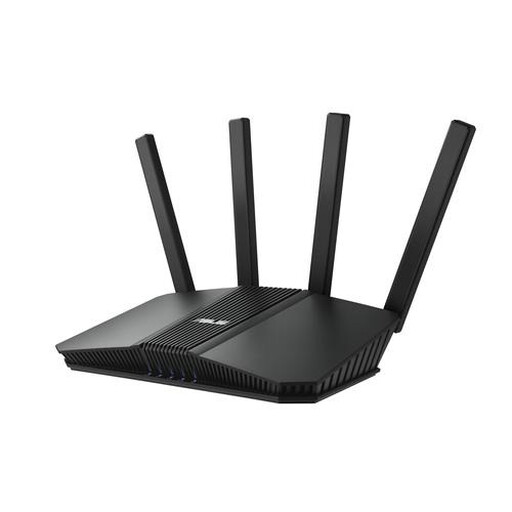
ASUS RT-BE82U BE6500
A standalone router to compare if you have a fixed upload location and need wired connections.
The product name lists Wi-Fi 7, dual-band (2.4 GHz/5 GHz) and 2.5-gigabit Ethernet. The product description mentions OFDMA and four Ethernet ports.
A router won’t increase the upload speed of your broadband package.
View at Joybuy
 No image available
ASUS RT-AX52 Pro AX3000
A standalone router to compare if several devices are used at the same time.
The product name lists dual-band (2.4 GHz/5 GHz) and gigabit Ethernet. The product description mentions Wi-Fi 6, OFDMA, MU-MIMO and AiMesh compatibility.
A router won’t increase the upload speed of your broadband package.
View at Joybuy
 No image available
TP-Link Deco XE75 Pro (3-Pack) Wi-Fi 6E
A mesh system for Wi-Fi in several locations around your home; check where to position the points and how many you’ll need.
The product name lists tri-band (2.4 GHz/5 GHz/6 GHz) and Wi-Fi 6E. The product description mentions 2.5-gigabit Ethernet and gigabit ports per unit.
A router won’t increase the upload speed of your broadband package.
View at Joybuy
 No image available
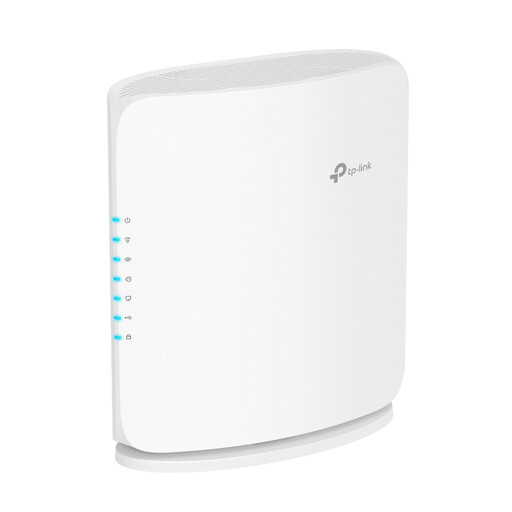
TP-Link Archer BE450
A standalone router to compare if you want a wired connection at a fixed workspace while also using wireless devices.
The product name lists dual-band (2.4 GHz/5 GHz). The product description mentions Wi-Fi 7, Ethernet ports up to 10 Gbps and EasyMesh compatibility.
A router won’t increase the upload speed of your broadband package.
View at Joybuy
Frequently asked questions
Will a new router always make uploading a design file faster?
No. First, compare a wired upload speed test with Wi-Fi at your workspace. The upload speed of your broadband package may itself be the limiting factor; better Wi-Fi won’t change that package limit. The Consumers’ Association describes uploading as part of your internet connection.
Can you connect your own router in the Netherlands?
Yes. According to ACM ConsuWijzer, you’re free to choose your router. You may need your provider’s connection settings to use your own device. If you use your own modem, it must also meet the requirements for compatibility and the security of the network connection.
How can you keep a router you’ve bought secure?
Install available firmware updates and enable automatic updates if possible. Also change the default administrator passwords and check the update instructions for your exact hardware version. VeiligInternetten recommends setting updates to install automatically where possible.
Does a two-year manufacturer’s warranty mean your rights end there?
No. In the Netherlands, you’re also covered by statutory warranty. According to ACM ConsuWijzer, this doesn’t have a fixed two-year limit. What you can reasonably expect in terms of a product’s lifespan depends on the product and the circumstances. If it develops a fault too soon, contact the seller.
What should you look for in a router sold in the Netherlands?
Check that the radio equipment on offer has a CE mark. The Dutch Authority for Digital Infrastructure also outlines European requirements for radio equipment; cybersecurity requirements under RED 3.3 have applied since 1 August 2025 to equipment covered by them. A claim on a product page is not the same as an independent test of the individual item.


